Building a Technology Budget That Supports Your Firm's Growth
Who This Guide Is For
This guide is designed for CPA firms in the Las Vegas area with approximately 10 to 50 employees that are planning next year's technology budget, evaluating managed IT services, or preparing for future growth. Whether you're building your first formal IT budget or refining an existing one, this guide explains how to think strategically about technology investments rather than simply reacting to unexpected expenses.
Technology has become one of the most important operational investments for modern CPA firms. Beyond supporting day-to-day productivity, your technology budget influences cybersecurity, client service, employee efficiency, business continuity, and your firm's ability to adapt to changing client expectations.
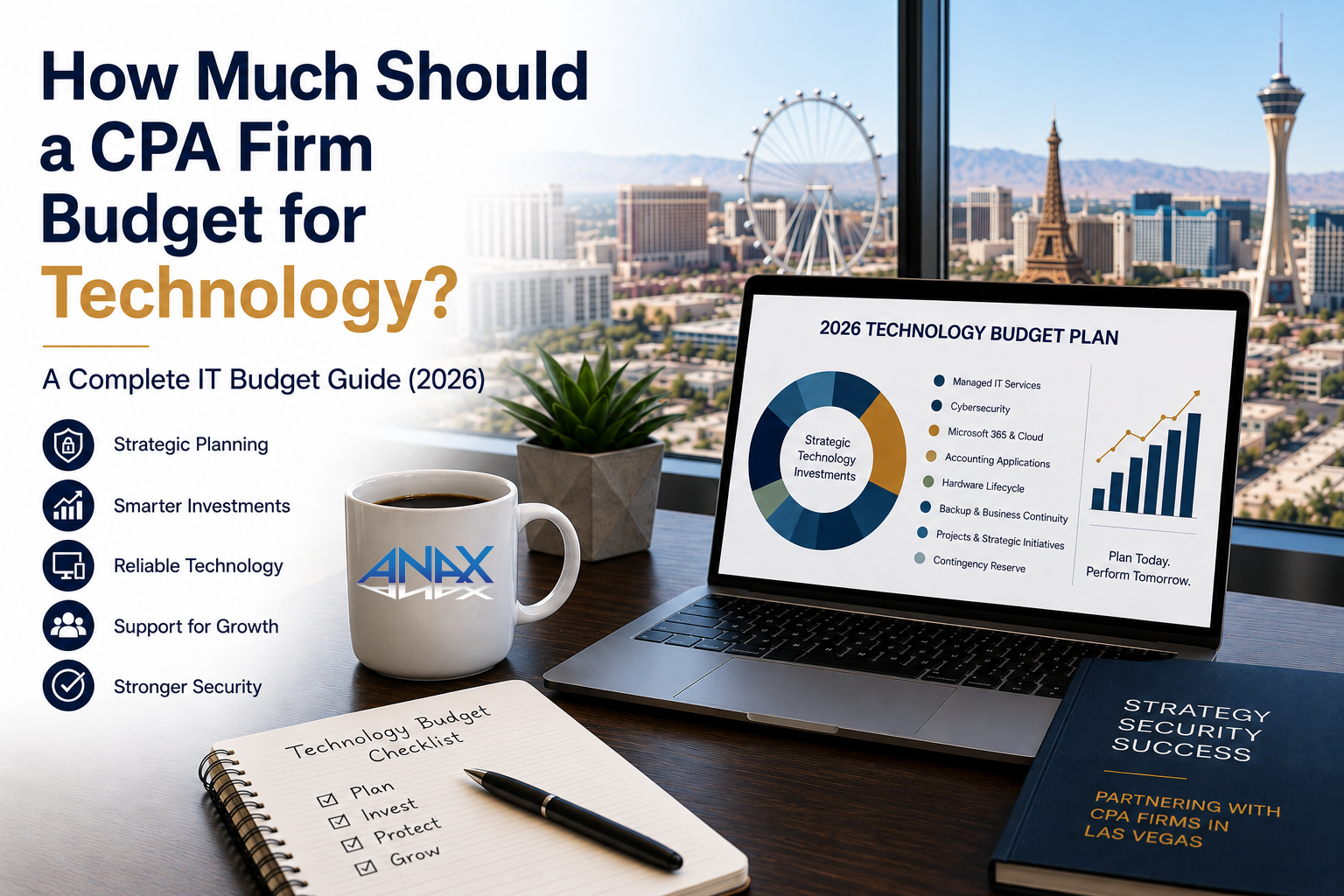
For many firms, managed IT services represent only one portion of the overall technology budget. A comprehensive annual technology plan should also account for cybersecurity, Microsoft 365, accounting applications, hardware replacement, backup and disaster recovery, technology projects, and a contingency reserve.
For example, a 10-person CPA firm might budget $18,000 to $36,000 annually for managed IT services based on our planning range of $150 to $300 per user, per month, but that figure represents only one component of the firm's total technology investment.
The most successful firms don't simply ask, "What will IT cost next year?" They ask a better question:
"What technology investments will best support our business over the next three to five years?"
Technology Budgeting Isn't Just About Spending Less
Many organizations approach IT budgeting by trying to minimize costs.
A better approach is to maximize value.
The lowest-cost technology solution isn't always the least expensive over time, and the highest-priced solution isn't automatically the best investment.
Good technology planning balances:
- Business objectives
- Security
- Productivity
- Reliability
- Scalability
- Long-term cost
That means evaluating not only the upfront investment, but also the ongoing operational costs, expected lifespan, and business impact of each technology decision.
At ANAX, we encourage clients to think about technology as a strategic business asset rather than simply another operating expense.
The ANAX Technology Budget Framework
One of the easiest ways to build an effective technology budget is to divide it into four planning categories.
Recurring Services + Technology Lifecycle + Projects + Contingency = Annual Technology Budget
Rather than focusing on one large IT number, this framework helps firms understand where technology dollars are being invested and why.
Throughout this guide, we'll explore each category in detail.
- Recurring Services
These are the predictable monthly or annual expenses that keep your technology environment operating.
Examples include:
- Managed IT services
- Microsoft 365 licensing
- Cybersecurity services
- Backup and disaster recovery
- Cloud subscriptions
- Internet connectivity
- Accounting software subscriptions
- Email security
- Domain and DNS services
Because these services are ongoing, they often represent the largest portion of an annual IT budget.
- Technology Lifecycle
Every piece of technology has a useful life.
Computers eventually become outdated.
Servers reach the end of their warranty.
Firewalls require replacement.
Wireless infrastructure evolves.
Rather than waiting for equipment to fail unexpectedly, successful organizations plan for regular replacement cycles that spread costs over multiple years.
Lifecycle planning also reduces the likelihood of major technology failures during critical periods such as tax season.
- Technology Projects
Some technology investments occur outside routine operations.
Examples include:
- Office expansions
- Cloud migrations
- Server replacements
- Network upgrades
- Microsoft 365 modernization
- AI initiatives
- New accounting software implementations
Planning for these projects separately helps avoid unexpected budget surprises.
- Contingency Planning
Technology changes constantly.
Unexpected hardware failures, software licensing changes, business growth, acquisitions, and cybersecurity incidents all create expenses that are difficult to predict years in advance.
Including a reasonable contingency reserve gives firms flexibility without disrupting operations.
Why CPA Firms Budget Differently Than Many Other Businesses
Although every industry depends on technology, accounting firms often face unique operational requirements.
For example:
- Highly confidential taxpayer and financial information
- Strict filing deadlines
- Seasonal workload spikes
- Specialized accounting and tax applications
- Secure document exchange with clients
- Long-term document retention
- Increasing cybersecurity expectations
Technology planning should reflect those realities.
Investments in areas such as identity protection, backup, employee security awareness training, and ongoing system maintenance not only improve day-to-day operations but can also support broader information security practices discussed in the FTC Safeguards Rule and IRS guidance such as Publication 4557 and Publication 5293.
The objective isn't simply to purchase more technology.
It's to invest in technology that supports both the business and the people who rely on it.
Cloud Doesn't Always Mean Lower Costs
One of the biggest misconceptions we encounter is the assumption that moving everything to "the cloud" will automatically reduce technology costs.
For many CPA firms, the reality is more nuanced.
While software-as-a-service (SaaS) platforms have transformed many business applications, a significant number of accounting and tax software vendors still rely on hosted Windows desktops, virtual servers, or other cloud-hosted infrastructure rather than true browser-based SaaS applications.
These hosted environments can offer flexibility and remote accessibility, but they also introduce recurring hosting fees that continue for as long as the service is used.
In some cases, those ongoing subscription costs may exceed the total cost of purchasing, maintaining, and eventually replacing an on-premises server over a five- to seven-year lifecycle.
That doesn't mean on-premises infrastructure is always the better choice, nor does it mean cloud-hosted solutions should be avoided. Each approach has advantages depending on your firm's workflow, security requirements, remote access needs, and long-term financial objectives.
The important point is this:
Cloud isn't a destination. It's a deployment model.
Rather than assuming one approach is inherently superior, CPA firms should evaluate the total cost of ownership, operational flexibility, vendor support, security considerations, and long-term business goals before making infrastructure decisions.
As more accounting software vendors introduce modern SaaS platforms over the coming years, these evaluations may change. Until then, many firms will continue to operate hybrid environments that combine on-premises infrastructure with cloud services such as Microsoft 365 and secure remote access.
Technology Budgets Should Evolve With Your Firm
A technology budget shouldn't be created once and forgotten.
As your firm grows, hires new employees, adopts new software, expands services, or embraces new technologies such as AI, your technology strategy should evolve as well.
Annual budgeting provides an opportunity to evaluate whether your current investments still align with your firm's operational goals, client expectations, and long-term plans.
Next, we'll break down the seven major categories every CPA firm should include in its technology budget and explain how each contributes to a secure, reliable, and productive technology environment.
The Seven Technology Budget Categories Every CPA Firm Should Plan For
Once you've established an overall technology budget, the next step is deciding how to allocate it.
One of the most common budgeting mistakes we see is treating technology as a single line item. In reality, technology is made up of several distinct investments, each serving a different purpose.
At ANAX, we recommend organizing a CPA firm's technology budget into seven categories:
- Managed IT Services
- Cybersecurity
- Microsoft 365 & Cloud Services
- Accounting Applications
- Hardware Lifecycle
- Backup & Business Continuity
- Projects & Strategic Initiatives
Looking at technology through these categories makes it easier to build realistic budgets, prioritize investments, and avoid unexpected expenses.
- Managed IT Services
Managed IT services are often the foundation of a firm's technology budget.
These services typically include:
- Help desk support
- Proactive monitoring
- Patch management
- Microsoft 365 administration
- Network management
- Vendor coordination
- Technology planning
- Strategic reviews
As discussed in our Managed IT Pricing Guide, CPA firms should generally plan on investing approximately $150 to $300 per user, per month, depending on the complexity of their environment and the services provided.
Rather than viewing managed IT as simply an outsourced help desk, consider it the operational foundation that keeps your technology environment healthy throughout the year.
- Cybersecurity
Cybersecurity deserves its own budget category.
While managed IT and cybersecurity work together, they serve different purposes.
Managed IT focuses on keeping systems operational.
Cybersecurity focuses on protecting systems, identities, and information.
Depending on your firm's needs, cybersecurity investments may include:
- Advanced endpoint protection
- Email security
- Multifactor authentication
- Identity protection
- Security awareness training
- Vulnerability management
- Security monitoring
- Incident response planning
- Security assessments
Separating cybersecurity from managed IT also creates better visibility into where security dollars are being invested and allows firms to scale protections as risks evolve.
Many of these technologies also support broader information security practices discussed in the FTC Safeguards Rule, IRS Publication 4557, and IRS Publication 5293, all of which emphasize safeguarding taxpayer information through layered security controls and ongoing risk management.
Technology alone doesn't satisfy those expectations, but it plays an important role in supporting a firm's overall information security program.
- Microsoft 365 and Cloud Services
For many CPA firms, Microsoft 365 has become the operational hub of the business.
Typical budget items include:
- Microsoft 365 licensing
- Exchange Online
- Teams
- SharePoint
- OneDrive
- Microsoft Entra ID
- Email security
- Microsoft Copilot licensing (where appropriate)
One important point often overlooked during budgeting is that buying Microsoft 365 licenses is only part of the investment.
Organizations also need to budget for:
- Administration
- Security configuration
- User lifecycle management
- Licensing reviews
- Ongoing optimization
Simply owning Microsoft 365 doesn't automatically mean it's configured securely or managed effectively.
As we've discussed in our Microsoft 365 best practices article, technical availability and licensing entitlement are also different concepts. As Microsoft licensing continues to evolve, firms should periodically review both their licensing and their configurations to ensure they're aligned with current business needs.
- Accounting Applications
This is one area where CPA firms differ significantly from many other small businesses.
Accounting firms often rely on specialized software for:
- Tax preparation
- Accounting and bookkeeping
- Audit workflows
- Document management
- Secure client portals
- Practice management
- Time and billing
- Workflow automation
Some applications are delivered as traditional desktop software.
Others run on local servers.
Many are hosted in vendor-managed environments or virtual desktops.
A growing number are becoming true software-as-a-service (SaaS) platforms.
Each deployment model carries different licensing, infrastructure, support, and long-term budgeting considerations.
For that reason, we encourage firms to evaluate the total cost of ownership, not simply the monthly subscription price.
A hosted solution with recurring per-user fees may offer operational advantages, but depending on the software and the firm's size, those recurring costs may exceed the cost of maintaining an on-premises server over a five- to seven-year lifecycle.
Likewise, purchasing and maintaining on-premises infrastructure isn't automatically the right answer.
The objective is to select the platform that best aligns with your firm's workflow, remote access requirements, security objectives, and long-term financial plans.
Technology decisions should support the business, not the other way around.
- Hardware Lifecycle
Hardware should never become an emergency expense.
Instead of waiting until systems fail during tax season, successful firms build predictable replacement schedules into their annual budgets.
Typical planning ranges include:
| Technology | Planning Range |
| Business laptops | 3-5 years |
| Business desktops | 4-5 years |
| Servers | 5-7 years |
| Firewalls | 4-6 years |
| Network switches | 5-7 years |
| Wireless access points | 4-6 years |
| UPS batteries | 3-5 years |
| Monitors | 5-7+ years |
Replacing equipment gradually often results in:
- Better budgeting
- Fewer unexpected failures
- More consistent employee experience
- Reduced downtime
- Easier planning
For example, a 25-person CPA firm replacing workstations on a five-year cycle would typically budget for approximately five computer replacements each year, rather than replacing every workstation at once.
The same planning philosophy applies to servers. Rather than viewing a server replacement as a surprise expense every five to seven years, firms should incorporate that lifecycle into their long-term capital planning while evaluating whether replacing the server or moving to a hosted platform provides the better long-term value.
- Backup & Business Continuity
Backing up data is only part of business continuity.
CPA firms should also budget for their ability to continue serving clients when technology problems occur.
Business continuity planning may include:
- Backup systems
- Disaster recovery
- Recovery testing
- Cloud backup
- Internet redundancy
- Power protection
- Emergency communication procedures
Reliable recovery planning becomes especially important during tax season, when prolonged downtime can affect client deadlines and business operations.
The FTC Safeguards Rule and IRS guidance also emphasize the importance of protecting taxpayer information and maintaining the ability to recover from security incidents or operational disruptions.
Budgeting for backup without budgeting for recovery planning leaves an important gap.
- Projects & Strategic Initiatives
Every technology budget should leave room for improvement.
Projects may include:
- Office expansions
- Infrastructure upgrades
- Server replacements
- Cloud migrations
- Microsoft 365 modernization
- Network redesign
- AI initiatives
- Security improvements
- New software deployments
One emerging category is artificial intelligence.
Whether your firm is evaluating Microsoft Copilot or another AI platform, budgeting should extend beyond software licensing to include user training, governance, security reviews, and implementation planning.
Like any other technology investment, AI should solve specific business problems rather than being adopted simply because it's new.
Your Technology Budget Is a Living Plan
Technology budgeting isn't something most firms should do once every five years.
As your business grows, regulations evolve, software vendors change licensing models, and new technologies emerge, your technology plan should evolve with them.
Reviewing your technology budget annually with your technology partner allows you to make informed decisions before they become urgent decisions.
Next, we'll bring these categories together with sample technology budgets for 10-, 25-, and 50-employee CPA firms, discuss the most common budgeting mistakes we see, and answer the questions firm leaders ask most often when planning for the year ahead.
Putting Your Technology Budget Into Action
By now, we've covered the major categories that make up a CPA firm's technology budget. The next step is putting those categories together into a practical annual planning process.
Every firm is different, but the goal is always the same:
Build a technology budget that supports your firm's operations today while preparing for tomorrow's growth.
Technology shouldn't become a surprise expense. It should become a planned business investment.
Sample Annual Technology Budgets
The following examples illustrate how firms of different sizes might organize their technology budgets.
These examples are intended for planning purposes rather than as fixed recommendations.
Example: 10-Employee CPA Firm
| Budget Category | Planning Consideration |
| Managed IT Services | $18,000-$36,000 annually |
| Cybersecurity | Separate budget based on selected protections |
| Microsoft 365 & Cloud Services | Licensing, administration, security, and collaboration tools |
| Accounting Applications | Tax software, document management, portals, workflow applications |
| Hardware Lifecycle | Approximately two workstation replacements per year on a five-year cycle |
| Backup & Business Continuity | Based on recovery objectives and business requirements |
| Projects | Office improvements, infrastructure upgrades, AI initiatives, etc. |
| Contingency | Annual reserve for unexpected technology needs |
Example: 25-Employee CPA Firm
| Budget Category | Planning Consideration |
| Managed IT Services | $45,000-$90,000 annually |
| Cybersecurity | Planned separately based on the firm's security program |
| Microsoft 365 & Cloud Services | Licensing, identity management, collaboration, and administration |
| Accounting Applications | Existing subscriptions plus future software planning |
| Hardware Lifecycle | Approximately five workstation replacements annually plus server planning |
| Backup & Business Continuity | Recovery planning, backup verification, testing |
| Projects | Infrastructure improvements, cloud initiatives, office expansion, AI |
| Contingency | Annual reserve |
Example: 50-Employee CPA Firm
| Budget Category | Planning Consideration |
| Managed IT Services | $90,000-$180,000 annually |
| Cybersecurity | Security program appropriate for the firm's operational needs |
| Microsoft 365 & Cloud Services | Licensing, governance, administration, and optimization |
| Accounting Applications | Growth planning and vendor lifecycle management |
| Hardware Lifecycle | Approximately ten workstation replacements annually plus infrastructure lifecycle |
| Backup & Business Continuity | Recovery planning and periodic testing |
| Projects | Strategic technology initiatives |
| Contingency | Annual reserve |
Notice that managed IT is only one component of the overall technology budget. Successful firms plan for the full technology lifecycle rather than focusing exclusively on monthly support costs.
Five Technology Budgeting Mistakes We See CPA Firms Make
Even firms with formal budgeting processes sometimes overlook important technology expenses.
Here are five of the most common issues we encounter.
- Budgeting Only for Managed IT
Managed IT is an important investment, but it's only one piece of the puzzle.
Cybersecurity, Microsoft 365 licensing, accounting software, hardware replacement, backup, business continuity, and technology projects all deserve their own planning discussions.
- Waiting Until Hardware Fails
Replacing technology only after it stops working often results in emergency purchases, unplanned downtime, and unnecessary disruption.
Lifecycle planning helps smooth expenditures while improving reliability.
- Assuming Every Cloud Solution Saves Money
Cloud technology offers many benefits, including flexibility, remote access, and scalability.
However, not every hosted solution reduces long-term costs.
Many accounting software vendors continue to deliver hosted Windows environments or virtual desktops rather than true software-as-a-service platforms. Depending on your firm's size and software stack, recurring hosting fees over five to seven years may exceed the cost of purchasing, maintaining, and replacing on-premises infrastructure.
The better question isn't:
"Should we move to the cloud?"
It's:
"Which deployment model provides the best long-term value for our business?"
Technology decisions should be driven by business outcomes, not trends.
- Underestimating Cybersecurity
Cybersecurity isn't simply another software subscription.
It's an ongoing business function.
Identity protection, security awareness training, email security, vulnerability management, backup, and incident response planning all require ongoing investment.
These same areas also support many of the broader information security principles discussed throughout the FTC Safeguards Rule and IRS guidance, including Publications 4557, 5293, 1345, and 5708 where applicable.
Planning for cybersecurity annually is generally more effective than reacting after an incident occurs.
- Forgetting to Budget for Growth
Technology budgets should reflect where the firm is going, not just where it is today.
Questions worth considering include:
- Will we hire additional employees?
- Are we opening another office?
- Will we add new service lines?
- Are we planning to implement AI tools?
- Will we replace our tax software?
- Are we acquiring another practice?
The answers to these questions often have a greater impact on future technology costs than routine support.
Compliance Insight
Technology budgets and compliance are closely related, but they aren't the same thing.
Investments in cybersecurity, identity management, backups, employee security awareness training, system maintenance, and disaster recovery can all support a CPA firm's broader information security program. These investments also align with many of the security practices discussed in the FTC Safeguards Rule and IRS publications such as Publication 4557, Publication 5293, Publication 1345, and Publication 5708 where applicable.
Technology alone does not establish compliance. Compliance also depends on documented policies, operational practices, employee training, and firm-specific circumstances.
Frequently Asked Questions
How much should a CPA firm budget for technology?
Every firm is different, but technology budgets should include more than managed IT services. A comprehensive annual budget typically includes managed IT, cybersecurity, Microsoft 365, accounting applications, hardware lifecycle, backup and business continuity, technology projects, and a contingency reserve.
Should cybersecurity have its own budget?
Yes.
Separating cybersecurity from managed IT provides better visibility into security investments and allows firms to scale protections as risks evolve.
How often should we review our technology budget?
At least annually.
Many firms also review their technology plans before tax season, during strategic planning meetings, or whenever significant business changes occur.
Should we replace our server or move to a hosted environment?
There isn't a universal answer.
Many CPA software vendors still rely on hosted Windows environments rather than true SaaS platforms. Depending on your firm's applications, workflow, and long-term financial objectives, maintaining an on-premises server may provide a lower total cost of ownership than paying recurring hosting fees over several years.
The right decision should consider cost, operational requirements, remote access, security, vendor support, and future growth.
Does Microsoft Copilot belong in our technology budget?
Potentially.
Organizations evaluating AI should budget not only for software licensing but also for implementation, governance, security reviews, employee training, and ongoing management.
Key Takeaways
When planning your firm's technology budget, remember these principles:
- Build your budget around recurring services, lifecycle planning, projects, and contingency.
- Budget separately for managed IT, cybersecurity, Microsoft 365, accounting applications, hardware, and business continuity.
- Evaluate technology decisions based on long-term business value rather than short-term cost alone.
- Consider total cost of ownership when comparing on-premises infrastructure with hosted solutions.
- Review your technology budget annually with a trusted technology partner.
Ready to Build a Smarter Technology Strategy?
Every CPA firm has unique operational goals, security priorities, and technology challenges. The right technology strategy should reflect your firm's size, workflow, growth plans, and the demands of serving clients throughout the year, especially during tax season.
At ANAX Business Technology, we take a consultative approach to managed IT. Rather than recommending a one-size-fits-all solution, we work with CPA firms to evaluate their current technology environment, identify opportunities for improvement, and develop practical strategies that support long-term business objectives.
Our U.S.-based team members live and work in the Las Vegas valley, allowing us to combine responsive local support with long-term technology planning. We believe the best technology partnerships are built on accessibility, accountability, and a deep understanding of the businesses we serve.
Whether you're planning next year's technology budget, evaluating infrastructure investments, or deciding between on-premises and hosted solutions, we're here to help you make informed technology decisions with confidence.
Schedule your Initial Consultation with ANAX Business Technology to discuss your firm's goals and learn how a trusted technology partner can help support your success.