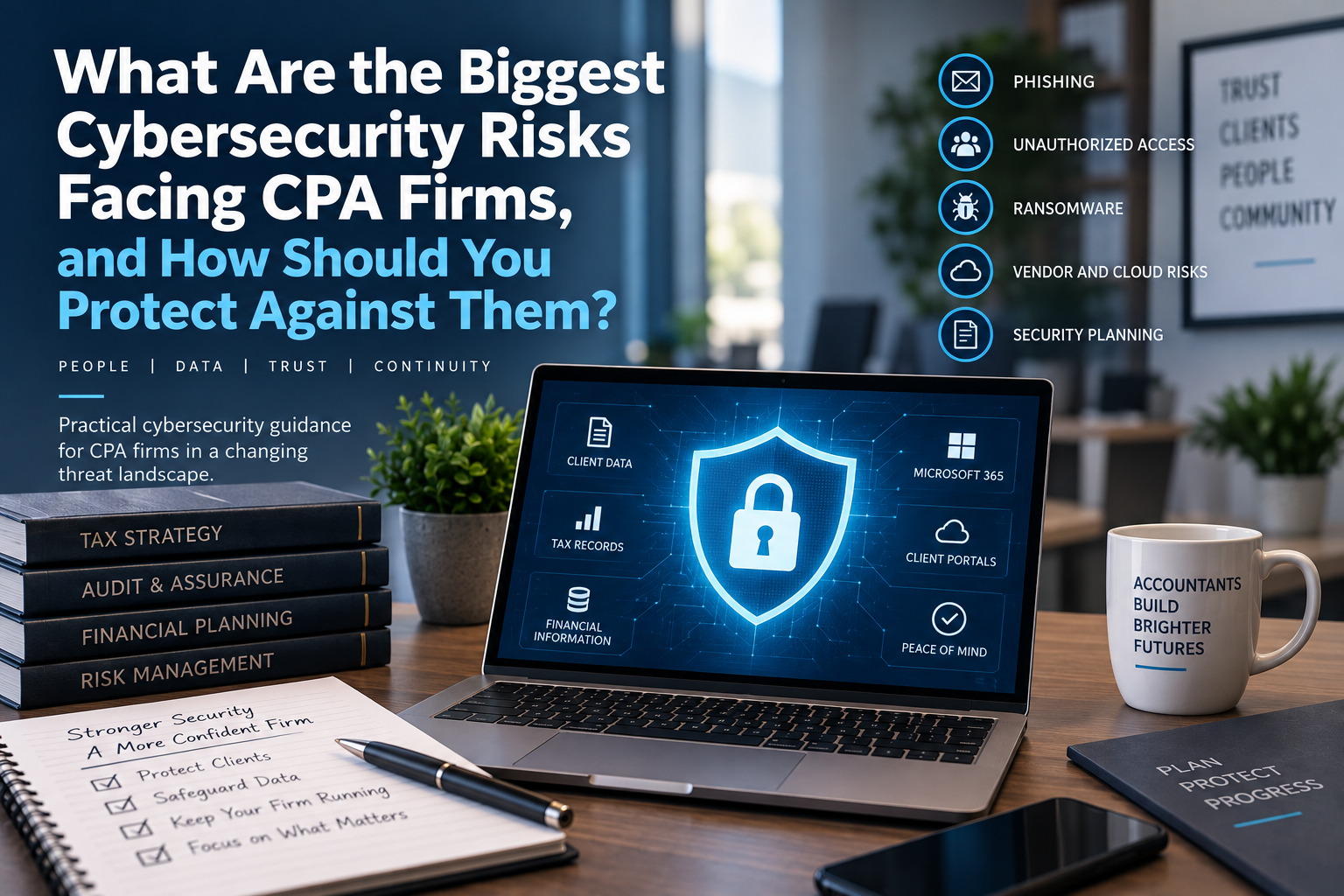
The biggest cybersecurity risks facing CPA firms include phishing, credential theft, unauthorized account access, ransomware, data loss, weak vendor oversight, poor Microsoft 365 configuration, and insufficient security planning.
For CPA firms with 10 to 50 employees, the goal is not to buy every cybersecurity product available. The goal is to understand where the firm is most exposed, prioritize the controls that reduce the most likely risks, and build a security program that supports how the firm actually works.
CPA firms handle taxpayer information, financial records, payroll data, bank information, Social Security numbers, client documents, business records, and deadline-driven communications.
That combination makes cybersecurity a business issue, not just a technical issue.
A practical cybersecurity strategy should help the firm answer five questions:
- How do attackers most likely get in?
- Which accounts and systems would create the greatest damage if compromised?
- How would we know something was wrong?
- How would we recover if a system or data source was affected?
- Who is responsible for reviewing and improving security over time?
Why CPA Firms Need a Practical Cybersecurity Strategy
Cybersecurity for CPA firms should not be built around fear.
It should be built around reality.
CPA firms hold information that criminals can use for identity theft, tax fraud, financial fraud, business email compromise, payroll diversion, and other forms of abuse. That risk becomes more pronounced during tax season when employees are busy, client communication increases, attachments and document links are common, and deadlines create urgency.
That does not mean every CPA firm faces the same risk as a large enterprise.
It does mean that even a smaller firm needs a thoughtful approach.
A 15-person CPA firm may not have a full-time internal security team, but it may still manage sensitive client information, Microsoft 365 accounts, remote access, client portals, tax applications, and accounting systems.
That is enough complexity to require structure.
The FTC Safeguards Rule requires covered financial institutions to develop, implement, and maintain an information security program with administrative, technical, and physical safeguards designed to protect customer information. The IRS also points tax professionals to resources such as Publication 4557, Safeguarding Taxpayer Data, and Publication 5293, Data Security Resource Guide for Tax Professionals, for security guidance and data-protection awareness.
This article is not legal or compliance advice.
Instead, it focuses on practical cybersecurity risks and protections that CPA firm leaders should understand when evaluating their technology environment, managed IT provider, or cybersecurity program.
The CPA Firm Cybersecurity Risk Framework
We recommend organizing CPA firm cybersecurity around five major risk areas:
- Phishing and Credential Theft
- Unauthorized Access and Poor Account Hygiene
- Ransomware, Data Loss, and Business Disruption
- Weak Vendor, Cloud, and Application Oversight
- Insufficient Security Planning and Review
This framework helps firm leadership move beyond generic security conversations.
Instead of asking:
"Are we secure?"
A better question is:
"Where are we most likely to be exposed, and what are we doing about it?"
That shift matters.
Cybersecurity is not a single tool.
It is a combination of technology controls, employee behavior, documentation, vendor management, backup and recovery planning, access control, leadership decisions, and ongoing review.
-
Phishing and Credential Theft
Phishing remains one of the most important risks for CPA firms because email is central to how firms work.
Employees communicate with clients, receive documents, share links, respond to deadlines, coordinate with vendors, and handle requests that may involve sensitive or financial information.
That creates opportunity for attackers.
A phishing message may impersonate:
- A client
- A partner
- A tax authority
- A software vendor
- Microsoft
- A bank
- A payroll provider
- A document-sharing platform
- A copier or scanner vendor
- A colleague
- A prospective client
The message may ask the employee to click a link, open an attachment, approve a login, update payment information, reset a password, download a file, or respond urgently.
During tax season, these messages can be especially effective because employees are already expecting time-sensitive client communication.
The danger is not just the email itself.
The danger is what happens after someone interacts with it.
A successful phishing attack may lead to:
- Stolen Microsoft 365 credentials
- Unauthorized mailbox access
- Fraudulent forwarding rules
- Client data exposure
- Malicious file downloads
- Wire or payment fraud attempts
- Account takeover
- Lateral movement into other systems
- Loss of trust with clients
Why Microsoft 365 Accounts Are High-Value Targets
For many CPA firms, Microsoft 365 is more than email.
It may control access to:
- Outlook
- Teams
- OneDrive
- SharePoint
- Office applications
- Client communications
- Internal documents
- Shared mailboxes
- Mobile devices
- Identity and authentication
- Administrative controls
If an attacker gains access to a Microsoft 365 account, they may be able to read email, search for sensitive attachments, access shared files, impersonate the employee, or create hidden mailbox rules.
That is why protecting Microsoft 365 accounts should be a core cybersecurity priority for CPA firms.
A license alone does not equal a secure environment.
The firm needs to know whether Microsoft 365 is properly configured, monitored, and reviewed.
Practical Protections Against Phishing and Credential Theft
CPA firms should focus first on controls that reduce the likelihood and impact of compromised accounts.
Important protections may include:
- Multifactor authentication
- Strong password practices
- Conditional access policies where appropriate
- Email security filtering
- Security awareness training
- Phishing reporting procedures
- Review of mailbox forwarding rules
- Monitoring for suspicious logins
- Administrative account protection
- Secure password reset procedures
- Clear verification procedures for sensitive requests
Multifactor authentication, or MFA, is especially important.
MFA does not prevent every attack, but it can reduce the chance that a stolen password alone gives an attacker access to the account.
For CPA firms, MFA should be reviewed for:
- Microsoft 365 users
- Administrative accounts
- Remote access
- Tax applications
- Accounting applications
- Client portals
- Hosted desktops
- Security tools
- Backup systems
- Vendor portals
The key question is not only:
"Do we have MFA?"
The better question is:
"Where is MFA required, where are exceptions allowed, and who reviews those exceptions?"
Employee Training Should Be Specific to CPA Workflows
Security awareness training is more effective when it reflects the way employees actually work.
Generic training may tell users to avoid suspicious emails.
CPA-specific training should address examples employees are likely to see, such as:
- Fake client document links
- Fraudulent tax document requests
- Messages impersonating partners
- Urgent deadline-driven requests
- Payroll or banking change requests
- Fake Microsoft 365 login prompts
- Shared-file notifications
- Fake scanner or copier alerts
- Vendor invoice changes
- E-signature or client portal impersonation
- Messages using tax-season urgency
The goal is not to make employees afraid of every message.
The goal is to give them a clear process.
Employees should know:
- How to report suspicious emails
- Who to ask when they are unsure
- How to verify unusual requests
- What types of information should never be sent casually
- What to do if they think they clicked something
A fast report can be the difference between a contained incident and a larger problem.
Verification Procedures Matter
Some security problems happen because employees are trying to be helpful.
A client asks for a document urgently.
A vendor says banking information changed.
A manager appears to request a sensitive file.
A partner seems to ask for a payment.
Before tax season, CPA firms should define verification procedures for sensitive requests.
For example:
- Confirm payment changes by phone using a known number.
- Do not rely solely on email for bank-account changes.
- Verify unusual document requests through an established channel.
- Report suspicious Microsoft 365 login prompts.
- Escalate urgent requests that seem unusual or out of process.
These rules do not need to be complicated.
They need to be clear.
-
Unauthorized Access and Poor Account Hygiene
The second major risk area is unauthorized access.
This risk is broader than phishing.
It includes any situation where users, former users, vendors, applications, or administrators have access they should not have.
For CPA firms, access can accumulate over time.
Employees change roles.
Seasonal staff leave.
Interns finish their engagement.
Vendors are granted temporary access.
Shared mailboxes are created.
Client portals are added.
Microsoft 365 groups multiply.
Remote-access tools are installed.
Application permissions are changed during busy season and never reviewed.
Over time, the firm may no longer have a clear picture of who can access what.
That is a cybersecurity risk.
It is also an operational risk.
Former Employee Access Is a Common Weak Point
One of the easiest access-control failures to understand is former employee access.
When an employee leaves, the firm should have a process to disable or remove access from systems such as:
- Microsoft 365
- Teams
- OneDrive
- SharePoint
- File shares
- Tax applications
- Accounting software
- Client portals
- Remote access
- VPN
- Hosted desktops
- Payroll systems
- Password managers
- Vendor portals
- Security tools
The process should also address:
- Shared mailboxes
- Email forwarding
- File ownership
- Mobile devices
- Firm-owned equipment
- MFA methods
- Administrative access
- Third-party application access
For seasonal employees, this becomes even more important because access may be created quickly and removed inconsistently.
A good offboarding process should begin before the employee's last day.
For seasonal staff, the offboarding date should be planned before onboarding begins.
Administrative Access Requires Extra Attention
Administrative accounts deserve special protection because they can change systems, create users, reset passwords, manage security settings, and access sensitive areas.
CPA firms should review administrative access for:
- Microsoft 365
- Servers
- Firewalls
- Backup systems
- Security tools
- Remote-access platforms
- Domain and DNS accounts
- Hosted environments
- Tax applications
- Accounting applications
- Client portals
Ask:
- Who has administrative access?
- Do they still need it?
- Is MFA enforced?
- Are administrator accounts separate from daily-use accounts?
- Are former provider accounts still active?
- Are emergency accounts documented?
- Are shared administrator accounts being used?
- Are administrative actions logged?
- Who reviews administrator access?
Administrative access should be limited, documented, and reviewed periodically.
A small CPA firm does not need enterprise bureaucracy.
But it does need clarity.
Shared Mailboxes, Groups, and Permissions Should Be Reviewed
Many CPA firms use shared mailboxes, distribution groups, SharePoint sites, Teams channels, and shared folders to manage client work.
These tools can improve productivity.
They can also create access sprawl.
Before and after tax season, review:
- Who has access to shared mailboxes
- Who has access to client folders
- Who owns SharePoint sites
- Whether external sharing is enabled
- Whether former employees remain in groups
- Whether seasonal employees still have access
- Whether mail forwarding rules exist
- Whether sensitive data is stored in the right location
The goal is not to lock everything down so tightly that employees cannot work.
The goal is to align access with business need.
Employees should be able to access the information required for their role.
They should not automatically retain access forever because nobody reviewed it.
Practical Protections Against Unauthorized Access
CPA firms can reduce unauthorized-access risk through a combination of process and technology.
Useful practices may include:
- Formal onboarding and offboarding checklists
- Periodic access reviews
- MFA for users and administrators
- Role-based permissions
- Limited administrative access
- Review of shared mailboxes and groups
- Review of external sharing
- Vendor-access management
- Secure password management
- Documentation of service accounts
- Logging and monitoring of sensitive systems
- Review of former employee accounts
This is not glamorous cybersecurity work.
But it is foundational.
Many security issues begin with basic access-control gaps.
A practical security program should make those gaps visible and manageable.
-
Ransomware, Data Loss, and Business Disruption
Ransomware is often discussed as a cybersecurity issue, but for CPA firms it is also a business continuity issue.
The immediate concern is not only whether data is encrypted or stolen.
The operational question is:
Can the firm keep working, recover critical systems, and communicate clearly if something serious happens?
For a CPA firm, a ransomware or data-loss event could affect:
- Microsoft 365
- Tax applications
- Accounting systems
- File shares
- Local servers
- Hosted desktops
- Document management
- Client portals
- Remote access
- Backups
- Workstations
- Vendor systems
The impact depends on which systems are affected, how quickly the issue is detected, whether backups are usable, how responsibilities are defined, and whether leadership has a response plan.
This is why ransomware protection should not be reduced to a single software product.
A practical defense includes prevention, detection, recovery, and decision-making.
How Ransomware Typically Creates Business Disruption
A ransomware incident may begin with a phishing email, malicious attachment, compromised remote-access account, exposed system, stolen credential, vulnerable software, or unauthorized vendor access.
Once inside, attackers may attempt to:
- Steal data
- Encrypt files
- Disable backups
- Move between systems
- Compromise administrator accounts
- Threaten public disclosure
- Disrupt operations
The exact scenario varies.
But the firm's preparation should answer several practical questions:
- How would we know something is wrong?
- Who should employees notify?
- Who decides whether systems should be disconnected?
- Are backups protected from tampering?
- Who contacts vendors?
- Who contacts legal counsel or insurance?
- Who communicates with employees?
- How would we restore critical systems?
- What work could continue during recovery?
Those questions should not be answered for the first time during an incident.
Practical Protections Against Ransomware and Data Loss
CPA firms can reduce ransomware and data-loss risk through layered protections.
Important areas may include:
- Endpoint protection
- Email security
- Multifactor authentication
- Patch management
- Limited administrative access
- Backup protection
- Restore testing
- Security monitoring
- User training
- Remote-access controls
- Vendor-access management
- Incident response planning
- Cyber insurance coordination where applicable
No single control eliminates the risk.
The goal is to reduce the chance of an incident, limit the damage if one occurs, and improve the firm's ability to recover.
Patch Management and Vulnerability Reduction
CPA firms should keep workstations, servers, applications, and network devices maintained.
That includes reviewing:
- Operating system updates
- Server updates
- Application updates
- Firewall firmware
- Remote-access tools
- Security software
- Browser updates
- Unsupported software
- End-of-life operating systems
The firm does not need to manually track every technical update.
But the managed IT provider or cybersecurity partner should have a process for managing updates and identifying unsupported systems.
This matters because attackers often exploit known weaknesses.
If a server, firewall, or remote-access system has not been maintained, the firm may carry risk it does not fully understand.
Backup Is a Security Control, Not Just an Operations Tool
Backups are often discussed in business continuity conversations.
They are also part of cybersecurity.
If ransomware encrypts files, damages systems, or disrupts access, backup and recovery capabilities may determine whether the firm can restore operations without starting over.
A CPA firm should understand:
- What systems are backed up
- What systems are not backed up
- How frequently backups run
- How long backups are retained
- Where backups are stored
- Whether backups are isolated or protected
- Whether failed backups are investigated
- Whether restore testing occurs
- How long recovery may take
- Who is responsible for recovery
The phrase "we have backups" is not specific enough.
The better question is:
"If our most important system were unavailable tomorrow morning, what exactly would recovery look like?"
Restore Testing Reduces Assumptions
A backup report may show successful jobs.
That does not automatically prove that recovery will work as expected.
Restore testing helps confirm whether files, folders, applications, servers, or cloud data can actually be recovered.
Depending on the environment, testing may include:
- File recovery
- Folder recovery
- Server recovery
- Application recovery
- Microsoft 365 recovery review
- Hosted-environment recovery review
- Disaster recovery testing
The testing should match the importance of the system.
A mission-critical tax application or file server deserves more attention than a low-impact archive.
The goal is to reduce uncertainty before an emergency.
Business Continuity Planning Should Be Tied to Cybersecurity
A ransomware event, data-loss event, or security incident can quickly become an operational crisis.
That is why cybersecurity planning and business continuity planning should be connected.
Leadership should understand:
- Which systems are most critical
- How long the firm can operate without each system
- Which workarounds exist
- Who makes decisions during an outage
- Who contacts vendors
- Who communicates with employees
- Whether remote work is possible
- Whether alternate devices are available
- Whether critical documents can be accessed safely
- How recovery will be prioritized
For example, if the firm's document management system is unavailable, can employees still access the files they need?
If email is unavailable, how will employees communicate internally?
If the office network is offline, can key personnel work remotely?
These questions may not have perfect answers.
But asking them before an incident improves the firm's readiness.
-
Weak Vendor, Cloud, and Application Oversight
CPA firms depend on a growing number of technology vendors.
That may include:
- Tax software vendors
- Accounting application vendors
- Microsoft 365
- Cloud hosting providers
- Hosted desktop providers
- Client portals
- Document management vendors
- Payroll platforms
- Payment platforms
- Backup vendors
- Cybersecurity vendors
- Copier and scanner vendors
- Internet providers
- Remote-access tools
Each vendor relationship creates a responsibility question:
Who is responsible for protecting, supporting, backing up, and recovering the system?
If that question is unclear, security gaps can appear.
"Cloud" Does Not Automatically Mean Someone Else Handles Everything
Cloud services can provide major advantages.
But moving a system to the cloud does not eliminate the need for oversight.
A cloud service may shift certain infrastructure responsibilities to the provider, but the CPA firm may still be responsible for areas such as:
- User access
- Permissions
- MFA
- Data sharing
- Security configuration
- Licensing
- Vendor contact management
- Integration settings
- Retention settings
- Backup decisions
- Incident notification
- Contract terms
This is especially important because many accounting-industry "cloud" offerings are not true browser-based SaaS platforms.
Some are hosted virtual desktops or hosted server environments that run traditional Windows applications in a provider's data center.
Those environments may be appropriate.
But the firm should understand:
- Who manages the hosted environment?
- Who manages user access?
- Who manages security controls?
- Who backs up the data?
- Who tests recovery?
- Who monitors performance?
- What happens if the hosting provider has an outage?
- How would the firm exit the platform if needed?
Cloud is not a destination.
It is a deployment model.
The right security questions depend on how the service is actually delivered.
Vendor Access Should Be Documented and Reviewed
Vendors may need access to systems for support, maintenance, updates, troubleshooting, or integrations.
That access should not be invisible.
CPA firms should understand:
- Which vendors have access
- What systems they can access
- How they authenticate
- Whether MFA is required
- Whether access is temporary or ongoing
- Who approves vendor access
- Whether vendor accounts are disabled when no longer needed
- Whether remote support tools are installed
- Whether access is logged or monitored
This is not about distrusting vendors.
It is about managing access responsibly.
If a copier vendor, software vendor, former MSP, or hosted provider has remote access into the environment, that should be known and documented.
Client Portals and Document Sharing Need Clear Rules
Client portals and document-sharing platforms are essential for many CPA firms.
They can reduce insecure email attachments and improve organization.
But they still require oversight.
Review:
- Who can create client portal accounts
- How client access is verified
- How former client access is handled
- Whether MFA is available
- How documents are retained
- Who can share documents externally
- Whether links expire
- Whether sensitive files are downloaded locally
- How portal issues are escalated
- Whether the portal integrates with other systems
The risk is not that portals are bad.
The risk is assuming the portal manages every security decision automatically.
A portal can be a strong part of the firm's workflow, but the firm still needs rules for access, sharing, retention, and support.
Practical Protections for Vendor and Cloud Oversight
CPA firms can strengthen vendor and cloud oversight by maintaining:
- Vendor inventory
- Application inventory
- Administrative contact list
- Contract and renewal records
- Data-location awareness
- Access documentation
- MFA review
- Backup and recovery understanding
- Incident notification procedures
- Exit or transition considerations
- Periodic vendor review
For each important application or vendor, ask:
- What data is stored here?
- Who can access it?
- How is access protected?
- Who supports it?
- How is it backed up or recovered?
- What happens if the vendor has an outage?
- What happens if we leave the vendor?
These questions help leadership understand where responsibility begins and ends.
They also help prevent a common problem:
Everyone assumes someone else is handling security.
-
Insufficient Security Planning and Review
The final major risk is not a specific attack.
It is treating cybersecurity as a one-time purchase.
A firm buys endpoint protection.
It enables MFA.
It purchases a backup solution.
It completes a training module.
Then months pass without anyone reviewing whether the controls are working, whether the firm has changed, or whether new risks have appeared.
That is how security programs become stale.
CPA firms change over time.
They add employees.
They hire seasonal staff.
They adopt new applications.
They change portals.
They move data.
They expand remote work.
They replace servers.
They change Microsoft 365 settings.
They add AI tools.
They switch vendors.
Each change may affect security.
A practical cybersecurity program should be reviewed regularly enough to keep up with the firm.
Security Reviews Should Produce Decisions
A cybersecurity review should not be a vague conversation where everyone agrees that security is important.
It should produce decisions.
For a CPA firm, a periodic security review may include:
- User-access review
- Administrative-access review
- MFA review
- Microsoft 365 security review
- Endpoint protection review
- Backup and recovery review
- Vulnerability or patching review
- Vendor-access review
- Former employee access review
- Security-awareness status
- Incident response readiness
- Cyber insurance requirement review
- Upcoming business changes
- Priority recommendations
The output should answer:
- What is working?
- What needs attention now?
- What should be planned?
- What can wait?
- What requires leadership approval?
- What budget is needed?
This turns cybersecurity from a product list into a management process.
Documentation Matters More Than Firms Realize
Documentation is not busywork.
It supports cybersecurity, continuity, and accountability.
Useful documentation may include:
- System inventory
- Vendor inventory
- User-access procedures
- Onboarding and offboarding procedures
- Backup procedures
- Incident response contacts
- Administrative account list
- Security-tool inventory
- Remote-access procedures
- Data-location notes
- Recovery priorities
- Technology roadmap
If documentation does not exist, the firm may rely on memory during stressful situations.
That can create delays and mistakes.
Documentation also matters when switching providers, responding to security concerns, onboarding employees, or planning technology investments.
A well-documented environment is easier to secure and easier to manage.
Cybersecurity Should Connect to the Technology Roadmap
Security planning should not be isolated from the firm's broader technology strategy.
For example:
- If a server is nearing end of life, replacement planning should include security and recovery considerations.
- If the firm is evaluating a hosted desktop, the decision should include access, backup, vendor, and incident response questions.
- If the firm wants to adopt Microsoft Copilot or other AI tools, permissions and data governance should be reviewed first.
- If the firm is hiring seasonal staff, onboarding and offboarding procedures should be part of the plan.
- If the firm is expanding remote work, identity and device security should be reviewed.
Security is not a separate universe.
It is part of how the firm uses technology.
A technology partner should help leadership connect cybersecurity recommendations to business priorities, budget, and timing.
Compliance Awareness Without Compliance Theater
CPA firms should expect their technology partner to understand that security decisions exist in a broader regulatory and professional context.
The FTC Safeguards Rule and IRS resources such as Publications 4557 and 5293 provide useful context for safeguarding taxpayer and client information.
Depending on the firm's specific work and circumstances, other IRS resources may also be relevant.
But cybersecurity conversations should not become compliance theater.
A provider should not imply that buying a bundle of tools automatically makes the firm compliant.
A practical security program may involve:
- Risk assessment
- Written policies
- Access controls
- Employee training
- Vendor oversight
- Incident response planning
- Technical safeguards
- Documentation
- Review and improvement
- Leadership involvement
Technology can support many of these areas.
It does not replace the firm's broader responsibilities.
The right posture is neither panic nor complacency.
It is practical security management.
CPA Firm Cybersecurity Checklist
Use this checklist to evaluate practical cybersecurity protections across your firm.
Phishing and Credential Theft
- Multifactor authentication is enabled for Microsoft 365
- MFA is required for administrative accounts
- MFA is reviewed for tax applications, accounting systems, portals, hosted desktops, and vendor platforms
- Email security filtering is in place
- Employees know how to report suspicious emails
- Phishing examples reflect real CPA workflows
- Sensitive requests have verification procedures
- Mail forwarding rules are reviewed
- Suspicious login activity is reviewed
- Password reset procedures are documented
Account Access and Permissions
- Employee onboarding includes defined access approval
- Employee offboarding includes access removal
- Former employee accounts are reviewed
- Seasonal employee access is removed when no longer needed
- Administrative access is limited and documented
- Shared mailboxes are reviewed
- Distribution groups are reviewed
- SharePoint and OneDrive permissions are reviewed
- External sharing is reviewed
- Vendor access is documented
Ransomware and Data Loss
- Endpoint protection is active
- Patch management is in place
- Unsupported systems are identified
- Critical systems are backed up
- Backup failures are investigated
- Backup retention is understood
- Restore testing is performed
- Backup access is protected
- Remote access is secured
- Incident escalation contacts are documented
Backup and Business Continuity
- Critical systems are identified
- Recovery priorities are documented
- Recovery expectations are understood
- Microsoft 365 recovery capabilities are reviewed
- Server recovery capabilities are reviewed
- Hosted-environment recovery responsibilities are understood
- Employees know how to report outages
- Leadership knows who makes decisions during an incident
- Vendor contacts are documented
- Post-incident communication responsibilities are defined
Vendor, Cloud, and Application Oversight
- Vendor inventory is maintained
- Application inventory is maintained
- Data locations are understood
- Vendor administrative contacts are documented
- Vendor access is reviewed
- Hosted desktop responsibilities are understood
- Client portal access is reviewed
- Cloud application security settings are reviewed
- Vendor contract renewal dates are tracked
- Exit or transition considerations are documented for critical platforms
Security Planning and Review
- Security reviews occur on a recurring schedule
- User access is reviewed periodically
- Administrative access is reviewed periodically
- Microsoft 365 security is reviewed periodically
- Backup and recovery are reviewed periodically
- Security-awareness training is reviewed periodically
- Cybersecurity recommendations are prioritized
- Security planning is connected to the technology roadmap
- Leadership receives clear recommendations
- Security decisions are documented
This checklist does not make a CPA firm compliant by itself.
It does help leadership ask better questions, identify gaps, and understand whether cybersecurity is being managed as an ongoing program rather than a one-time purchase.
A Practical Example: Improving Cybersecurity for a 25-Person CPA Firm
Consider a hypothetical 25-person CPA firm in Las Vegas.
The firm uses Microsoft 365, a local server, tax software, accounting applications, a document management system, client portals, remote access, and several seasonal employees during busy periods.
Leadership is concerned about cybersecurity but does not want a fear-based sales pitch or an overwhelming list of products.
A practical security review identifies the following:
- MFA is enabled for most users but not all administrative accounts
- Former seasonal employees still have access to one application
- Shared mailboxes have not been reviewed in over a year
- Backups are running, but restore testing has not been documented recently
- Remote access is used by several employees, but vendor access is not fully documented
- Security awareness training is generic and not tied to CPA workflows
- The firm has no clear incident escalation list
- Microsoft 365 external sharing settings have not been reviewed
- The server is approaching the later years of its planned lifecycle
- The firm is considering AI tools but has not reviewed permissions or data governance
None of these findings necessarily means the firm is in crisis.
But they do create a practical improvement roadmap.
The First 30 Days
During the first 30 days, the firm and its technology partner may prioritize:
- Enforcing MFA for administrative accounts
- Reviewing former employee and seasonal employee access
- Documenting vendor and remote-access permissions
- Reviewing backup status and performing a restore test
- Creating an incident escalation contact list
- Reviewing shared mailbox permissions
- Providing CPA-specific phishing reminders before tax season
These steps reduce obvious exposure without overwhelming the firm.
The Next 60 to 90 Days
After the initial improvements, the firm may continue with:
- Microsoft 365 security review
- External sharing review
- Endpoint protection and patch management review
- Vendor inventory cleanup
- Business continuity review
- Security policy updates
- Server lifecycle planning
- Security-awareness training aligned with firm workflows
Longer-Term Planning
Over the next year, the firm may evaluate:
- Whether its current server, hosted, or cloud strategy still fits
- Whether backup and disaster recovery capabilities match business requirements
- Whether cyber insurance requirements are changing
- Whether additional monitoring or detection services are appropriate
- Whether AI tools require permission, data governance, and policy updates
- How cybersecurity should be reflected in the annual technology budget
This type of roadmap is more useful than a long list of disconnected products.
It helps leadership understand what matters now, what should be planned next, and what decisions require budget or operational changes.
What Should a CPA Firm Ask Its IT Provider About Cybersecurity?
A managed IT provider or cybersecurity partner should be able to answer practical questions clearly.
Here are questions CPA firms should ask:
Risk and Prioritization
- What are our highest cybersecurity risks based on how our firm actually works?
- Which issues should be addressed first?
- Which recommendations can wait?
- What would you consider urgent?
- What requires leadership approval?
Microsoft 365 and Identity
- Is MFA enabled for all users and administrators?
- Are there MFA exceptions?
- Are former employee accounts disabled?
- Are shared mailboxes and groups reviewed?
- Are suspicious logins monitored?
- Are forwarding rules reviewed?
- Are administrative accounts protected?
Backup and Recovery
- What systems are backed up?
- What systems are not backed up?
- How often do backups run?
- How long is data retained?
- Are backups protected from tampering?
- When was the last restore test?
- How long would recovery take for our most important systems?
Endpoint and Network Security
- Are workstations protected?
- Are servers protected?
- Are operating systems patched?
- Are unsupported systems identified?
- Is remote access secured?
- Are firewalls and network devices maintained?
- Are security alerts reviewed?
Vendor and Cloud Oversight
- Which vendors have access to our environment?
- Which systems are hosted?
- Which systems are true SaaS?
- Who manages access to each platform?
- Who is responsible for backup and recovery?
- What happens if a vendor has an outage?
- How would we exit a hosted or cloud platform if needed?
Security Program Management
- How often will we review cybersecurity?
- Will you document recommendations?
- How do you prioritize security investments?
- How does security connect to our technology roadmap?
- Do you provide cybersecurity as part of managed IT or as a separate service?
- What is not included?
The last question is important.
Broad cybersecurity language can create false confidence.
A CPA firm should understand exactly which security services are included, which are separate, and which responsibilities remain with the firm.
Why Cybersecurity Should Be Separate Enough to Be Clear
Managed IT and cybersecurity often overlap, but they are not identical.
Managed IT typically focuses on keeping systems operational, supported, updated, and maintained.
Cybersecurity focuses on protecting accounts, systems, data, identities, access, and recovery capabilities from intentional and accidental risk.
Some providers bundle cybersecurity into every managed IT agreement.
Others separate cybersecurity services.
Neither model is automatically better.
The important issue is clarity.
At ANAX Business Technology, cybersecurity is offered as a separate service bundle rather than automatically being included in every managed IT agreement.
That helps distinguish:
- What is operational IT support
- What is proactive management
- What is cybersecurity
- Which specific controls are being provided
- Which risks are being addressed
- Which services may require additional investment
This distinction helps prevent a common assumption:
"We have an MSP, so cybersecurity must be handled."
Cybersecurity should be visible, defined, and reviewed.
Frequently Asked Questions About Cybersecurity for CPA Firms
What are the biggest cybersecurity risks for CPA firms?
The biggest cybersecurity risks for CPA firms include phishing, credential theft, unauthorized access, former employee access, ransomware, data loss, weak Microsoft 365 configuration, poorly documented vendor access, unclear backup and recovery responsibilities, and insufficient security planning.
The specific risk profile depends on the firm's size, systems, remote-work practices, vendors, applications, and security controls.
Why are CPA firms targeted by cybercriminals?
CPA firms handle valuable information, including taxpayer data, financial records, payroll information, banking details, Social Security numbers, business records, and client documents.
They also rely heavily on email, document sharing, portals, Microsoft 365, tax software, and deadline-driven workflows. That combination can make them attractive targets for phishing, credential theft, fraud, and data-related attacks.
Is multifactor authentication enough to protect a CPA firm?
No.
Multifactor authentication is important, but it is not a complete cybersecurity program.
CPA firms should also review email security, endpoint protection, access control, administrative permissions, backup and recovery, employee training, vendor access, patch management, incident response, and ongoing security review.
MFA is one important layer.
Should cybersecurity be included in managed IT services?
It can be included, but the firm should understand exactly what is included.
Some providers bundle cybersecurity tools into their managed IT agreement.
Others, including ANAX, offer cybersecurity as a separate service bundle.
The key is clarity. CPA firms should know which security controls are active, who manages them, what risks they address, and which services are not included.
What does IRS Publication 4557 mean for CPA firm cybersecurity?
IRS Publication 4557, Safeguarding Taxpayer Data, provides guidance for tax professionals on protecting taxpayer information.
It is one useful resource for understanding security expectations and practical safeguards.
However, reading or referencing Publication 4557 does not by itself create a complete cybersecurity or compliance program.
CPA firms should consult appropriate legal, compliance, tax, or professional advisors regarding their specific obligations.
Does the FTC Safeguards Rule apply to CPA firms?
The FTC Safeguards Rule applies to covered financial institutions under the Gramm-Leach-Bliley Act, and certain tax preparation activities may fall within regulated contexts.
Because applicability can depend on the firm's services and circumstances, CPA firms should consult appropriate legal or compliance advisors.
From a technology perspective, many safeguards discussed in security guidance align with practical areas such as access control, risk assessment, employee training, vendor oversight, and incident response.
How often should a CPA firm review cybersecurity?
CPA firms should review cybersecurity on a recurring basis and whenever the business materially changes.
Common triggers include tax season preparation, employee changes, new applications, Microsoft 365 changes, server or cloud projects, vendor changes, remote-work changes, AI adoption, insurance renewal, and provider transitions.
At minimum, firms should avoid treating cybersecurity as a one-time setup.
What should CPA firms do before tax season to reduce cybersecurity risk?
Before tax season, CPA firms should review MFA, email security, endpoint protection, former employee access, seasonal employee onboarding and offboarding, remote access, phishing reporting procedures, backup status, vendor escalation contacts, and incident response procedures.
The goal is to reduce avoidable risks before employees are under deadline pressure.
How do backups help with cybersecurity?
Backups help the firm recover from data loss, ransomware, accidental deletion, system failure, or other disruptions.
They are not only an operational tool.
They are also part of the firm's cybersecurity and resilience strategy.
CPA firms should know what is backed up, how often backups run, how long data is retained, whether backups are protected, and whether recovery has been tested.
What should a CPA firm do if it is not sure where to start?
Start with the basics:
- Review MFA.
- Review former employee access.
- Confirm backups and restore testing.
- Review Microsoft 365 security settings.
- Document critical vendors and applications.
- Provide practical phishing guidance.
- Create an incident escalation list.
- Prioritize findings into a roadmap.
The first goal is not perfection.
The first goal is visibility and prioritization.
Key Takeaways
CPA firm cybersecurity should be practical, prioritized, and connected to the way the firm actually works.
Start by focusing on these five risk areas:
- Phishing and Credential Theft
Protect email, Microsoft 365, remote access, and application logins with MFA, email security, reporting procedures, and CPA-specific awareness training. - Unauthorized Access and Poor Account Hygiene
Review former employees, seasonal users, administrative accounts, shared mailboxes, vendor access, and permissions. - Ransomware, Data Loss, and Business Disruption
Combine prevention with backup, restore testing, endpoint protection, patching, and business continuity planning. - Weak Vendor, Cloud, and Application Oversight
Understand who manages, secures, backs up, and supports each critical system, especially hosted desktops, portals, cloud platforms, and tax applications. - Insufficient Security Planning and Review
Treat cybersecurity as an ongoing program with recurring reviews, documented decisions, leadership involvement, and a connection to the technology roadmap.
The strongest cybersecurity programs are not built around panic.
They are built around visibility, responsibility, prioritization, and steady improvement.
Ready to Strengthen Your CPA Firm's Cybersecurity Strategy?
Cybersecurity for CPA firms is not about buying every tool available or reacting to every headline.
It is about understanding where your firm is most exposed, protecting the systems and data that matter most, and creating a practical roadmap for improvement.
At ANAX Business Technology, we work with CPA firms to evaluate their technology environment, identify security priorities, review access and backup practices, assess Microsoft 365 and vendor-related risks, and develop practical cybersecurity strategies that support long-term business goals.
Our U.S.-based team members live and work in the Las Vegas valley, allowing us to combine responsive local support with long-term technology planning. We believe cybersecurity conversations should be clear, practical, and connected to the way your firm actually operates.
Whether you're preparing for tax season, reviewing your current managed IT relationship, evaluating cybersecurity services, or planning next year's technology budget, we can help you make informed decisions.
Schedule your Initial Consultation with ANAX Business Technology to discuss your firm's cybersecurity priorities and build a practical path forward.