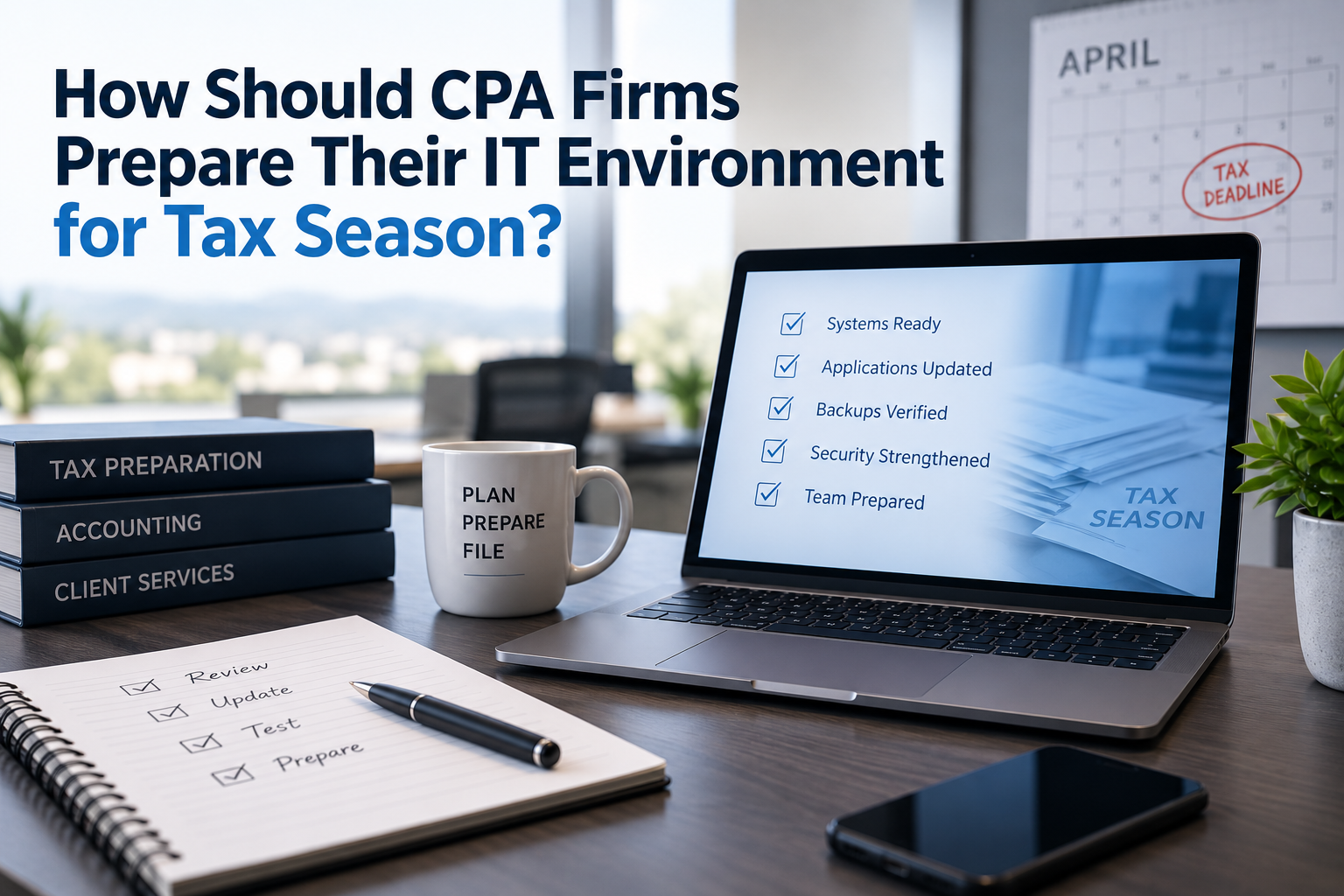
CPA firms should prepare their IT environment for tax season by reviewing eight critical areas before the busiest weeks begin: workstations, servers, tax applications, Microsoft 365, user access, backups, cybersecurity, and support escalation procedures.
For a CPA firm with 10 to 50 employees, tax-season readiness should not be limited to installing software updates in January. It should include confirming that employees can access the systems they need, backups are working, remote access is secure, seasonal staff can be onboarded efficiently, critical vendors are identified, and support issues can be escalated quickly.
Tax season is not the time to discover avoidable technology problems.
A structured readiness review helps the firm identify risks while there is still time to address them.
Why Tax Season IT Readiness Matters for CPA Firms
Every business depends on technology.
CPA firms depend on technology under deadline pressure.
During tax season, the normal consequences of a technology problem can become more serious because employees are working longer hours, client expectations increase, filing deadlines approach, and the firm has less flexibility to pause while systems are repaired.
A slow computer that was mildly frustrating in August may become a daily productivity drain in February.
A poorly documented software issue that lingered for months may become urgent when more employees are using the application at the same time.
A backup problem that nobody noticed may become much more concerning when critical client work is accumulating.
A remote-access issue may affect partners, seasonal staff, or employees working outside the office.
This is why tax-season readiness should be treated as an operational planning exercise, not just an IT checklist.
The goal is simple:
Identify the technology issues most likely to disrupt the firm before workload and pressure increase.
The CPA Firm Tax Season IT Readiness Framework
A practical readiness review should cover these eight areas:
- Workstation Readiness
- Server and Infrastructure Readiness
- Tax and Accounting Application Readiness
- Microsoft 365 and User Access
- Backup and Business Continuity
- Cybersecurity
- Seasonal Employee Onboarding
- Support and Escalation Planning
Not every CPA firm will need the same level of review in every category.
A 10-person firm using mostly cloud applications may have different needs than a 50-person firm with a local server, hosted desktop environment, multiple tax applications, and seasonal staff.
But every firm should know which systems are critical, who supports them, and what happens when something goes wrong.
-
Review Workstation Readiness Before Employees Are Under Pressure
Workstations are easy to overlook because they are familiar.
Employees use them every day.
But during tax season, slow or unreliable computers can have an outsized effect on productivity.
Before the busiest weeks begin, the firm should review whether employee computers are ready for the workload ahead.
That review may include:
- Operating system updates
- Application updates
- Disk space
- System performance
- Hardware age
- Memory and processor capacity
- Antivirus or endpoint protection status
- Local application requirements
- Printer and scanner access
- Remote-access tools
- Monitor setup
- Docking stations
- Laptop batteries
- Peripheral devices
The purpose is not to make every computer perfect.
The purpose is to identify the devices most likely to interfere with employee productivity.
Identify Aging Computers Before They Become a Problem
Business laptops commonly have a planning lifecycle of approximately 3 to 5 years, while business desktops are often planned around 4 to 5 years.
That does not mean every computer must be replaced the moment it reaches a certain age.
But age is a useful planning signal.
If several employees are using older systems, the firm should know which devices are most likely to create performance issues during tax season.
A five-year-old workstation used lightly for administrative tasks may still be acceptable.
A five-year-old workstation used heavily for tax preparation, document management, remote access, scanning, and multiple browser-based systems may create more friction.
The right question is not simply:
"How old is this computer?"
The better question is:
"Is this computer still appropriate for the work this employee needs to perform during tax season?"
Don't Wait Until January to Replace Multiple Workstations
CPA firms should avoid discovering in January that several computers need replacement.
New workstation deployments may require:
- Hardware selection
- Procurement
- Operating system setup
- Security tool installation
- Microsoft 365 configuration
- Tax application installation
- Accounting software setup
- Printer and scanner configuration
- Data transfer
- User testing
- Employee scheduling
Even when the process is straightforward, it takes time.
If the firm knows several computers are near the end of their useful life, it is usually better to address them before the high-pressure period begins.
For example, a 25-person CPA firm following a five-year replacement cycle may plan to replace approximately five computers per year.
That is much easier to budget and schedule than waiting until many systems are slow or unreliable at the same time.
Check the Everyday Details That Slow People Down
Tax-season readiness is not only about major infrastructure.
Small technology frustrations can accumulate.
Before the busy period, ask employees where technology slows them down.
Common issues may include:
- Slow startup times
- Frequent application freezes
- Printer problems
- Scanner problems
- Monitor or docking station issues
- Password or authentication frustration
- Wi-Fi instability
- Remote-access problems
- Missing application shortcuts
- Confusing file locations
- Poor Teams audio or video
- Delays opening large documents
Some issues may be easy to resolve.
Others may point to larger problems.
Either way, the firm benefits from identifying recurring friction before the workload increases.
Technology Partner Tip
Ask employees one simple question before tax season: "What technology issue slows you down most often?"
The answers may reveal practical problems that never become formal support tickets but still affect productivity every day.
-
Review Server and Infrastructure Readiness
Many CPA firms in the 10- to 50-employee range still operate servers.
That is not automatically a sign of outdated technology.
Some accounting and tax applications still rely on traditional Windows infrastructure. Some vendor-hosted options are not true browser-based SaaS platforms but rather hosted virtual desktops or hosted server environments.
The right infrastructure depends on the firm's applications, workflows, security needs, remote-access requirements, vendor support, and long-term cost considerations.
Tax-season readiness does not require settling every server-versus-cloud strategy question.
But it does require knowing whether the current environment can support the upcoming workload.
What Should Be Reviewed on Servers?
Before tax season, a server review may include:
- Available storage
- System performance
- Hardware health
- Operating system patch status
- Warranty status
- Backup status
- Application dependencies
- Remote-access dependencies
- User access
- Event logs and recurring errors
- Security controls
- Capacity for seasonal users
- Vendor support requirements
The goal is to detect issues that could create avoidable disruption.
For example, if server storage is nearly full, that should be addressed before employees are processing large volumes of client documents.
If a server is outside warranty or approaching the end of its planned lifecycle, leadership should understand the risk.
If backups are failing, the firm should know before work volume increases.
Know Where Critical Applications Actually Run
Tax-season readiness depends on understanding where the firm's most important applications live.
A CPA firm may use a mix of:
- Local server-based applications
- Workstation-installed applications
- Hosted virtual desktops
- Hosted servers
- Browser-based SaaS platforms
- Vendor-managed cloud applications
- Client portals
- Document management systems
- Microsoft 365
This matters because support and recovery responsibilities differ by platform.
If an application runs on a local server, the firm and its technology partner need to understand that server's health, backup, security, and access requirements.
If an application runs in a hosted desktop environment, the firm needs to understand the hosting provider's support process, performance expectations, licensing, and recovery capabilities.
If an application is true SaaS, the firm still needs to understand account management, permissions, data retention, vendor support, and integration points.
The label "cloud" is not enough.
A technology partner should help the firm understand the actual deployment model and support responsibilities.
Cloud isn't a destination. It's a deployment model.
For tax-season readiness, the more important question is:
Can the firm reliably access the applications it needs when the workload is highest?
Review Network, Internet, and Office Infrastructure
A CPA firm's server may be healthy, and its applications may be current, but employees can still struggle if the network or internet connection is unreliable.
Before tax season, review infrastructure such as:
- Internet connection
- Backup internet options
- Firewall
- Network switches
- Wireless access points
- VPN or remote-access systems
- Cabling
- Conference room technology
- Printers
- Scanners
- UPS battery backups
Some of these items may not seem exciting, but they matter.
If the firm's internet connection fails, can employees continue working?
If Wi-Fi is unreliable in part of the office, will seasonal staff be affected?
If a scanner used for client documents is unreliable, who supports it?
If the firewall is near the end of its useful life, should it be replaced before the busiest period or planned after the season?
Typical planning ranges may include:
| Technology | Typical Planning Range |
| Servers | 5–7 years |
| Firewalls | 4–6 years |
| Network switches | 5–7 years |
| Wi-Fi access points | 4–6 years |
| UPS batteries | 3–5 years, depending on conditions |
These ranges are not automatic replacement rules.
They are planning signals.
A readiness review helps leadership decide whether infrastructure risk is acceptable or whether action is needed before tax season.
-
Confirm Tax and Accounting Application Readiness
For CPA firms, application readiness is often the heart of tax-season IT preparation.
Employees may rely on a combination of tax preparation software, accounting platforms, document management systems, client portals, payroll tools, practice management systems, time and billing systems, and workflow tools.
If one of those systems becomes unavailable or unreliable during tax season, the impact can be immediate.
Before busy season, the firm should review its critical applications and answer four questions:
- Is the application current?
- Is access working for the right users?
- Is support ownership clear?
- Is there a plan if the application has a problem?
Create a Critical Application List
Start by identifying the systems employees depend on most.
For each application, document:
- Application name
- Vendor
- Business purpose
- Where the application runs
- Data location
- Primary users
- Administrative contact
- Vendor support contact
- Renewal date
- Licensing model
- Update process
- Remote-access requirements
- Backup or recovery considerations
This does not have to be complicated.
A simple spreadsheet is often enough.
The key is making sure the firm and technology partner both know which systems matter most.
Coordinate With Software Vendors Before There Is a Crisis
Your managed IT provider may support the infrastructure surrounding an application, but the software vendor usually remains responsible for application-specific issues.
That distinction becomes important during tax season.
If a tax application fails to update, who opens the vendor ticket?
If a hosted application is slow, who contacts the hosting provider?
If a document-management integration breaks, who coordinates the troubleshooting?
If a vendor says the problem is the network, who verifies that?
Before tax season, confirm vendor contacts and escalation paths.
This should include:
- Tax software vendors
- Accounting application vendors
- Hosted desktop or hosting providers
- Document management vendors
- Client portal vendors
- Copier and scanner vendors
- Internet providers
- Microsoft licensing or support contacts
A strong technology partner should be willing to coordinate with vendors when the issue involves infrastructure, access, devices, Microsoft 365, networking, or other systems it manages.
The firm should not have to serve as the translator between every vendor when something goes wrong.
Verify Licensing and Seasonal User Needs
Tax season may bring temporary employees, interns, contractors, or expanded access needs.
Those users may require:
- Microsoft 365 accounts
- Tax application access
- Accounting application access
- Remote access
- File permissions
- Scanner or printer access
- Security tools
- Training
- Multifactor authentication
- Device setup
Licensing delays can slow onboarding.
So can unclear permissions.
Before the season begins, the firm should identify:
- How many seasonal users are expected
- When they start
- Which systems they need
- Whether they need firm-owned devices
- Whether they need remote access
- Who approves access
- When access should be removed
The offboarding date matters too.
Seasonal access should not remain active indefinitely after the employee, intern, or contractor no longer needs it.
This is both an operational issue and a security issue.
Avoid Last-Minute Application Changes When Possible
Major application changes close to tax season should be approached carefully.
That may include:
- Migrating tax software
- Replacing document management systems
- Changing hosted desktop providers
- Moving applications to a new server
- Redesigning client portals
- Changing scanning workflows
- Migrating practice management systems
Sometimes a change is necessary.
But if the change can wait until after the busiest period, it may be safer to stabilize the current workflow and plan the improvement later.
The question is not whether modernization is good.
The question is whether the timing supports the business.
A technology partner should help leadership distinguish between:
- Urgent fixes
- Pre-season readiness items
- Post-season improvement projects
- Long-term roadmap decisions
That prioritization can prevent the firm from creating unnecessary disruption while trying to solve the right problem at the wrong time.
-
Review Microsoft 365 and User Access
For many CPA firms, Microsoft 365 is now one of the most important parts of the technology environment.
It may support:
- Calendars
- Teams
- OneDrive
- SharePoint
- Office applications
- Identity and authentication
- Mobile access
- External sharing
- Security controls
- Collaboration with clients and vendors
That means Microsoft 365 readiness is not just about making sure employees can open Outlook.
It is about making sure the firm's communication, collaboration, identity, and access controls are ready for a high-volume working period.
Before tax season, the firm should review four basic questions:
- Who has access?
- What do they have access to?
- How is that access protected?
- When should access be changed or removed?
These questions are especially important if the firm hires seasonal employees, uses interns, allows remote work, or collaborates with outside parties.
Confirm User Accounts Before Seasonal Pressure Increases
A user-access review should identify:
- Active employees
- Seasonal employees
- Interns
- Contractors
- Former employees
- Shared mailboxes
- Service accounts
- Administrative accounts
- External guests
- Vendor accounts
The goal is to make sure access reflects reality.
Former employee accounts should not remain active without a documented business reason.
Seasonal users should receive only the access they need.
Administrative access should be limited and protected.
Shared accounts should be reviewed carefully.
A CPA firm does not need to make access management complicated, but it should not be casual.
If an employee leaves in May but still has active access in January, that is not just an administrative oversight.
It is a security concern.
Review Multifactor Authentication
Multifactor authentication, or MFA, should be reviewed before tax season because it protects systems that are heavily targeted by attackers.
At minimum, the firm should understand:
- Is MFA enabled for all users?
- Is MFA required for administrative accounts?
- Are there exceptions?
- Are employees using secure authentication methods?
- Are backup methods documented?
- What happens if an employee loses access to their phone?
- How are new employees enrolled?
- How are former employees removed?
MFA does not eliminate every risk.
But for email, Microsoft 365, remote access, and cloud applications, it is one of the most important baseline protections a CPA firm can use.
The review should happen before the busiest period, not while employees are already under deadline pressure.
Review Shared Mailboxes, Distribution Groups, and Permissions
Tax season often increases the volume of client communication.
That makes mailbox and permission hygiene more important.
Review:
- Shared mailboxes
- Distribution groups
- Mail forwarding rules
- Delegate access
- External sharing
- Partner or manager permissions
- Administrative accounts
- Client-facing mailboxes
- Former employee mailbox access
A firm may have mailboxes such as:
- info@
- tax@
- admin@
- payroll@
- billing@
- support@
- partners@
The firm should know who has access to each mailbox and whether that access is still appropriate.
Forwarding rules also deserve attention.
Unexpected forwarding can create privacy, security, and workflow issues.
If mail is being automatically forwarded outside the organization, leadership should understand why.
Review OneDrive, SharePoint, and External Sharing
Many CPA firms use OneDrive and SharePoint for document storage and collaboration.
Those tools can be valuable, but they require thoughtful configuration.
Before tax season, review:
- Which SharePoint sites exist
- Who owns each site
- Who has access
- Whether external sharing is enabled
- Whether sensitive documents are stored appropriately
- Whether former employees still have access
- Whether users understand where documents belong
- Whether retention or recovery requirements are understood
Client files should not be scattered across personal desktops, personal OneDrive folders, shared links, and random email attachments without a clear process.
A readiness review does not need to redesign the firm's entire document strategy.
But it should identify obvious access and storage problems before workload increases.
-
Review Backup and Business Continuity
Backup and business continuity deserve special attention before tax season.
A CPA firm should not wait until a server failure, accidental deletion, ransomware incident, or cloud-service problem to find out whether recovery works.
Before tax season, ask:
- What systems are backed up?
- What systems are not backed up?
- How often are backups performed?
- How long is data retained?
- Where are backups stored?
- Who monitors backup success or failure?
- When was the last restore test?
- How long would recovery take?
- Which systems must be restored first?
- What happens if the office is unavailable?
These questions matter because backup and business continuity are related, but they are not the same.
Backup Is Not the Same as Business Continuity
Backup means data exists somewhere that may allow restoration.
Business continuity means the firm can keep operating or resume critical work within an acceptable period.
For example, a firm may have a backup of its server.
But if restoring that server would take several days, leadership should know that before tax season.
Likewise, Microsoft 365 may provide certain retention and recovery capabilities, but the firm still needs to understand whether those capabilities match its expectations and requirements.
The practical question is:
If a critical system failed during tax season, what would happen next?
A technology partner should be able to walk the firm through that scenario.
Prioritize Recovery Around Business Impact
Not every system needs the same recovery priority.
Before tax season, identify the systems most critical to firm operations.
For many CPA firms, the top priorities may include:
- Microsoft 365
- Tax software
- Accounting applications
- Client document systems
- File shares
- Client portals
- Remote access
- Internet connectivity
- Phone systems
Once those systems are identified, the firm can discuss recovery expectations.
For example:
- How much data loss is acceptable?
- How long can the firm operate without this system?
- Who makes decisions during a recovery event?
- Who communicates with employees?
- Who coordinates with vendors?
- What workarounds exist?
These are business decisions supported by technology.
They should not be left entirely to technical assumptions.
Test Recovery Before You Need It
A backup notification that says "successful" is useful.
But it is not the same as proving recovery.
Before tax season, the firm should confirm whether restore testing has occurred.
Depending on the environment, testing may include:
- Restoring a file
- Restoring a folder
- Verifying an application backup
- Testing a server recovery process
- Reviewing hosted-environment recovery options
- Confirming Microsoft 365 recovery capabilities
- Reviewing vendor-provided recovery processes
The level of testing should match the importance of the system.
A mission-critical server deserves more attention than a low-impact archive.
The objective is not to create unnecessary complexity.
The objective is to avoid relying on assumptions.
Review Office Continuity Scenarios
Business continuity is not only about server failure.
The firm should also consider practical scenarios such as:
- Internet outage
- Power outage
- Office access problem
- Firewall failure
- Key employee unavailable
- Cloud application outage
- Hosted desktop outage
- Multifunction printer or scanner failure
- Security incident
- Microsoft 365 access problem
For each scenario, ask:
How would we keep working?
That may involve backup internet, remote-work procedures, alternate devices, documented vendor contacts, cloud access, or a clear escalation path.
The firm may not be able to eliminate every risk.
But it can reduce confusion.
-
Strengthen Cybersecurity Before Busy Season
Cybersecurity should be reviewed before tax season because attackers understand timing.
Busy employees are more likely to be distracted.
Client communication volume increases.
Email attachments become routine.
Employees may be working longer hours.
Seasonal staff may be added.
Remote access may become more common.
Those conditions can create opportunities for phishing, credential theft, fraudulent payment requests, malicious attachments, and unauthorized access.
A tax-season cybersecurity review should focus on practical protections, not fear.
The goal is to reduce the most likely and most damaging risks before the firm is operating under maximum pressure.
Focus on the Highest-Value Security Controls
Before tax season, CPA firms should review controls such as:
- Multifactor authentication
- Endpoint protection
- Email security
- Password practices
- Administrative access
- Security awareness training
- Remote-access security
- Backup protection
- Former employee access
- Vendor access
- Patch management
- Incident escalation procedures
This does not mean every firm needs the same cybersecurity stack.
It means every firm should understand which protections are in place and which risks remain.
Cybersecurity should not be treated as a product someone installed once.
It should be reviewed as part of the firm's operating environment.
Phishing Awareness Should Be Practical
Employees do not need abstract security lectures before tax season.
They need practical reminders about the kinds of messages they are likely to see.
Examples may include:
- Fake client document links
- Fraudulent tax document requests
- Payment or banking change requests
- Microsoft 365 login prompts
- Fake software-update notices
- Messages impersonating partners or managers
- Shared-file notifications
- Vendor invoice requests
- Urgent deadline-driven messages
Training should encourage employees to slow down and verify.
A simple reporting process matters too.
If an employee is unsure whether a message is legitimate, they should know exactly who to ask.
Review Administrative Access
Administrative access should be limited, documented, and protected.
Before tax season, review:
- Microsoft 365 global administrators
- Server administrators
- Firewall administrators
- Backup administrators
- Security-tool administrators
- Application administrators
- Domain and DNS administrators
- Vendor portal administrators
Ask:
- Who has administrative access?
- Do they still need it?
- Is MFA enforced?
- Are there shared administrator accounts?
- Are former provider accounts still active?
- Are emergency access procedures documented?
CPA firms do not need unnecessary complexity.
But administrative access should not be accidental.
A single compromised administrator account can create serious risk.
Review Former Employee and Seasonal Employee Access
Former employee access is one of the easiest issues to overlook.
Before tax season, confirm that former employees, interns, contractors, and seasonal staff no longer have access unless there is a documented business reason.
Review access to:
- Microsoft 365
- Tax applications
- Accounting applications
- File shares
- Remote access
- Client portals
- Document management systems
- Security tools
- Vendor systems
The same planning should apply to seasonal staff before they start.
Define:
- What access they need
- Who approves it
- When it begins
- When it ends
- How it will be removed
This supports both operational efficiency and security hygiene.
Compliance Awareness
CPA firms operate in an environment where protecting taxpayer and client information is not optional.
The FTC Safeguards Rule under the Gramm-Leach-Bliley Act and IRS guidance such as Publication 4557, Safeguarding Taxpayer Data, provide important context for many of the security topics discussed here.
Depending on the firm's work and specific circumstances, other IRS resources may also be relevant.
The purpose of a tax-season IT readiness review is not to claim that a technology checklist makes the firm compliant.
Compliance depends on the firm's full security program, policies, procedures, documentation, training, risk assessment, vendor oversight, and applicable obligations.
But a readiness review can help reveal practical gaps in areas such as access control, backup, employee training, administrative permissions, and vendor management.
That is exactly why cybersecurity should be part of tax-season preparation, not an afterthought.
-
Prepare Seasonal Employee Onboarding
Seasonal employees, interns, contractors, and temporary staff can be valuable during busy periods, but they also increase the importance of structured onboarding.
If seasonal users are added at the last minute without a process, the firm may experience delays, inconsistent permissions, licensing issues, and security gaps.
Before tax season, the firm should identify:
- How many seasonal users are expected
- When they will start
- Whether they will work onsite, remotely, or both
- Whether they need firm-owned devices
- Which applications they need
- Which files or folders they need
- Which mailboxes or calendars they need
- Whether they need Microsoft 365 accounts
- Whether they need tax application licenses
- Whether they need client portal access
- Who approves access
- When access should be removed
A seasonal employee onboarding checklist helps prevent avoidable delays.
It also helps ensure users are granted the access they need without receiving broader permissions than necessary.
Onboarding Should Include Security From the Start
Seasonal users should not be treated as exceptions to the firm's normal security process.
They should be included in:
- Multifactor authentication
- Endpoint protection
- Acceptable use expectations
- Password requirements
- Security awareness reminders
- Remote-access procedures
- Data-handling expectations
- Offboarding procedures
If a seasonal employee uses a personal device, the firm should understand the risk and determine whether that approach is appropriate.
If a seasonal employee uses a firm-owned device, that device should be configured before the employee's first day whenever possible.
The goal is to avoid a common tax-season problem:
The person starts work before the technology is ready.
Offboarding Should Be Planned Before Onboarding Begins
Before seasonal employees start, the firm should already know how access will be removed when the engagement ends.
Offboarding should include reviewing or disabling access to:
- Microsoft 365
- Teams
- OneDrive
- SharePoint
- Tax applications
- Accounting applications
- File shares
- Client portals
- Remote access
- VPN
- Hosted desktops
- Security tools
- Vendor systems
The firm should also confirm whether any business information needs to be retained, transferred, or archived.
A good onboarding process includes a clean exit plan.
That is especially important for CPA firms because seasonal access can easily remain active longer than intended if nobody owns the offboarding process.
-
Define Support and Escalation Procedures
Even with good preparation, technology issues will still happen.
Tax-season readiness does not mean eliminating every possible problem.
It means making sure the firm knows how support will work when problems occur.
Before the busiest period begins, employees should know:
- How to request IT support
- Whether they should call, email, use a portal, or submit a ticket
- What information to include
- What qualifies as urgent
- Who to contact internally for escalation
- What to do after hours
- How vendor-related issues are handled
- What to do if a suspicious email or security concern appears
Leadership should also understand the provider's escalation process.
Ask:
- What are the normal support hours?
- Is after-hours support available?
- How are urgent issues prioritized?
- Who determines severity?
- What happens if multiple employees are affected?
- How are major incidents communicated?
- Who coordinates with software vendors?
- When is onsite support available?
A support process is much easier to follow when employees are not trying to invent it under pressure.
Define What Counts as Urgent
Not every issue has the same business impact.
A single employee needing help with a minor formatting issue is not the same as several staff members being unable to access a tax application during a deadline.
Before tax season, the firm and technology partner should align on what qualifies as urgent.
High-priority examples may include:
- Multiple employees unable to access a critical application
- Email unavailable firmwide
- Internet outage
- Server outage
- Hosted desktop outage
- Backup failure involving critical systems
- Security incident
- Remote-access outage affecting key personnel
- Printer or scanner failure affecting a core tax workflow
- Microsoft 365 access problem affecting multiple users
The firm should also define who can escalate an issue internally.
That reduces confusion and helps the technology partner prioritize effectively.
Create a Vendor Escalation List
Many CPA firm technology issues involve more than one provider.
A tax software problem may involve the software vendor, the managed IT provider, Microsoft, a hosted desktop provider, or a server.
A scanning problem may involve the copier vendor, workstation configuration, network settings, or document-management software.
A remote-access issue may involve the firewall, VPN, Microsoft account, internet connection, or hosted platform.
Before tax season, create a vendor escalation list that includes:
- Tax software vendor
- Accounting application vendor
- Document management vendor
- Client portal vendor
- Microsoft licensing or support contact
- Internet provider
- Phone provider
- Copier and scanner vendor
- Hosted desktop or hosting provider
- Cybersecurity provider
- Backup provider
- Managed IT provider
For each vendor, document:
- Support phone number
- Support email or portal
- Account number
- Authorized contact
- Contract or renewal information
- Escalation notes
- Whether the MSP may contact the vendor directly
This list can save valuable time when the firm is under pressure.
Tax Season IT Readiness Checklist for CPA Firms
Use this checklist before the busiest weeks begin.
Workstations
- Identify computers older than expected lifecycle
- Review workstation performance
- Confirm operating system updates
- Confirm application updates
- Check available disk space
- Confirm endpoint protection is active
- Review printer and scanner access
- Confirm remote-access tools work
- Review docking stations and monitors
- Ask employees what technology slows them down
Servers and Infrastructure
- Review server health
- Check available server storage
- Review server warranty or lifecycle status
- Confirm server backups
- Review firewall status
- Review network switches
- Review wireless access points
- Review internet connectivity
- Confirm UPS battery status where applicable
- Review remote-access infrastructure
Tax and Accounting Applications
- Create a critical application list
- Confirm application versions and updates
- Verify licensing
- Confirm user access
- Document vendor contacts
- Document support escalation procedures
- Confirm where each application runs
- Confirm where data is stored
- Review hosted desktop or cloud-provider support
- Avoid major unnecessary application changes close to tax season
Microsoft 365 and User Access
- Review active users
- Remove or disable former employee access
- Prepare seasonal user accounts
- Review administrative accounts
- Confirm MFA is enabled
- Review shared mailboxes
- Review distribution groups
- Review external sharing
- Review OneDrive and SharePoint access
- Confirm onboarding and offboarding procedures
Backup and Business Continuity
- Confirm which systems are backed up
- Confirm backup frequency
- Confirm retention periods
- Review backup-alerting process
- Confirm failed backups are investigated
- Perform or review restore testing
- Identify recovery priorities
- Review remote-work options
- Review internet outage procedures
- Document recovery responsibilities
Cybersecurity
- Confirm MFA for users and administrators
- Review endpoint protection
- Review email security
- Review phishing-reporting process
- Review former employee access
- Review vendor access
- Review remote-access security
- Review administrative permissions
- Provide practical security reminders
- Confirm incident escalation procedures
Seasonal Employee Preparation
- Identify seasonal employees and start dates
- Determine device needs
- Determine application access needs
- Determine Microsoft 365 licensing needs
- Determine remote-access requirements
- Confirm approval process for access
- Prepare MFA enrollment
- Prepare security expectations
- Schedule onboarding
- Schedule offboarding
Support and Escalation
- Confirm how employees request IT support
- Confirm support hours
- Confirm after-hours process
- Define urgent issues
- Identify internal escalation contacts
- Identify MSP escalation contacts
- Create software vendor escalation list
- Confirm onsite support expectations
- Communicate support process to employees
- Review open recurring issues before busy season
A Practical Example: Preparing a 25-Person CPA Firm for Tax Season
Consider a hypothetical 25-person CPA firm in Las Vegas preparing for the upcoming tax season.
The firm uses Microsoft 365, a local server, tax preparation software, a document management system, client portals, remote access, several multifunction printers, and seasonal staff.
A readiness review identifies several issues:
- Five workstations are more than five years old
- Server storage is approaching capacity
- Two former employees still have active application access
- MFA is enabled for most users but not all administrators
- Backup jobs are running, but restore testing has not been documented recently
- A key scanner has recurring issues
- Seasonal employee onboarding requests usually arrive too late
- The firm does not have a documented vendor escalation list
None of these issues alone necessarily creates a crisis.
Together, they create unnecessary tax-season risk.
A practical readiness plan might include:
- Replacing the two most problematic workstations before busy season
- Scheduling the remaining aging devices for later replacement
- Expanding or cleaning up server storage
- Removing former employee access
- Enforcing MFA for administrative accounts
- Performing a backup restore test
- Servicing or replacing the unreliable scanner
- Creating a seasonal onboarding request form
- Documenting vendor contacts and escalation procedures
- Scheduling a post-season technology planning review
This approach avoids trying to solve every technology issue at once.
It focuses on the items most likely to affect operations during the busiest period.
That is the purpose of tax-season IT readiness:
reduce preventable disruption before the firm is under maximum pressure.
When Should CPA Firms Start Tax Season IT Preparation?
CPA firms should ideally begin IT readiness planning 60 to 90 days before the busiest tax-season period.
That gives the firm time to:
- Review systems
- Replace aging workstations
- Coordinate with vendors
- Prepare seasonal users
- Verify backups
- Address security gaps
- Test remote access
- Communicate support procedures
A basic review can still be valuable even if the firm starts later.
But the closer the firm gets to peak season, the more limited its options become.
For example, identifying a slow computer one week before a deadline may not leave enough time for procurement, configuration, testing, and employee scheduling.
The earlier the firm begins, the more choices it has.
Frequently Asked Questions About Tax Season IT Readiness
When should a CPA firm prepare its IT environment for tax season?
Ideally, CPA firms should begin tax-season IT preparation 60 to 90 days before the busiest period.
This gives the firm time to review workstations, servers, applications, Microsoft 365, user access, backups, cybersecurity, seasonal employee onboarding, and support procedures.
What technology should CPA firms review before tax season?
CPA firms should review workstations, servers, network equipment, internet connectivity, tax applications, accounting software, Microsoft 365, client portals, document management systems, remote access, backups, cybersecurity tools, printers, scanners, and support procedures.
Should CPA firms replace old computers before tax season?
If computers are slow, unreliable, or near the end of their useful life, replacing them before tax season may reduce employee frustration and support issues.
Business laptops are commonly planned around a 3- to 5-year lifecycle, while business desktops are often planned around 4 to 5 years.
The right decision depends on device performance, employee role, application requirements, and budget.
Do CPA firms still need servers?
Some do.
Many CPA firms still use applications that depend on local servers, hosted servers, or hosted Windows environments.
A server is not automatically outdated simply because cloud services exist.
The better question is whether the firm's current deployment model supports performance, security, remote access, vendor requirements, business continuity, and long-term cost goals.
What Microsoft 365 settings should CPA firms review before tax season?
CPA firms should review user accounts, administrative accounts, multifactor authentication, shared mailboxes, distribution groups, external sharing, OneDrive, SharePoint, former employee access, seasonal employee access, and security settings.
Microsoft 365 often supports email, identity, collaboration, file access, and security, so it should be part of the readiness review.
Why is backup testing important before tax season?
Backup testing helps confirm that data can actually be restored.
A successful backup notification is useful, but it does not prove the firm can recover quickly after a serious failure.
Before tax season, CPA firms should understand what is backed up, how often backups run, how long data is retained, who monitors failures, and how recovery would work.
What cybersecurity steps should CPA firms take before tax season?
CPA firms should review multifactor authentication, endpoint protection, email security, administrative access, former employee access, remote access, phishing awareness, backup protection, vendor access, and incident escalation procedures.
Tax season can increase phishing and credential-theft risk because employees are busy, client communication volume increases, and deadlines create urgency.
How should CPA firms prepare seasonal employees?
CPA firms should identify seasonal employees early, determine device and application needs, prepare Microsoft 365 and software access, enroll users in MFA, communicate security expectations, and schedule offboarding before the seasonal work period ends.
Access should be granted intentionally and removed when no longer needed.
Should CPA firms make major IT changes right before tax season?
Only when necessary.
Major changes close to tax season can increase disruption risk.
If a change is not urgent, it may be better to stabilize the current environment before busy season and schedule larger improvements afterward.
A technology partner should help distinguish urgent readiness items from post-season roadmap projects.
What should a tax-season IT support plan include?
A tax-season support plan should explain how employees request help, what qualifies as urgent, how issues are escalated, when after-hours support is available, who contacts software vendors, and how major incidents are communicated.
Employees should know the process before problems occur.
Key Takeaways
Tax season IT readiness helps CPA firms reduce preventable disruption before workload, deadlines, and client pressure increase.
Before the busiest period begins, CPA firms should review:
- Workstations
Identify slow, aging, or unreliable computers before employees are under pressure. - Servers and Infrastructure
Confirm storage, performance, backups, lifecycle status, remote access, and network reliability. - Tax and Accounting Applications
Verify updates, licensing, access, vendor contacts, and support responsibilities. - Microsoft 365 and User Access
Review accounts, MFA, permissions, shared mailboxes, OneDrive, SharePoint, and former employee access. - Backup and Business Continuity
Confirm what is backed up, whether recovery has been tested, and how critical systems would be restored. - Cybersecurity
Review phishing awareness, endpoint protection, administrative access, remote access, and incident escalation. - Seasonal Employee Onboarding
Prepare devices, licenses, accounts, access, security expectations, and offboarding. - Support and Escalation Procedures
Make sure employees know how to request help and leadership knows how urgent issues will be handled.
The best time to prepare is before the pressure begins.
Ready to Prepare Your CPA Firm's Technology for Tax Season?
Tax season places unusual pressure on your people, systems, applications, and support processes.
The right technology preparation can help your firm reduce avoidable disruption, improve employee productivity, strengthen security practices, and approach the busiest period with greater confidence.
At ANAX Business Technology, we take a consultative approach to managed IT and technology planning. We work with CPA firms to review their current environment, identify readiness concerns, support cybersecurity priorities, evaluate infrastructure, and plan improvements around the realities of the business calendar.
Our U.S.-based team members live and work in the Las Vegas valley, allowing us to combine responsive local support with long-term technology planning. We believe the best technology partnerships are built on accessibility, accountability, transparency, and a practical understanding of how firms actually operate.
Whether you're preparing for the next tax season, reviewing your current managed IT relationship, or planning technology improvements after busy season, we can help you make informed decisions.
Schedule your Initial Consultation with ANAX Business Technology to discuss your firm's technology environment and build a practical readiness plan before tax-season pressure increases.