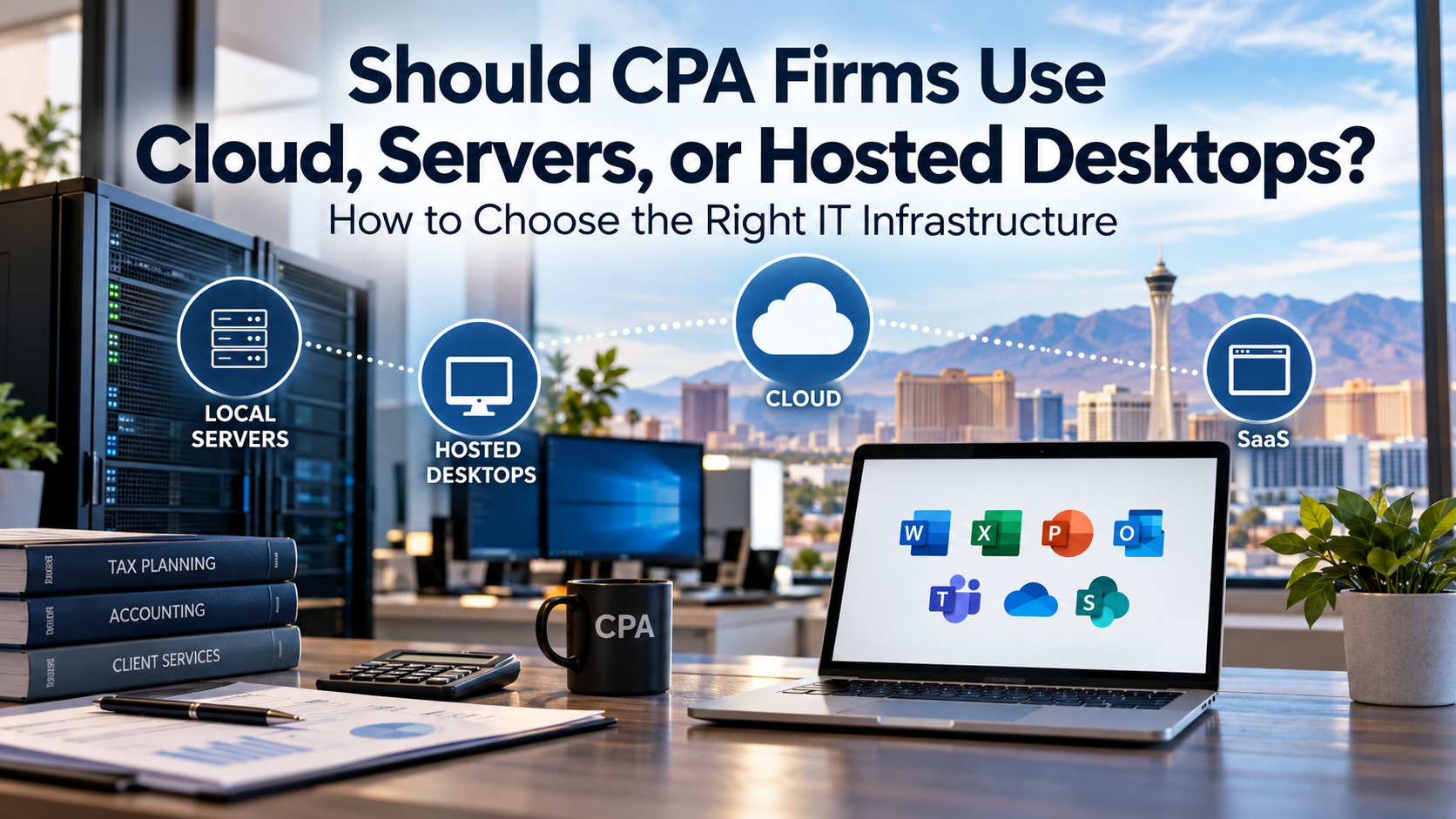
CPA firms should choose between cloud platforms, local servers, hosted desktops, and hybrid infrastructure based on application requirements, five- to seven-year cost, tax-season performance, remote-access needs, cybersecurity, business continuity, vendor support, and long-term strategy.
For CPA firms with 10 to 50 employees, the right answer is rarely as simple as “move everything to the cloud” or “keep everything on a server.” Many accounting and tax applications still rely on Windows-based environments, while other platforms are moving toward true browser-based SaaS. Some firms need local infrastructure. Some benefit from hosted desktops. Some are ready for SaaS. Many need a hybrid approach.
The better question is not:
“Should we be in the cloud?”
The better question is:
“Which deployment model best supports how our firm actually works?”
Cloud isn’t a destination.
It’s a deployment model.
Why This Decision Matters for CPA Firms
Infrastructure decisions affect more than where software runs.
They influence employee productivity, cybersecurity, remote access, tax-season readiness, business continuity, support costs, vendor relationships, and the firm’s technology budget.
A CPA firm may rely on:
- Tax preparation software
- Accounting applications
- Document management systems
- Client portals
- Microsoft 365
- File storage
- Scanners and multifunction printers
- Remote access
- Hosted desktops
- Local servers
- Cloud applications
- Payroll systems
- Practice management platforms
- Time and billing software
- Cybersecurity tools
- Backup and disaster recovery systems
The infrastructure decision determines how these systems connect, how employees access them, how data is protected, how recovery works, and how costs behave over time.
That is why infrastructure planning should be treated as a business decision, not a technology trend.
The CPA Firm Infrastructure Decision Framework
We recommend evaluating infrastructure choices across six areas:
- Application Requirements
- Five- to Seven-Year Total Cost
- Performance and Tax-Season Workload
- Remote Access and User Experience
- Security, Backup, and Business Continuity
- Vendor Support and Long-Term Roadmap
This framework helps leadership avoid two common mistakes:
- Keeping aging infrastructure only because “that’s how we’ve always done it”
- Moving to hosted or cloud platforms only because “cloud is more modern”
Both approaches can lead to poor decisions.
The right platform should fit the firm’s operations.
Start by Understanding the Real Options
When people say “cloud,” they may mean very different things.
That creates confusion.
A CPA firm comparing infrastructure options may actually be comparing several models:
- Local Server
- Hosted Server
- Hosted Desktop
- True SaaS Platform
- Hybrid Environment
Each model has different cost, management, security, recovery, and workflow implications.
Before deciding what to do next, leadership should understand which model is being discussed.
Option 1: Local Server
A local server is owned or controlled by the firm and located at the firm’s office or another controlled location.
It may support:
- File shares
- Tax applications
- Accounting applications
- Document management
- User authentication
- Permissions
- Printing and scanning
- Remote access
- Local databases
- Backup systems
- Vendor integrations
Local servers are sometimes described as outdated, but that is too simplistic.
A server may still be appropriate when applications require it, performance is strong, costs are predictable, and the firm has proper backup, cybersecurity, and support.
The question is not whether the server is old-fashioned.
The question is whether it still supports the business effectively.
Advantages of a Local Server
A local server may offer:
- Control over infrastructure
- Predictable ownership lifecycle
- Strong local performance
- Compatibility with Windows-based applications
- Integration with local scanners and printers
- Potentially lower five- to seven-year cost in some cases
- Flexibility for certain legacy applications
- Direct management by the firm’s technology partner
For some CPA firms, especially those using applications that still expect a traditional Windows environment, a properly designed server can remain a practical solution.
Limitations of a Local Server
A local server may also introduce concerns:
- Upfront hardware cost
- Server replacement planning
- Office power and cooling dependency
- Local disaster recovery requirements
- Remote-access complexity
- Security maintenance
- Backup responsibility
- Hardware warranty management
- Risk if lifecycle planning is ignored
A server that is properly maintained, backed up, secured, and planned is very different from an aging server nobody wants to discuss.
Option 2: Hosted Server
A hosted server moves server infrastructure to a provider’s environment.
The applications may still behave like traditional Windows applications, but the server itself is located in a data center or cloud hosting environment rather than the CPA firm’s office.
This can reduce certain local infrastructure responsibilities, but it does not automatically make the application true SaaS.
The firm may still depend on:
- Server administration
- User access management
- Application installation
- Vendor support
- Backup and recovery planning
- Security configuration
- Remote access
- Hosting provider support
- Performance monitoring
Hosted servers can be useful, but the firm should understand what is actually being hosted and who is responsible for each layer.
Advantages of a Hosted Server
A hosted server may offer:
- Reduced local hardware dependency
- Improved remote access compared with some local environments
- Data center infrastructure
- Easier access for distributed users
- Potentially improved resilience depending on provider design
- Less need for office-based server equipment
Limitations of a Hosted Server
A hosted server may also involve:
- Recurring monthly hosting fees
- Internet dependency
- Vendor lock-in concerns
- Performance variability
- Unclear backup responsibility
- Migration costs
- Exit costs
- Ongoing server management needs
- Licensing complexity
A hosted server is not automatically simpler.
It moves responsibility and cost into a different model.
Option 3: Hosted Desktop
A hosted desktop gives employees access to a remote Windows desktop environment where applications run.
This model is common in accounting and tax environments because many firms still use Windows-based applications that may not be true SaaS.
Employees connect to a remote desktop where they may access tax software, accounting applications, files, and other tools.
Hosted desktops are often marketed as “cloud,” and in some ways they are.
But they are not the same thing as browser-based SaaS.
They are usually a way to deliver traditional desktop applications from a hosted environment.
Advantages of Hosted Desktops
Hosted desktops may offer:
- Remote access from multiple locations
- Centralized application environment
- Less dependency on local servers
- Easier access for remote or hybrid employees
- Simplified support for certain application stacks
- Potentially easier seasonal user access
- Less need to maintain some local infrastructure
For firms with employees working from multiple locations, hosted desktops can be useful.
They can also help when applications are difficult to support across many individual workstations.
Limitations of Hosted Desktops
Hosted desktops may also create challenges:
- Recurring per-user costs
- Performance dependent on internet connectivity
- Latency concerns
- Printing and scanning complexity
- User experience differences
- Vendor support boundaries
- Data export or exit complexity
- Backup responsibility questions
- Potential five- to seven-year cost concerns
Hosted desktops can be a good solution.
But they should be evaluated carefully, especially if the firm is moving primarily because “cloud sounds better.”
Option 4: True SaaS Platform
A true SaaS, or software-as-a-service, platform usually runs through a web browser and is operated by the software provider.
In this model, the vendor typically manages much of the underlying infrastructure.
Examples may include certain modern accounting, payroll, practice management, client portal, or document platforms.
SaaS can be highly effective when the application meets the firm’s workflow needs.
But not every accounting or tax application has a mature SaaS equivalent that fits every firm.
Advantages of SaaS
A true SaaS platform may offer:
- Browser-based access
- Vendor-managed infrastructure
- Easier updates
- Reduced local server dependency
- Simplified remote access
- Built-in scalability
- Integration with modern workflows
- Less local application maintenance
Limitations of SaaS
SaaS may also introduce questions:
- Does the platform support the firm’s workflow?
- Can data be exported cleanly?
- What happens if the vendor has an outage?
- How are permissions managed?
- What recovery capabilities are available?
- How does pricing scale over time?
- How does it integrate with other firm systems?
- Does it support client service requirements?
- What happens if the firm wants to leave?
A SaaS platform can be excellent if it fits the firm.
It can be frustrating if the workflow is not mature enough for the firm’s needs.
Option 5: Hybrid Environment
Many CPA firms use a hybrid environment whether they call it that or not.
A hybrid environment may include:
- Microsoft 365 for email and collaboration
- A local server for certain applications or files
- Hosted desktops for selected users
- SaaS platforms for client portals or payroll
- Local scanners and printers
- Cloud backup
- Remote access
- Cybersecurity tools across multiple systems
Hybrid is often the realistic middle ground.
The firm may not be ready to eliminate every server.
It may not want every workload hosted.
It may use SaaS where the platform is mature while retaining server-based systems where necessary.
Advantages of Hybrid Infrastructure
A hybrid model may offer:
- Flexibility
- Application compatibility
- Phased modernization
- Better fit for mixed workflows
- Ability to evaluate SaaS gradually
- Continued use of reliable existing systems
- Targeted cloud adoption where it creates value
Limitations of Hybrid Infrastructure
Hybrid environments also require management.
Potential challenges include:
- More systems to document
- More vendors to coordinate
- More responsibility boundaries
- More backup and recovery questions
- More access-control complexity
- More integration points
- More planning requirements
A hybrid environment can work well when it is intentional.
It becomes risky when it is accidental.
The Most Important Question: What Do Your Applications Require?
Infrastructure planning should start with applications.
CPA firms should identify:
- Which applications are required
- Where each application currently runs
- Whether it is local, hosted, or SaaS
- Which users depend on it
- How often it is used
- How important it is during tax season
- What the vendor supports
- What the vendor recommends
- Whether the vendor has a roadmap
- What data the application stores
- How the application is backed up
- How users access the application remotely
The infrastructure decision should follow the application reality.
If the firm’s critical tax application still requires a Windows environment, that matters.
If a key accounting application now has a strong SaaS platform, that matters.
If a vendor’s hosted option is effectively a remote desktop, that matters.
If the firm has several applications that must integrate, that matters.
The wrong infrastructure decision can create years of frustration.
Build an Application Dependency Map
A simple application dependency map can help leadership make better decisions.
For each major system, document:
| Application | Current Model | Users | Tax-Season Critical? | Vendor Roadmap | Notes |
| Tax software | Local/server/hosted/SaaS | ___ | Yes/No | ___ | ___ |
| Accounting application | Local/server/hosted/SaaS | ___ | Yes/No | ___ | ___ |
| Document management | Local/server/hosted/SaaS | ___ | Yes/No | ___ | ___ |
| Client portal | Local/server/hosted/SaaS | ___ | Yes/No | ___ | ___ |
| Payroll platform | Local/server/hosted/SaaS | ___ | Yes/No | ___ | ___ |
| Microsoft 365 | Cloud/SaaS | ___ | Yes/No | ___ | ___ |
This does not need to be complicated.
The value is in seeing the environment clearly.
Once the firm understands the applications, it can evaluate whether local server, hosted desktop, SaaS, or hybrid infrastructure makes the most sense.
Compare Five- to Seven-Year Total Cost
Infrastructure decisions should not be made by comparing only the first-year cost or the monthly invoice.
CPA firms should evaluate infrastructure over a five- to seven-year planning window, especially when comparing local servers, hosted desktops, hosted servers, SaaS platforms, and hybrid options.
That time horizon matters because each model behaves differently financially.
A local server may require more upfront investment but lower recurring hosting fees.
A hosted desktop may reduce local server needs but create recurring per-user costs.
A SaaS platform may simplify infrastructure but introduce subscription costs, migration costs, integration costs, and vendor dependency.
A hybrid environment may spread costs across several categories.
The goal is not to find the lowest cost in isolation.
The goal is to understand the relationship between cost, performance, risk, support, security, recovery, and business value.
What Costs Should Be Included?
A meaningful comparison should include more than the obvious line items.
When comparing infrastructure options, include:
- Server hardware
- Server implementation labor
- Hosting fees
- Hosted desktop fees
- SaaS subscription costs
- Microsoft 365 licensing
- Application licensing
- Migration labor
- Data migration
- Backup services
- Disaster recovery services
- Cybersecurity controls
- Firewall and network requirements
- Internet connectivity
- Backup internet
- Remote-access tools
- Vendor support
- Training
- Support labor
- Exit costs
- Contract terms
- Future replacement costs
A hosted desktop that looks inexpensive on a monthly quote may become more expensive over several years if per-user fees are high and the firm has stable headcount.
A server that looks expensive upfront may be financially reasonable over its planned lifecycle if applications require local infrastructure and recovery expectations are properly addressed.
A SaaS platform may appear more expensive than an existing application, but it may reduce server management, improve remote access, and simplify updates.
The point is not to make assumptions.
The point is to model the options.
A Simple Cost Comparison Framework
When comparing options, use a structured table.
| Cost Category | Local Server | Hosted Server | Hosted Desktop | SaaS | Hybrid |
| Upfront implementation | ___ | ___ | ___ | ___ | ___ |
| Monthly recurring cost | ___ | ___ | ___ | ___ | ___ |
| Five-year total | ___ | ___ | ___ | ___ | ___ |
| Seven-year total | ___ | ___ | ___ | ___ | ___ |
| Backup/recovery cost | ___ | ___ | ___ | ___ | ___ |
| Cybersecurity cost | ___ | ___ | ___ | ___ | ___ |
| Migration cost | ___ | ___ | ___ | ___ | ___ |
| Support requirements | ___ | ___ | ___ | ___ | ___ |
| Exit cost or lock-in risk | ___ | ___ | ___ | ___ | ___ |
| Business fit | ___ | ___ | ___ | ___ | ___ |
This type of comparison helps leadership avoid evaluating only the most visible number.
A solution with a lower monthly cost may have higher project costs.
A solution with a higher upfront cost may have lower long-term recurring cost.
A solution with strong operational fit may justify higher cost if it improves productivity, security, or continuity.
Cost matters.
But cost should be evaluated in context.
Per-User Hosting Costs Can Add Up
Hosted desktops and hosted application environments are often priced per user.
That can be convenient and predictable.
It can also become expensive as headcount grows.
For example, a 25-user CPA firm paying a recurring monthly hosted desktop fee should evaluate the cost across 60 to 84 months, not just the monthly invoice.
The firm should ask:
- How many users need the hosted environment?
- Do all users need full access?
- Are seasonal users billed differently?
- Are there minimum commitments?
- Are storage costs included?
- Are backups included?
- Are security tools included?
- Are support services included?
- Are Microsoft licenses included or separate?
- Are application licenses included or separate?
- What happens if the firm adds employees?
- What happens if the firm wants to leave?
A per-user model can be excellent when it fits the business.
But leadership should understand how the cost scales.
Local Server Costs Should Include More Than Hardware
On the other hand, a local server comparison should include more than the purchase price.
A server project may involve:
- Hardware selection
- Server licensing
- Installation labor
- Application migration
- Vendor coordination
- Backup configuration
- Security configuration
- Remote-access setup
- Testing
- Documentation
- Warranty
- Future replacement planning
- Disaster recovery considerations
The server may also require supporting infrastructure such as:
- Firewall
- Switches
- UPS battery backup
- Backup storage
- Monitoring tools
- Security tools
- Internet connectivity
- Remote-access tools
A local server can be a practical solution, but the firm should understand the full environment required to support it properly.
Evaluate Performance and Tax-Season Workload
CPA firms should evaluate infrastructure based on how systems perform when the workload is highest.
Tax-season pressure can expose weaknesses that may not be obvious during slower periods.
Performance questions include:
- Do applications open quickly?
- Do employees experience delays during peak hours?
- Are hosted desktops responsive?
- Is printing or scanning reliable?
- Do remote users experience latency?
- Does the internet connection support the workload?
- Does the server have enough capacity?
- Does Microsoft 365 performance depend on local connectivity?
- Do seasonal users create added load?
- Are large PDFs or scanned documents handled efficiently?
- Are Teams meetings and remote access reliable?
A system that works acceptably for 10 users in July may not perform well for 30 users in March.
Infrastructure should be evaluated against peak business demand, not just average usage.
Hosted Desktop Performance Depends on More Than the Provider
Hosted desktops can work well, but performance depends on several factors.
Those may include:
- Hosting provider infrastructure
- Internet connection quality
- Latency
- User location
- Local workstation performance
- Printing configuration
- Scanner configuration
- Application design
- Storage performance
- Microsoft 365 integration
- Support responsiveness
- Number of concurrent users
If employees complain that a hosted desktop is slow, the issue may involve the hosting provider.
It may also involve the office internet connection, local Wi-Fi, old workstations, printer redirection, application configuration, or user expectations.
That is why hosted desktops should be evaluated carefully before broad rollout.
A short pilot can be valuable.
Local Server Performance Depends on Infrastructure Health
A local server may provide strong performance for office-based users, especially when applications and files are accessed locally.
But performance can decline if:
- The server is aging
- Storage is constrained
- Memory is insufficient
- Backups interfere with work hours
- Applications are outdated
- Network switches are aging
- Workstations are slow
- Remote access is poorly configured
- Antivirus or security tools are misconfigured
- The server is handling more users than originally planned
A server should not be judged only by age.
It should be judged by performance, supportability, recovery, security, and business fit.
SaaS Performance Depends on Vendor Reliability and Connectivity
True SaaS platforms may reduce local infrastructure dependency, but they still depend on:
- Vendor uptime
- Internet connectivity
- Browser performance
- User identity and authentication
- Integration reliability
- Vendor support
- Data import and export
- API performance where applicable
- Microsoft 365 integration if used
- User training
A SaaS platform can be a strong choice when the vendor’s workflow fits the firm.
But the firm should still plan for vendor outages, access issues, and data recovery questions.
Remote Access Should Be Designed, Not Improvised
Remote access is often one of the main reasons CPA firms consider hosted desktops or cloud platforms.
That makes sense.
Remote and hybrid work can be easier when applications are accessible from outside the office.
But remote access should be evaluated intentionally.
Ask:
- Who needs remote access?
- What applications do they need?
- What data do they access?
- What devices are they using?
- Is MFA required?
- Is access limited by role?
- Is performance acceptable?
- Is printing or scanning needed remotely?
- Are personal devices allowed?
- How are lost devices handled?
- How are former users removed?
- How is access monitored?
A hosted desktop can make remote access easier for some workflows.
A local server with secure remote access may still be appropriate for others.
SaaS may simplify remote access if the application fits the workflow.
The right answer depends on the business.
Remote Work Can Shift Risk, Not Eliminate It
Moving applications to hosted desktops or SaaS platforms may reduce some office-based dependencies.
But it may increase dependency on:
- Identity security
- MFA
- Endpoint security
- User devices
- Internet quality
- Vendor uptime
- Conditional access policies
- Data-sharing rules
- Account lifecycle management
- Cloud backup and recovery
- Vendor contracts
Remote access can create tremendous value.
It also requires discipline.
A firm should not assume that remote accessibility automatically equals better security or better continuity.
It depends on how the environment is configured and managed.
Security Responsibilities Change by Model
Different infrastructure models shift security responsibilities.
They do not eliminate them.
Local Server
The firm and its technology partner may be responsible for:
- Server patching
- Backup
- Endpoint protection
- Firewall configuration
- Remote access
- User permissions
- Physical environment
- Disaster recovery
- Monitoring
- Security tools
Hosted Server or Hosted Desktop
Responsibility may be shared between:
- Hosting provider
- Managed IT provider
- Application vendors
- CPA firm leadership
- End users
The firm should understand who manages:
- User access
- MFA
- Backups
- Server updates
- Application updates
- Security monitoring
- Incident response
- Vendor escalation
- Data export
- Recovery
SaaS
The software vendor may manage much of the underlying platform, but the firm may still be responsible for:
- User accounts
- Permissions
- MFA
- Data sharing
- Configuration
- Integrations
- Retention settings
- Account lifecycle
- Vendor review
- Contract decisions
- Employee behavior
The responsibility model should be documented.
If everyone assumes someone else is responsible, gaps appear.
Backup and Recovery Must Be Evaluated for Each Model
Backup and recovery are often misunderstood when firms move to hosted or cloud platforms.
A CPA firm should know:
- What data is backed up
- Who backs it up
- How often backups occur
- How long backups are retained
- How recovery is requested
- Whether recovery has been tested
- Whether Microsoft 365 is included
- Whether hosted environments are included
- Whether SaaS application data can be exported
- What happens if the vendor has an outage
- What happens if the firm changes vendors
A hosted or SaaS provider may offer some recovery capabilities.
That does not automatically mean those capabilities match the firm’s expectations.
The firm should verify, not assume.
Business Continuity Depends on the Whole Environment
Infrastructure decisions affect business continuity.
Consider these examples:
- A local server may require a strong onsite backup and disaster recovery plan.
- A hosted desktop may require strong internet connectivity and vendor escalation.
- A SaaS platform may require documented access, vendor support, and data export planning.
- A hybrid environment may require coordination across several systems and vendors.
The firm should ask:
If this platform is unavailable during tax season, how will we keep working?
That question should be asked for every critical system.
The right infrastructure model should support the firm’s continuity expectations, not create new blind spots.
Use the Replace, Migrate, or Hybrid Decision Framework
When a CPA firm is deciding what to do with its infrastructure, the decision should usually fall into one of three categories:
- Replace
- Migrate
- Hybrid
This framework helps the firm avoid false choices.
The question is not always:
“Server or cloud?”
Sometimes the right answer is:
“Keep this system local, move that application to SaaS, use hosted desktops for a specific workflow, and revisit the remaining server dependency after tax season.”
Infrastructure planning should support the business, not force the business into a trend.
Replace: When Local Infrastructure Still Makes Sense
Replacing local infrastructure may be appropriate when the firm still depends on applications, workflows, or performance characteristics that are best supported by a local server or local network environment.
A CPA firm may choose to replace a server when:
- Critical applications still require a Windows server environment
- Hosted alternatives are immature or expensive
- Local performance is important
- Scanner and printer workflows depend on local infrastructure
- Five- to seven-year cost favors ownership
- Existing remote-access needs are manageable
- Backup and disaster recovery can be designed appropriately
- Vendor support is strong
- The firm wants more direct control over the environment
This does not mean the firm is avoiding modernization.
A well-designed server replacement can still include modern cybersecurity, backup, Microsoft 365 integration, remote access, monitoring, documentation, and a roadmap for future SaaS adoption.
Replacing a server is not automatically a step backward.
It can be the right decision when it fits the firm’s application reality and financial model.
Migrate: When Hosted or SaaS Options Create Better Business Value
Migration may be appropriate when a hosted desktop, hosted server, or true SaaS platform better supports the firm’s operations.
A CPA firm may choose to migrate when:
- The application vendor has a strong SaaS platform
- Remote access is a major priority
- The firm has multiple locations
- The firm wants less local infrastructure
- The hosted solution improves vendor support
- The SaaS workflow is mature enough for the firm
- Business continuity improves
- Security and access controls are stronger
- The firm accepts the recurring cost model
- The exit path and data ownership are understood
Migration should still be planned carefully.
The firm should review:
- Data migration
- User training
- Permissions
- MFA
- Backup and recovery
- Vendor support
- Integrations
- Scanner and printer workflows
- Performance testing
- Tax-season timing
- Contract terms
- Exit strategy
A migration can solve one set of problems while creating another if it is rushed or poorly understood.
Hybrid: When the Best Answer Is a Deliberate Mix
For many CPA firms, hybrid infrastructure is the most realistic answer.
A hybrid environment may include:
- Microsoft 365 for email and collaboration
- SaaS platforms for selected workflows
- A local server for remaining Windows applications
- Hosted desktops for remote users or specific applications
- Cloud backup
- Local scanners and printers
- Cybersecurity tools spanning multiple environments
Hybrid can be highly effective when it is intentional.
It allows the firm to modernize where it makes sense without forcing every system through the same model.
A CPA firm may use SaaS for client portals and payroll, Microsoft 365 for communication and collaboration, and a local or hosted server for tax applications that still require a Windows environment.
That is not a failure to modernize.
It is a practical strategy.
Hybrid Should Not Be Accidental
The risk is that hybrid environments can become messy if nobody owns the overall architecture.
A poorly managed hybrid environment may suffer from:
- Unclear responsibility boundaries
- Inconsistent access control
- Confusing document locations
- Multiple backup assumptions
- Vendor finger-pointing
- Duplicated costs
- Weak documentation
- Inconsistent user experience
- Unclear recovery procedures
Hybrid should be designed, documented, and reviewed.
Otherwise, the firm may end up with complexity without strategy.
CPA Firm Infrastructure Decision Checklist
Use this checklist when comparing local servers, hosted desktops, hosted servers, SaaS platforms, and hybrid options.
Application Requirements
- Identify every critical application
- Document where each application currently runs
- Confirm vendor-supported deployment models
- Confirm whether a true SaaS option exists
- Confirm whether hosted desktop is required
- Confirm which applications require Windows
- Confirm which applications integrate with each other
- Confirm tax-season criticality
- Review vendor roadmap
- Review application support responsibilities
Cost and Budget
- Compare five-year total cost
- Compare seven-year total cost
- Include upfront implementation
- Include recurring hosting or SaaS fees
- Include Microsoft licensing
- Include application licensing
- Include backup and recovery
- Include cybersecurity controls
- Include migration labor
- Include exit or transition costs
Performance and User Experience
- Test application performance
- Test hosted desktop responsiveness
- Review internet requirements
- Review remote-access performance
- Review printing workflows
- Review scanning workflows
- Review seasonal user impact
- Review tax-season workload
- Review workstation requirements
- Pilot major changes before broad rollout
Security and Access
- Confirm MFA requirements
- Review user permissions
- Review administrative access
- Review vendor access
- Review remote-access controls
- Review endpoint protection
- Review logging or monitoring capabilities
- Review data-sharing settings
- Review former employee access
- Document responsibility boundaries
Backup and Business Continuity
- Confirm what data is backed up
- Confirm who performs backups
- Confirm backup frequency
- Confirm backup retention
- Confirm restore process
- Confirm whether recovery has been tested
- Review vendor outage procedures
- Review Microsoft 365 recovery expectations
- Review hosted desktop recovery responsibilities
- Ask how the firm would continue working during an outage
Vendor and Contract Review
- Review contract term
- Review renewal provisions
- Review data ownership
- Review data export capabilities
- Review service levels
- Review support escalation
- Review pricing changes
- Review cancellation provisions
- Review transition assistance
- Review vendor financial and operational fit
This checklist gives leadership a clearer way to compare infrastructure options without relying on buzzwords.
A Practical Example: Choosing Infrastructure for a 25-Person CPA Firm
Consider a hypothetical 25-person CPA firm in Las Vegas.
The firm uses Microsoft 365, a local server, tax preparation software, accounting applications, a document management system, a client portal, remote access, scanners, multifunction printers, and cloud backup.
The server is six years old.
Leadership is hearing several conflicting recommendations:
- One provider says everything should move to the cloud.
- Another says the firm should simply replace the server.
- A software vendor is promoting a hosted desktop option.
- A partner is asking whether SaaS tools could reduce infrastructure needs.
- Employees complain that remote access is inconsistent.
- The office manager worries about scanning and printing workflows.
- The firm wants to avoid disruption before tax season.
A rushed decision might choose the most persuasive recommendation.
A better decision starts with discovery.
Step 1: Map the Applications
The firm identifies which applications are local, which are hosted, which are SaaS, which are tax-season critical, and which vendors have credible roadmaps.
This reveals that two critical applications still perform best in a Windows environment, while the client portal and payroll platform are already SaaS.
Step 2: Compare the Cost Models
The firm compares:
- Replacing the local server
- Moving the Windows-based applications to hosted desktops
- Moving selected workflows to SaaS while retaining a smaller local server
- Deferring major change until after tax season while addressing immediate risks
The comparison includes five- and seven-year cost, migration labor, backup, cybersecurity, hosting fees, licensing, support, and exit considerations.
Step 3: Test Performance and Workflow
The firm pilots hosted desktop access with a small group.
It evaluates:
- Login time
- Application responsiveness
- Printing
- Scanning
- PDF handling
- Microsoft 365 integration
- Remote work
- Support experience
- Tax-season scalability
This prevents leadership from making a firmwide decision based only on a sales demo.
Step 4: Review Security and Recovery
The firm determines:
- Who manages MFA
- Who controls user access
- Who backs up each platform
- How recovery works
- Who responds to vendor outages
- How former employee access is removed
- How client documents are protected
- Whether Microsoft 365 recovery expectations are addressed
Step 5: Choose a Phased Strategy
The final recommendation may be hybrid.
For example:
- Keep Microsoft 365 as the communication and collaboration platform
- Move one workflow to SaaS where the platform is mature
- Continue using a local or hosted Windows environment for applications that still require it
- Improve remote access and backup
- Replace or modernize server infrastructure after a full comparison
- Revisit the decision after the next tax season or vendor roadmap update
This is not indecision.
It is a phased infrastructure strategy.
The firm modernizes where it creates value and avoids unnecessary disruption where the business case is weak.
When Should CPA Firms Revisit Their Infrastructure Strategy?
CPA firms should review infrastructure strategy whenever major business or technology changes occur.
Useful triggers include:
- Server approaching 5 to 7 years old
- Firewall or network infrastructure nearing end of life
- Tax software vendor changing deployment models
- Accounting application vendor releasing a SaaS platform
- Hosted desktop contract renewal
- Office move
- Firm merger or acquisition
- Significant remote-work increase
- Recurring performance complaints
- Backup or recovery concerns
- Cybersecurity review findings
- Microsoft 365 governance changes
- Major budget planning cycle
- Before tax season
- After tax season
Infrastructure planning should not happen only during emergencies.
The best time to compare options is before a forced decision.
Frequently Asked Questions About Cloud, Servers, and Hosted Desktops for CPA Firms
Should CPA firms still use local servers?
Some CPA firms should still use local servers.
A local server may be appropriate when critical applications require Windows infrastructure, local performance is important, scanner and printer workflows depend on local systems, costs are predictable, and backup, cybersecurity, and disaster recovery are properly managed.
A server is not automatically outdated simply because cloud options exist.
Should CPA firms move everything to the cloud?
Not automatically.
Cloud services can provide real value, but not every accounting or tax application is a true SaaS platform, and not every hosted environment is less expensive or operationally better.
CPA firms should evaluate application requirements, total cost, security, performance, vendor support, recovery, and business continuity before moving major systems.
What is the difference between hosted desktops and SaaS?
A hosted desktop usually gives users access to a remote Windows desktop where traditional applications run.
SaaS usually means the software runs through a browser and the vendor manages much of the underlying platform.
Both may be described as “cloud,” but they are not the same deployment model.
Are hosted desktops good for CPA firms?
Hosted desktops can be useful for CPA firms, especially when employees need remote access to Windows-based tax or accounting applications.
However, firms should evaluate recurring cost, internet dependency, performance, printing, scanning, vendor support, backup, recovery, and exit options before adopting hosted desktops broadly.
Is SaaS better than hosted desktops?
Not always.
SaaS can simplify access and reduce some infrastructure management, but only if the platform supports the firm’s workflow.
Hosted desktops may remain useful when applications are not available as mature SaaS platforms.
The best choice depends on the application, users, workflow, cost, and risk.
How should CPA firms compare server cost versus hosted desktop cost?
CPA firms should compare costs over a five- to seven-year planning window.
Include server hardware, implementation, support, backup, cybersecurity, hosting fees, per-user costs, licensing, migration labor, internet requirements, vendor support, and exit costs.
Do not compare only upfront server cost against monthly hosting cost.
Does moving to the cloud improve cybersecurity?
It can, but it depends on configuration and responsibility.
Cloud or hosted platforms may improve some security areas, but the firm still needs to manage user access, MFA, permissions, vendor access, endpoint security, backups, incident response, and data-sharing rules.
Cloud changes security responsibilities.
It does not eliminate them.
Does moving to SaaS eliminate backup planning?
No.
SaaS platforms may provide availability and recovery capabilities, but the firm should understand what data can be recovered, how long it is retained, who performs recovery, and what happens if the vendor has an outage or the firm leaves the platform.
Backup and recovery expectations should be verified for every critical system.
What is the best infrastructure model for a 25-person CPA firm?
There is no universal answer.
A 25-person CPA firm may need a local server, hosted desktops, SaaS platforms, or a hybrid model depending on its applications, workflow, tax-season demands, remote-access needs, security requirements, budget, and vendor roadmap.
For many firms, a deliberate hybrid model is the most practical near-term strategy.
When should a CPA firm make an infrastructure change?
CPA firms should evaluate infrastructure before a server fails, before hosted contracts renew, before major vendor changes, before tax season, after tax season, during annual budget planning, or when performance, security, remote access, or recovery concerns become significant.
Avoid making major changes under deadline pressure unless risk requires immediate action.
Key Takeaways
CPA firms should choose infrastructure based on business fit, not technology trends.
Remember these principles:
- Cloud is not a destination. It is a deployment model.
Local servers, hosted servers, hosted desktops, SaaS platforms, and hybrid environments all have legitimate use cases. - Applications should drive infrastructure decisions.
Start by understanding where tax, accounting, document management, portal, and workflow applications actually run. - Compare five- to seven-year total cost.
Include upfront costs, recurring fees, licensing, migration, backup, cybersecurity, support, internet, and exit costs. - Tax-season performance matters.
Test infrastructure options against peak workload, not just average usage. - Remote access should be secure and intentional.
Hosted desktops and SaaS can improve access, but they also require identity, MFA, endpoint, and user lifecycle controls. - Security and recovery responsibilities must be clear.
Moving to hosted or SaaS platforms changes responsibilities. It does not eliminate them. - Hybrid can be a strategy, not a compromise.
Many CPA firms benefit from combining Microsoft 365, SaaS, hosted environments, and local infrastructure where each makes sense.
The right infrastructure model is the one that supports the firm’s applications, people, security, continuity, budget, and long-term roadmap.
Ready to Evaluate the Right Infrastructure Strategy for Your CPA Firm?
Choosing between servers, hosted desktops, cloud platforms, and SaaS is not a one-size-fits-all decision.
The right answer depends on how your firm works, which applications you depend on, what tax season requires, how employees access data, what vendors support, and how technology costs behave over time.
At ANAX Business Technology, we help CPA firms evaluate infrastructure options without defaulting to a trend. We review local servers, hosted desktops, SaaS platforms, Microsoft 365, backup, cybersecurity, remote access, and five- to seven-year total cost so leadership can make informed decisions.
Our U.S.-based team members live and work in the Las Vegas valley, allowing us to combine responsive local support with long-term technology planning. We believe the best technology decisions are practical, financially informed, and connected to the way your firm actually operates.
Whether you are replacing an aging server, evaluating hosted desktops, considering SaaS applications, or planning your next technology budget, we can help you compare options clearly.
Schedule your Initial Consultation with ANAX Business Technology to discuss your firm’s infrastructure strategy and build a practical roadmap for the future.