If you're evaluating managed IT services for your law firm, one of the first questions you're probably asking is:
"How much should managed IT cost?"
The short answer is that most law firms in Las Vegas with 10 to 50 employees can expect to invest between $150 and $300 per user, per month for comprehensive managed IT services.
That monthly investment typically includes unlimited IT support, proactive monitoring, cybersecurity protection, Microsoft 365 management, backup and disaster recovery, strategic technology planning, and ongoing guidance from an experienced IT partner.
The actual cost depends on several factors, including your firm's size, cybersecurity requirements, cloud applications, compliance needs, and the level of support you expect.
Price is important, but it should never be the only factor when choosing a managed IT provider.
For law firms, technology directly affects billable hours, client communication, confidentiality, and productivity. Choosing the lowest-priced provider can easily become the most expensive decision if poor support leads to downtime, security incidents, or lost productivity.
This guide explains:
- What managed IT services typically cost for Las Vegas law firms
- What should be included in your monthly investment
- Why pricing varies so much between providers
- Why some providers charge as little as $99 per user
- How to compare IT partners based on value instead of price
- What questions you should ask before signing a managed IT agreement
Whether you're replacing your current IT company or evaluating managed IT services for the first time, this guide will help you make an informed decision.
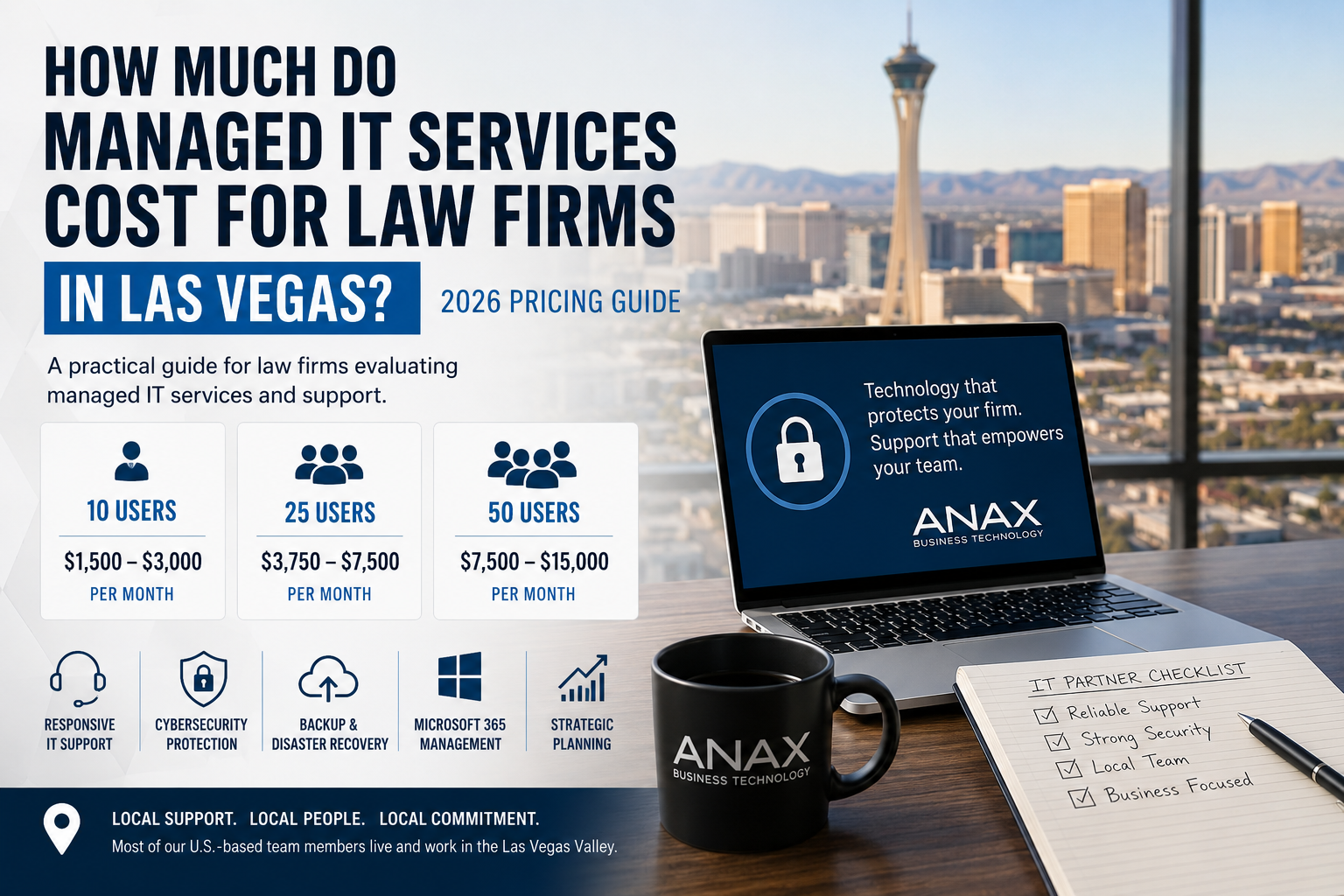
What Does Managed IT Cost for a Law Firm in Las Vegas?
While every environment is different, here's a realistic range for fully managed IT services.
| Law Firm Size | Estimated Monthly Investment |
| 10 Users | $1,500 to $3,000 |
| 25 Users | $3,750 to $7,500 |
| 50 Users | $7,500 to $15,000 |
These estimates assume your managed IT agreement includes:
- Unlimited help desk support
- Remote and onsite IT support
- Proactive monitoring
- Microsoft 365 administration
- Cybersecurity protection
- Backup monitoring
- Patch management
- Vendor management
- Strategic technology planning
Some providers advertise significantly lower prices.
Others charge more.
Understanding why those prices differ is much more important than simply comparing monthly invoices.
What Affects the Cost of Managed IT Services?
Several factors influence the investment your law firm will make in managed IT services.
- The Number of Employees
The most obvious factor is the number of users your IT partner supports.
Every additional employee typically requires:
- Computer management
- Microsoft 365 licensing
- Endpoint security
- Email protection
- Help desk support
- Backup monitoring
- User account management
As your firm grows, your technology partner also takes on greater responsibility for maintaining security, documentation, and operational consistency.
- Your Cybersecurity Requirements
Law firms are increasingly targeted by cybercriminals because they store confidential client information, financial records, contracts, litigation documents, and privileged communications.
A quality managed IT agreement should include multiple layers of protection, not simply antivirus software.
Look for services such as:
- Endpoint Detection and Response (EDR)
- Multi-Factor Authentication (MFA)
- Microsoft 365 security management
- Email filtering
- DNS protection
- Security awareness training
- Vulnerability management
- Backup monitoring
- Security policy reviews
Cybersecurity should never be treated as an optional add-on.
For most law firms, it should be considered a core component of managed IT services.
- Your Technology Environment
Every law firm is different.
Some firms operate almost entirely in Microsoft 365.
Others rely on a combination of cloud services, on-premises servers, legal applications, and specialized software.
Common applications include:
- Microsoft 365
- Clio
- FileVine
- ProLaw
- iManage
- QuickBooks
- Adobe Acrobat
- Zoom
- DocuSign
The more business-critical systems your firm depends on, the more proactive management your technology partner needs to provide.
- Onsite Support Expectations
Not every managed IT provider delivers the same level of onsite support.
Some providers operate almost entirely remotely.
Others maintain local engineering teams that can respond in person when remote support isn't enough.
For law firms, onsite support can be especially valuable when dealing with:
- Office relocations
- Conference room technology
- Network equipment
- Printers and scanners
- New employee onboarding
- Internet outages
- Hardware failures
If your attorneys expect someone to be onsite when needed, make sure those services are clearly included in your agreement.
- Strategic Technology Planning
The best technology partners do much more than respond to support tickets.
They help your firm plan for the future.
That includes:
- Technology budgeting
- Hardware lifecycle planning
- Cybersecurity improvements
- Microsoft 365 optimization
- Vendor recommendations
- Business continuity planning
- Long-term technology strategy
A proactive IT partner helps your technology support your firm's business goals instead of simply reacting when something breaks.
That's a very different relationship than hiring someone to fix computers.
What Should Be Included in Managed IT Services?
When comparing managed IT providers, it's important to understand that not every proposal includes the same services.
One provider may quote $150 per user while another quotes $275 per user. At first glance, the lower price looks like the better value. However, if critical services are missing, your firm may end up paying significantly more over time through additional invoices, project fees, or security gaps.
A comprehensive managed IT services agreement for a law firm should include the following.
Comprehensive IT Support
Your attorneys and staff should have access to responsive technical support whenever technology issues arise.
Look for:
- Remote help desk support
- Onsite support when needed
- Fast response times
- Support for computers, mobile devices, and printers
- Assistance with Microsoft 365 and business applications
Proactive Monitoring and Maintenance
One of the biggest differences between traditional IT support and managed IT services is that your technology partner works to prevent problems before they affect your business.
This should include:
- 24/7 system monitoring
- Automated patch management
- Performance monitoring
- Disk space monitoring
- Hardware health monitoring
- Software updates
- Routine maintenance
Preventing downtime is always less expensive than recovering from it.
Cybersecurity Protection
Cybersecurity is no longer optional for law firms.
Your managed IT agreement should include multiple layers of protection designed to reduce risk and improve your firm's overall security posture.
Look for services such as:
- Endpoint Detection and Response (EDR)
- Multi-Factor Authentication (MFA)
- Email security
- DNS filtering
- Microsoft 365 security management
- Security monitoring
- Vulnerability management
If cybersecurity is offered as a long list of optional add-ons, ask why those protections aren't considered part of the standard service.
Backup and Disaster Recovery
Data loss can happen for many reasons, including ransomware, accidental deletion, hardware failure, or natural disasters.
Your technology partner should monitor your backups regularly and verify that they can be restored successfully.
Ask questions such as:
- How often are backups monitored?
- How frequently are restores tested?
- How quickly can our systems be recovered?
- What happens if a server fails?
A backup that has never been tested isn't much of a backup.
Microsoft 365 Management
Most law firms rely heavily on Microsoft 365.
A managed IT agreement should include ongoing administration of services such as:
- Microsoft Exchange Online
- Microsoft Teams
- SharePoint
- OneDrive
- User account management
- Licensing assistance
- Security configuration
Managing Microsoft 365 properly requires much more than simply creating email accounts.
Strategic Technology Planning
Technology should support your firm's long-term growth.
Your IT partner should provide ongoing guidance that helps you make informed technology decisions instead of reacting to emergencies.
That may include:
- Annual technology budgeting
- Hardware replacement planning
- Cybersecurity recommendations
- Cloud migration guidance
- Vendor management
- Technology roadmaps
The right technology partner becomes an extension of your leadership team, helping your firm plan for the future instead of simply fixing problems as they occur.
Why Do Some Managed IT Providers Charge $99 Per User While Others Charge $300?
One of the biggest questions we hear is:
"If managed IT usually costs $150 to $300 per user, why are some providers advertising support for only $99?"
It's a fair question.
The answer is that not all managed IT services are delivered the same way.
Lower-cost providers often reduce expenses by limiting what's included or by changing how support is delivered.
That doesn't automatically make them a bad fit. Every business has different needs.
However, it's important to understand what you're comparing before making a decision based on price alone.
Lower-Cost Providers May Reduce Costs By:
- Outsourcing portions of their help desk overseas
- Charging separately for onsite visits
- Providing reactive support instead of proactive management
- Supporting a larger number of clients with fewer engineers
For businesses with very basic technology needs, that approach may be perfectly acceptable.
For a law firm, where attorneys depend on reliable systems to serve clients and meet deadlines, those tradeoffs can have a much greater impact.
Higher-Service IT Partners Typically Include
Technology partners that charge more generally invest more in the people, processes, and security that support your business.
That often includes:
- Local technicians who know your business
- Faster onsite response when needed
- Comprehensive cybersecurity protections
- Ongoing technology planning
- Backup monitoring and testing
- Microsoft 365 administration
- Vendor management
- Regular business and technology reviews
Rather than simply answering support calls, these providers work proactively to keep your firm secure, productive, and prepared for future growth.
The monthly investment reflects a broader level of service and accountability.
Why Local IT Support Still Matters
Many managed IT providers advertise nationwide coverage.
In reality, some rely heavily on centralized call centers or outsourced help desks located overseas.
That model may work well for certain organizations.
For law firms, however, the ability to work with a local technology partner often makes a meaningful difference.
At ANAX Business Technology, most of our U.S.-based team members live and work in the Las Vegas Valley.
That means you're working with people who understand the local business community and can provide responsive onsite support when it's needed.
The benefits include:
- Faster onsite response when remote support isn't enough
- A team that knows your office, your staff, and your technology
- Face-to-face planning meetings with local engineers
- Relationships built over time instead of speaking with a different call center agent each time you call
When onsite support is needed, you're working with a local team, not a technician dispatched from another state.
We understand the pace and expectations of Las Vegas law firms because we've been supporting businesses in this community for years.
Technology issues are stressful enough. Knowing the people who support your business makes resolving those issues faster and easier.
Hidden Costs to Watch Out For
The monthly per-user price doesn't always tell the whole story.
Before choosing a managed IT provider, ask what's included and what may result in additional charges.
Common questions include:
- Are onsite visits included?
- Is cybersecurity included or sold as an add-on?
- Are technology projects billed separately?
- Is user onboarding and offboarding included?
- Are Microsoft 365 changes covered?
- Are quarterly business reviews included?
- Are backup recovery tests included?
A slightly higher monthly investment can often provide more predictable costs and fewer surprises throughout the year.
The goal isn't simply to find the lowest monthly price.
It's to find a technology partner that delivers the level of service, security, and expertise your law firm needs to operate with confidence.
How to Compare Managed IT Providers for Your Law Firm
If you're evaluating multiple managed IT providers, it's easy to focus on the monthly price.
A proposal that costs $175 per user may seem like a better value than one priced at $250 per user.
However, the right question isn't "Who is the cheapest?"
It's "Which technology partner will provide the most value to our firm over the next five years?"
The lowest monthly price can quickly become the highest overall cost if slow response times, recurring outages, or cybersecurity issues disrupt your attorneys' ability to serve clients.
As you compare providers, consider the following questions.
Do They Understand Law Firms?
Every industry has unique technology requirements.
Law firms depend on secure communication, document management systems, Microsoft 365, and reliable access to case files. Attorneys also have ethical obligations to protect confidential client information.
Ask prospective providers:
- Have you worked with law firms similar to ours?
- Which legal applications do you support?
- How do you help firms strengthen cybersecurity?
- What recommendations do you make for protecting confidential data?
A provider that understands the legal industry will often identify risks and opportunities that a general IT company may overlook.
How Responsive Is Their Support?
Technology issues don't happen on a schedule.
When they do occur, responsiveness matters.
Ask questions such as:
- What are your average response times?
- How are emergencies handled?
- Is support available after business hours?
- Will we work with the same team over time?
Fast, consistent communication can make a significant difference when your attorneys are preparing for a deadline or meeting with a client.
Do They Offer Local Support?
While many IT companies advertise nationwide support, local service remains an important advantage.
If your office experiences an internet outage, network equipment failure, or hardware issue that can't be resolved remotely, having a local team available can reduce downtime.
Ask questions like:
- Do you have engineers based in Las Vegas?
- Are onsite visits included?
- How quickly can someone be at our office if needed?
Working with a local technology partner also makes it easier to build long-term relationships with the people supporting your business.
What's Included in the Agreement?
Every managed IT proposal is different.
Request a detailed list of included services and compare them side by side.
Pay close attention to:
- Cybersecurity protections
- Backup monitoring
- Microsoft 365 administration
- Strategic planning
- Vendor management
- Onsite support
- User onboarding and offboarding
- After-hours support
Sometimes a higher monthly investment includes services that another provider charges for separately.
Will They Help Us Plan for the Future?
Technology should support your firm's growth, not hold it back.
The best IT partners don't simply respond to support requests. They meet with clients regularly to discuss business objectives, technology improvements, budgeting, and long-term planning.
Ask whether you'll receive:
- Regular business reviews
- Technology budgeting assistance
- Hardware lifecycle planning
- Cybersecurity recommendations
- Strategic guidance as your firm grows
Those conversations often prevent costly surprises and help your technology investments align with your business goals.
Questions to Ask Before Choosing a Managed IT Provider
Before signing an agreement, consider asking these questions.
- What services are included in the monthly fee?
- What services cost extra?
- How do you protect against ransomware and phishing attacks?
- How often are backups tested?
- Are onsite visits included?
- Will we have a dedicated account manager or primary point of contact?
- How do you support Microsoft 365?
- How quickly do you respond to critical issues?
- What happens if we outgrow our current technology?
- Can you provide references from businesses similar to ours?
The answers will often tell you more about a provider than the monthly price ever could.
Frequently Asked Questions
How much should a small law firm spend on managed IT services?
Most law firms in Las Vegas with 10 to 50 employees should expect to invest between $150 and $300 per user, per month for comprehensive managed IT services. The exact investment depends on your technology environment, cybersecurity requirements, compliance needs, and the level of support your firm expects.
Why is managed IT priced per user?
Per-user pricing scales with your business as you grow. Each employee typically requires ongoing support, cybersecurity protection, Microsoft 365 administration, account management, and device monitoring. This pricing model also makes monthly budgeting more predictable.
What level of cybersecurity included with managed IT services?
Many modern managed IT agreements include endpoint protection, email security, Multi-Factor Authentication, Microsoft 365 security management, patch management, and ongoing monitoring. Always ask what's included before comparing proposals.
Are onsite visits included?
That depends on the provider.
Some managed IT companies include onsite support as part of their agreement, while others bill separately for every visit. Make sure you understand how onsite support is handled before signing a contract.
Can managed IT help my law firm prevent ransomware?
While no provider can guarantee that a cyberattack will never occur, a proactive technology partner can significantly reduce your risk through layered cybersecurity, employee awareness training, backup monitoring, security updates, and continuous monitoring.
Is it worth paying more for local IT support?
For many law firms, the answer is yes.
Working with a local technology partner means you have access to people who understand your business, can respond onsite when needed, and build long-term relationships with your team. When technology problems affect billable work, having trusted local experts available can be invaluable.
Why Las Vegas Law Firms Choose ANAX Business Technology
Technology should do more than keep your office running.
It should help your attorneys stay productive, protect confidential client information, and support the long-term growth of your firm.
At ANAX Business Technology, we work with businesses throughout the Las Vegas Valley that value responsive support, proactive cybersecurity, and long-term technology planning.
Rather than acting as another vendor, we strive to become a trusted technology partner.
Our clients appreciate working with a team that takes the time to understand their business, communicate clearly, and provide practical recommendations that support their goals.
Most of our U.S.-based team members live and work in the Las Vegas valley, allowing us to provide responsive local support when it's needed while building relationships that last for years.
We believe great IT support starts with great relationships.
Ready to Learn What Managed IT Would Cost for Your Law Firm?
Every law firm is different.
The number of employees, your technology environment, cybersecurity requirements, and long-term goals all influence the right managed IT solution.
If you're evaluating managed IT services or considering a new technology partner, we'd be happy to have a conversation.
We'll take the time to understand your business, answer your questions, and provide a clear recommendation based on your firm's needs, not a one-size-fits-all package.
Schedule a consultation with ANAX Business Technology to learn how a proactive technology partner can help your Las Vegas law firm improve security, reduce downtime, and make technology a competitive advantage.