Law firms hold exactly the kind of information cybercriminals value: confidential communications, financial information, personally identifiable information, legal documents, and access to client relationships.
But protecting a law firm doesn't require assuming that every employee is one click away from disaster.
It requires understanding where the most significant risks exist and putting practical safeguards around them.
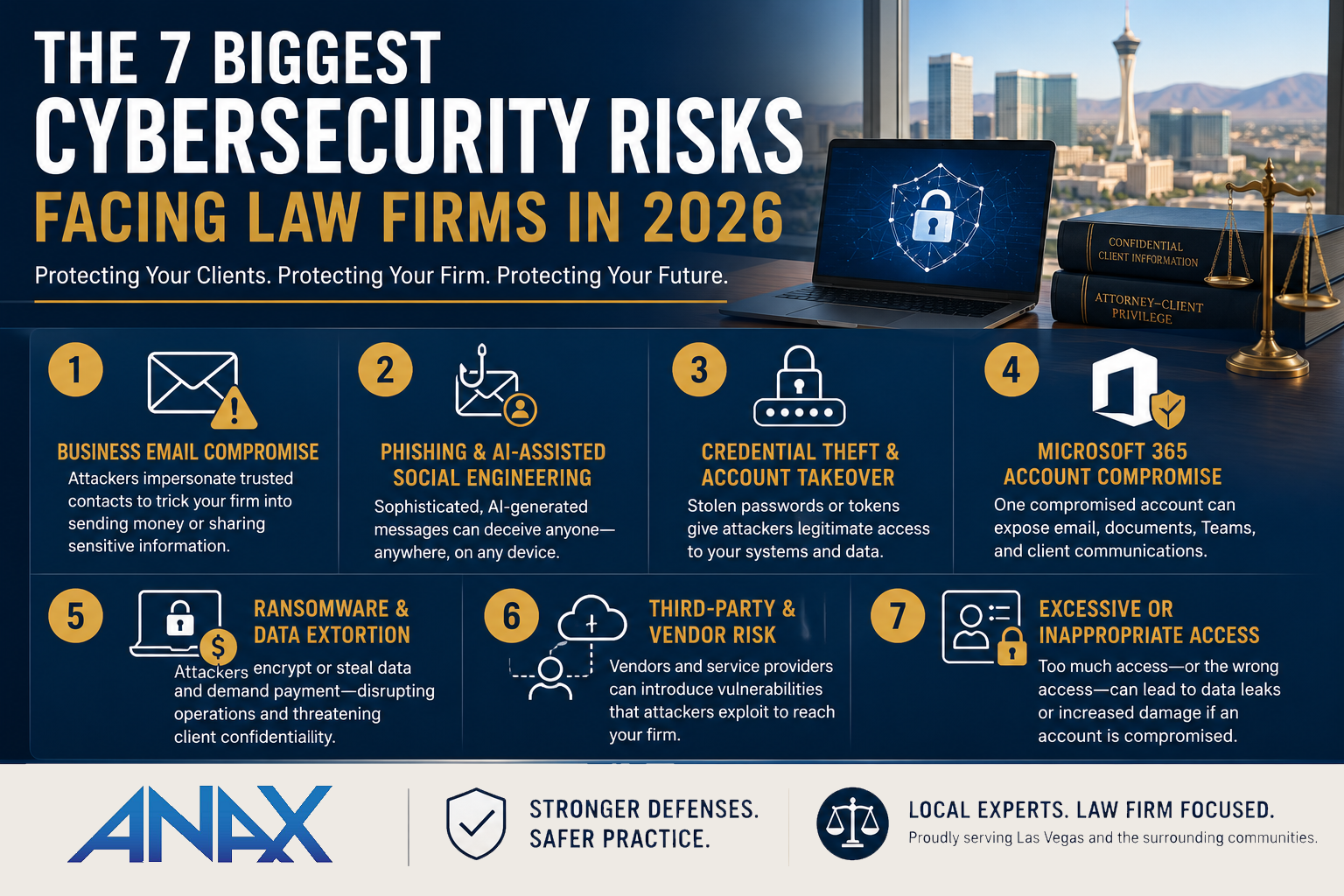
In 2026, some of the biggest cybersecurity risks facing law firms include business email compromise, phishing and social engineering, stolen credentials, Microsoft 365 account compromise, ransomware, third-party vendor risk, and inappropriate access to sensitive information.
The technology used to carry out these attacks continues to evolve, particularly with the increased availability of artificial intelligence. The fundamentals of protecting a law firm, however, remain remarkably consistent.
Strong identity protection, layered security, trained employees, reliable backups, careful access management, and a well-prepared response plan can significantly reduce risk.
Here's what Las Vegas law firms should be watching.
Quick Answer: What Are the Biggest Cybersecurity Risks for Law Firms?
In 2026, law firms should pay particular attention to these seven cybersecurity risks:
- Business Email Compromise (BEC)
Attackers impersonate attorneys, executives, clients, or vendors to redirect payments or obtain sensitive information. - Phishing and AI-Assisted Social Engineering
Convincing emails, messages, phone calls, and other communications attempt to manipulate employees. - Credential Theft and Account Takeover
Stolen usernames, passwords, session tokens, or other credentials can provide attackers with legitimate-looking access. - Microsoft 365 Account Compromise
Because email, documents, and collaboration often reside in Microsoft 365, a compromised account can expose multiple parts of the business. - Ransomware and Data Extortion
Attackers may encrypt systems, steal information, or use both techniques to pressure an organization. - Third-Party and Vendor Risk
Your firm's security can be affected by the technology companies, cloud applications, consultants, and other organizations with access to your information or systems. - Excessive or Inappropriate Access
Employees, contractors, former employees, or compromised accounts may have access to more information than necessary.
No single cybersecurity product addresses all seven.
That's why law firms need a layered cybersecurity strategy that combines technology, people, policies, monitoring, and planning.
Why Are Law Firms Attractive Cybersecurity Targets?
Law firms occupy an unusual position.
They aren't banks, but they may participate in significant financial transactions.
They aren't healthcare organizations, but they may possess medical information.
They aren't necessarily large enterprises, but they can hold confidential information belonging to much larger clients.
Depending on the practice, a firm's systems may contain:
- Confidential attorney-client communications
- Personally identifiable information
- Financial information
- Contracts and agreements
- Litigation materials
- Intellectual property
- Employee records
- Client business information
Cybercriminals don't necessarily need to break into a firm's most important server to create a serious problem.
Sometimes gaining control of one email account is enough.
That brings us to one of the risks every law firm should understand.
Risk #1: Business Email Compromise
Business Email Compromise, commonly called BEC, is particularly important for professional services firms because it exploits something businesses depend on every day:
Trust.
Instead of attacking a computer directly, a criminal may impersonate someone the recipient already knows.
That could be:
- A managing partner
- Another attorney
- A client
- A vendor
- An accountant
- An employee
The attacker then attempts to convince someone to transfer money, change payment instructions, disclose information, or take another seemingly legitimate action.
What Could BEC Look Like at a Law Firm?
Imagine your accounting employee receives an email that appears to come from a partner.
The message says a client-related payment needs to be handled quickly and provides updated wiring instructions.
The email looks professional.
The request sounds plausible.
The sender appears familiar.
But the instructions didn't come from the partner.
An attacker may be impersonating the partner, or worse, may have gained access to a real email account and be communicating from inside a legitimate mailbox.
That's what makes Business Email Compromise so challenging.
The malicious message doesn't necessarily look malicious.
How Can Law Firms Reduce BEC Risk?
No single control eliminates BEC, so firms should combine several safeguards:
- Multi-Factor Authentication
- Email security and impersonation protection
- Strong Microsoft 365 security configurations
- Security awareness training
- Independent verification of payment changes
- Defined financial approval procedures
- Monitoring for suspicious account activity
One of the simplest procedural protections can also be one of the most effective:
Never rely solely on an email to approve an unexpected change to payment or wiring instructions.
Verify significant financial changes through a previously established communication method.
Technology helps.
Process helps.
Together, they're much stronger.
Risk #2: Phishing and AI-Assisted Social Engineering
Phishing isn't new.
What continues to change is how convincing fraudulent communications can become.
Traditional phishing emails were often relatively easy to recognize because of poor grammar, strange formatting, or obviously suspicious requests.
Those clues aren't something businesses should depend on anymore.
Generative AI can help criminals create polished communications quickly, adjust tone and language, and make social engineering attempts more believable.
And social engineering isn't limited to email.
Attempts may arrive through:
- Text messages
- Microsoft Teams
- Phone calls
- Social media
- Fake login pages
- QR codes
The common thread is the same.
Someone is attempting to convince an employee to do something they normally shouldn't.
A Law Firm Example
An employee receives what appears to be a Microsoft 365 notification saying a shared document requires immediate review.
They follow the link.
The page looks almost identical to Microsoft's normal login screen.
The employee enters their credentials.
Nothing obvious happens.
They return to work.
But those credentials may now be in someone else's hands.
The employee didn't intentionally bypass security.
They were presented with something designed specifically to look legitimate.
That's why cybersecurity awareness training should teach employees to recognize situations, not simply memorize what a phishing email looked like last year.
How Can Firms Reduce Social Engineering Risk?
Useful protections include:
- Ongoing security awareness training
- Simulated phishing exercises
- Multi-Factor Authentication
- Advanced email filtering
- Link and attachment protection
- Clear procedures for unusual financial or account requests
- An easy way for employees to report suspicious communications
The goal shouldn't be to make employees afraid to open their email.
It should be to create a culture where someone feels comfortable saying:
"This seems unusual. I'm going to verify it first."
That brief moment of verification can be an important security control.
Risk #3: Credential Theft and Account Takeover
Passwords remain an important part of cybersecurity, but a password by itself shouldn't be the only thing standing between an attacker and your firm's information.
Credentials can be exposed in many ways.
An employee may:
- Enter a password into a fraudulent login page
- Reuse a password that was exposed elsewhere
- Accidentally approve an unexpected authentication request
- Have authentication information stolen from a compromised device
Once attackers gain valid access, detecting them can become more difficult because they may initially look like legitimate users.
They may attempt to access email, cloud storage, client information, or other systems available to that employee.
Why Multi-Factor Authentication Matters
Multi-Factor Authentication adds another verification requirement beyond the password.
That means obtaining a password alone may not be enough to access an account.
But MFA shouldn't be viewed as a reason to stop thinking about identity security.
A modern identity strategy should also consider:
- Which users have administrative privileges
- Which devices are permitted to connect
- Where authentication attempts originate
- Whether login behavior appears unusual
- How quickly former employees lose access
- Whether users have access to information they no longer need
Cybersecurity increasingly revolves around a simple question:
"Should this person have access to this resource, from this device, under these circumstances?"
Your technology partner should help your firm answer that question consistently.
Cybersecurity Is About Reducing Risk, Not Eliminating It
There's an important principle behind all three risks we've covered so far.
Perfect cybersecurity doesn't exist.
A firm could purchase every security product available and still face risk.
The objective is to make successful attacks more difficult, identify suspicious activity sooner, limit the potential impact of a compromised account or device, and prepare the organization to respond effectively.
That's why cybersecurity shouldn't be built around a single product.
It should be built around layers.
Risk #4: Microsoft 365 Account Compromise
For many law firms, Microsoft 365 has become much more than an email platform.
It may contain or provide access to:
- Calendars
- Contacts
- OneDrive
- SharePoint
- Microsoft Teams
- Shared documents
- Client communications
- CoPilot chat history
That makes a Microsoft 365 account extremely valuable to an attacker.
If someone gains access to an attorney's account, they may be able to read email, search previous conversations, access documents, monitor communications, or use the legitimate account to impersonate that attorney.
The attacker doesn't necessarily need to immediately cause disruption.
In some cases, remaining unnoticed may be more valuable.
What Could a Microsoft 365 Compromise Look Like?
Imagine an attacker gains access to an employee's Microsoft 365 account.
Rather than immediately sending thousands of spam messages, the attacker quietly reviews the mailbox.
They learn:
- Who the employee regularly communicates with
- Which clients they're working with
- How the employee writes
- Which vendors the firm uses
- Whether financial transactions are being discussed
The attacker now has context.
They may create inbox rules that hide certain messages, monitor conversations, or wait for an opportunity to impersonate someone involved in a legitimate transaction.
This is where several of the risks in this article begin to overlap.
Credential theft can lead to Microsoft 365 compromise.
Microsoft 365 compromise can lead to Business Email Compromise.
Business Email Compromise can lead to financial loss or exposure of confidential information.
Cybersecurity risks rarely exist in isolation.
How Can Law Firms Better Protect Microsoft 365?
A managed IT provider should treat Microsoft 365 as a critical part of the firm's security environment, not simply an email service.
Important protections may include:
- Multi-Factor Authentication
- Conditional Access policies
- Administrative account protections
- Email security
- Suspicious login monitoring
- Appropriate sharing permissions
- Regular account and access reviews
- Secure configuration of Microsoft 365 services
- Prompt removal of former employee access
The specific controls should reflect your firm's environment and Microsoft licensing.
The important question isn't simply:
"Do we use Microsoft 365?"
It's:
"Who is actively managing and securing our Microsoft 365 environment?"
Risk #5: Ransomware and Data Extortion
Ransomware remains an important cybersecurity concern, but the way organizations should think about it has changed.
The traditional ransomware scenario is familiar:
An attacker gains access to a network, encrypts files, and demands payment for the ability to recover them.
Today, firms also need to consider data extortion.
An attacker may attempt to steal information before encrypting systems, then threaten to disclose or misuse that information.
That distinction is particularly important for law firms because restoring from a backup may restore operations, but it doesn't undo the potential exposure of confidential information.
What Could a Ransomware Incident Look Like?
Imagine employees arrive Monday morning and discover that important files are inaccessible.
Some computers display an extortion message.
Your practice management system may be unavailable.
Attorneys can't access documents they need for client matters.
At that point, several questions become urgent:
- Which systems are affected?
- Has the incident been contained?
- Were backups affected?
- Can the data be restored?
- Was information potentially accessed or removed?
- How will employees continue working?
- Who needs to be involved in the response?
This is why ransomware preparation isn't simply a matter of installing antivirus software.
It's both a cybersecurity issue and a business resilience issue.
How Can Law Firms Reduce Ransomware Risk?
A layered strategy may include:
- Endpoint Detection and Response (EDR)
- Prompt security patching
- Multi-Factor Authentication
- Restricted administrative privileges
- Email security
- Employee awareness training
- Network and endpoint monitoring
- Protected backups
- Regular recovery testing
- A documented incident response process
Backups remain extremely important.
But the better question isn't:
"Do we have backups?"
It's:
"If our systems were compromised today, do we know that our backups are protected and that we can successfully restore the systems our firm depends on?"
That's a much higher standard.
Risk #6: Third-Party and Vendor Risk
Your law firm's cybersecurity doesn't stop at the edge of your network.
Modern firms depend on a growing ecosystem of outside organizations and cloud services.
Depending on your practice, those may include:
- Practice management platforms
- Document management systems
- Accounting applications
- Payment processors
- Cloud storage providers
- E-discovery platforms
- IT providers
- Consultants
- Other professional service firms
Every organization that stores your information or has authorized access to your systems introduces another relationship that should be considered as part of your cybersecurity strategy.
That doesn't mean third-party technology is inherently unsafe.
Quite the opposite. Reputable cloud providers can often provide security capabilities that would be difficult for a smaller firm to build independently.
But outsourcing a service doesn't mean outsourcing responsibility for understanding the risk.
A Third-Party Risk Example
Imagine one of your firm's vendors has access to a system for legitimate support purposes.
Months later, that relationship changes.
Does the account still exist?
Does the vendor still have remote access?
Does anyone periodically review whether that access is still necessary?
This isn't necessarily the result of negligence.
Permissions tend to accumulate over time unless someone deliberately reviews them.
That's why vendor access should have an owner, a purpose, and a lifecycle.
Questions to Ask About Vendors
When a third party will handle sensitive information or receive access to important systems, consider asking:
- What information will they have access to?
- Do they actually need that level of access?
- How is their access authenticated?
- Is Multi-Factor Authentication required?
- Who reviews their access?
- What happens when the relationship ends?
- How would they notify you of a security incident?
Your managed IT provider can help evaluate the technical side of these relationships, while firm leadership determines the business and legal requirements.
Risk #7: Excessive or Inappropriate Access
One of the simplest cybersecurity principles is also one of the most important:
People should have access to the information they need to do their jobs, but not necessarily everything else.
This is commonly referred to as the principle of least privilege.
In a growing law firm, permissions can become complicated quickly.
Employees change roles.
Attorneys join or leave practice groups.
Temporary employees come and go.
Outside consultants receive access.
Someone receives administrator privileges to solve a problem, and those privileges are never removed.
Over time, people can accumulate access they no longer need.
Why Does Excessive Access Matter?
Imagine one employee's account is compromised.
If that account can access every client file, every shared folder, and multiple administrative systems, an attacker potentially inherits the same access.
If the employee only has access to the resources necessary for their role, the potential impact may be much more limited.
Access management isn't based on distrusting employees.
It's about reducing unnecessary exposure.
Don't Forget Former Employees
Offboarding is particularly important.
When someone leaves the firm, their access should be addressed promptly and systematically.
That can include:
- Microsoft 365
- Computers
- VPN access
- Practice management software
- Cloud applications
- Shared passwords
- Administrative credentials
- Building or physical access systems where applicable
A documented onboarding and offboarding process makes it much less likely that an old account will remain active simply because someone forgot about it.
How the Seven Cybersecurity Risks Connect
One of the most important takeaways from this article is that these risks aren't seven independent problems.
They often form a chain.
Consider this scenario:
- Phishing
An employee receives a convincing fake Microsoft 365 login request.
↓
- Credential Theft
The employee enters credentials into the fraudulent page.
↓
- Account Compromise
An attacker gains unauthorized access to Microsoft 365.
↓
- Reconnaissance
The attacker reviews email conversations and learns how the firm communicates.
↓
- Business Email Compromise
The attacker impersonates a trusted person and attempts to redirect a payment.
One successful phishing attempt has now progressed through several different cybersecurity risks.
That's why buying seven unrelated security products isn't the answer.
The better approach is to create multiple opportunities to stop the attack.
Email filtering might block the original message.
Employee training might help the recipient recognize it.
Multi-Factor Authentication may make stolen credentials less useful.
Identity monitoring may identify unusual access.
Financial verification procedures may stop the fraudulent transfer.
Each layer matters.
Match the Risk With the Protection
A useful way to evaluate your cybersecurity strategy is to connect each major risk with the controls designed to reduce it.
| Cybersecurity Risk | Important Protections |
| Business Email Compromise | MFA, email security, employee training, financial verification procedures |
| Phishing & Social Engineering | Awareness training, email filtering, link protection, verification procedures |
| Credential Theft | MFA, identity monitoring, strong access controls |
| Microsoft 365 Compromise | Conditional Access, MFA, account monitoring, secure configuration |
| Ransomware & Data Extortion | EDR, patching, monitoring, backups, incident response |
| Third-Party Risk | Vendor reviews, MFA, access controls, account lifecycle management |
| Excessive Access | Least privilege, permission reviews, documented onboarding and offboarding |
The important lesson is that one security control can address multiple risks, and one risk usually requires multiple controls.
That's what layered cybersecurity actually means.
Prevention Is Only Half the Strategy
Strong cybersecurity should reduce the likelihood of an incident.
But a mature cybersecurity strategy also assumes that prevention may eventually fail.
That's where preparation becomes critical.
Your law firm should know:
- Who investigates a suspected incident
- Who makes important business decisions
- How affected systems will be isolated
- How backups will be restored
- How employees will continue working
- Who coordinates with outside parties when necessary
- How the firm returns to normal operations
Cybersecurity isn't simply about preventing someone from getting in.
It's also about limiting what happens if they do.
That distinction separates basic IT security from a comprehensive cybersecurity strategy.
How Prepared Is Your Law Firm? A Practical Cybersecurity Self-Assessment
Understanding cybersecurity risks is useful.
Knowing whether your firm is prepared for them is much more valuable.
You don't need to be a cybersecurity expert to begin evaluating your firm's defenses. Start by asking your IT provider or internal technology team the following questions.
- Identity and Account Security
Ask:
- Is Multi-Factor Authentication enabled for all employees?
- Are administrative accounts protected differently from normal user accounts?
- Do we monitor for suspicious login attempts?
- Do we have a documented process for disabling accounts when employees leave?
- Are user permissions reviewed periodically?
If no one can confidently answer these questions, identity security deserves additional attention.
- Microsoft 365 Security
Ask:
- Who is responsible for securing our Microsoft 365 environment?
- Are appropriate Conditional Access policies configured?
- Are suspicious authentication attempts monitored?
- Are SharePoint and OneDrive sharing permissions reviewed?
- Are former employee accounts handled through a documented process?
- Are Microsoft 365 security recommendations periodically reviewed?
Simply subscribing to Microsoft 365 doesn't mean every available security feature is configured appropriately.
Your environment still needs active management.
- Email and Phishing Protection
Ask:
- What happens to suspicious emails before they reach employees?
- Do we have protection against domain impersonation?
- Are malicious links and attachments analyzed?
- Do employees receive ongoing security awareness training?
- Do we conduct simulated phishing exercises?
- Does everyone know how to report a suspicious message?
Email security works best when technology and employee awareness reinforce each other.
- Endpoint Security
Ask:
- Is Endpoint Detection and Response deployed on every supported computer?
- Who monitors security alerts?
- What happens when suspicious activity is detected?
- How quickly can a compromised device be isolated?
- Are operating systems and third-party applications regularly patched?
Installing security software is only the beginning.
Someone also needs to monitor it and respond when it identifies suspicious activity.
- Backup and Recovery
Ask:
- Which systems and data are backed up?
- How frequently do backups run?
- Are backup failures actively investigated?
- Are backups protected from the systems they're designed to recover?
- When was the last successful recovery test?
- How quickly could our critical systems realistically be restored?
A backup strategy shouldn't be judged solely by whether the backup job says "successful."
The real test is whether your firm can recover the information it needs when it matters.
- Incident Response
Ask:
- Do we have a documented cybersecurity incident response plan?
- Who should employees contact if they suspect an incident?
- Who is authorized to make critical decisions?
- How would we isolate affected systems?
- How would we continue serving clients during an outage?
- When was the plan last reviewed or tested?
An incident is a terrible time to determine everyone's responsibilities for the first time.
Preparation allows your team to respond deliberately rather than improvising under pressure.
- Vendors and Access
Finally, ask:
- Which third parties currently have access to our systems or information?
- Is that access still necessary?
- Is Multi-Factor Authentication required where appropriate?
- Who approves new vendor access?
- How is access removed when a relationship ends?
- Do employees have access only to the information necessary for their roles?
Access tends to accumulate over time.
Regular reviews help ensure yesterday's legitimate access doesn't become tomorrow's unnecessary risk.
Cybersecurity Warning Signs Law Firm Leaders Shouldn't Ignore
You don't need to understand every cybersecurity technology your firm uses.
But leadership should have visibility into whether a cybersecurity program actually exists.
Some signs that it's time for a deeper conversation include:
- Employees still rely on passwords alone for important systems.
- Your firm hasn't conducted security awareness training in the past year.
- No one can explain which computers are protected by EDR.
- Microsoft 365 security is rarely discussed.
- Former employee accounts remain active longer than necessary.
- Backups exist, but no one knows when a recovery was last tested.
- Cybersecurity is only discussed after something goes wrong.
- Your IT provider can't clearly explain what happens during a security incident.
- Security recommendations aren't prioritized or documented.
- Your firm has added cloud applications and vendors without reviewing their access.
One warning sign doesn't automatically mean your firm is insecure.
It does mean you've found a question worth answering.
You Don't Need Every Cybersecurity Product on the Market
There's an important distinction between good cybersecurity and buying more cybersecurity products.
They're not the same thing.
Law firms don't need every security tool available.
They need the right controls for their environment, implemented correctly, monitored consistently, and supported by sensible business procedures.
A 15-person law firm and a 500-person national firm shouldn't necessarily have identical cybersecurity programs.
Their risks, budgets, resources, technology environments, and client requirements are different.
The objective should be to understand your firm's most important risks and prioritize the controls that meaningfully reduce them.
That requires judgment.
And it's one reason cybersecurity should be an ongoing conversation between firm leadership and its technology partner rather than a collection of products purchased once and forgotten.
How Often Should Your Law Firm Review Cybersecurity?
Cybersecurity shouldn't be a once-a-year checkbox.
Your technology environment changes throughout the year.
Employees join and leave.
New software gets introduced.
Computers are replaced.
Microsoft releases new capabilities.
Vendors change.
Your firm takes on new clients with different requirements.
Threats evolve.
At minimum, cybersecurity should be part of your regular technology planning conversations, with more comprehensive reviews performed periodically and whenever significant changes occur.
The important part is establishing a repeatable process:
Assess → Prioritize → Improve → Verify → Repeat
That cycle is much more valuable than attempting to achieve some imaginary state of "perfect security."
What Should Your Managed IT Provider Be Doing?
Your managed IT provider should play an active role in helping your firm manage cybersecurity risk.
That doesn't mean your MSP makes every business, legal, compliance, or insurance decision for you.
It means your technology partner should help you understand your technical risks and provide clear recommendations.
You should expect conversations about:
- Identity and access security
- Microsoft 365
- Endpoint protection
- Email security
- Security awareness
- Vulnerability management
- Backup and recovery
- Incident response
- Vendor access
- Cyber insurance requirements
- Technology planning
Most importantly, those conversations should result in action.
A security assessment that produces a 75-page report nobody reads doesn't accomplish much.
Leadership should come away understanding:
What's our biggest risk?
What should we address first?
What will it cost?
What happens if we don't address it?
How will we know when we've improved it?
That's what useful cybersecurity guidance looks like.
Why Las Vegas Law Firms Work With ANAX Business Technology
At ANAX Business Technology, we believe cybersecurity should be practical, understandable, and integrated into the way your firm manages technology.
Our approach isn't based on frightening clients into purchasing every new security product.
We focus on understanding your environment, identifying meaningful risks, implementing appropriate safeguards, and continually improving your security posture over time.
For law firms, that means looking beyond antivirus software.
It means protecting identities, endpoints, Microsoft 365, email, backups, and sensitive information while also helping employees recognize suspicious activity and preparing the organization to respond if something goes wrong.
And when you need help, local relationships matter.
Many of our U.S.-based team members live and work in the Las Vegas valley. We combine that local presence with cybersecurity and compliance knowledge to provide the white-glove service our clients expect from their technology partner.
Concerned About Your Law Firm's Cybersecurity?
You don't need to wait for a security incident to find out where your weaknesses are.
If you're unsure whether your existing cybersecurity strategy adequately protects your law firm, ANAX Business Technology can help you evaluate your current environment and identify practical opportunities for improvement.
We'll help you understand what's already working, where meaningful gaps may exist, and which improvements should take priority.
Schedule a consultation with ANAX Business Technology.
Final Thoughts
The biggest cybersecurity risks facing law firms in 2026 aren't solved by one product.
Business Email Compromise, phishing, credential theft, Microsoft 365 compromise, ransomware, third-party risk, and excessive access all exploit different weaknesses.
That's why effective cybersecurity requires layers.
Remember these five principles:
- Protect identities. A stolen password shouldn't automatically provide access to sensitive information.
- Protect endpoints and cloud services. Computers aren't the only systems that require active security management.
- Prepare your people. Employees should recognize unusual situations and know how to report them.
- Prepare for recovery. Backups and incident response matter because prevention will never eliminate every risk.
- Keep improving. Cybersecurity is an ongoing business process, not a project with a finish line.
The objective isn't to make your law firm impossible to attack.
It's to make attacks harder to succeed, easier to detect, less damaging when they occur, and faster to recover from.
That's a much more realistic definition of cybersecurity readiness.