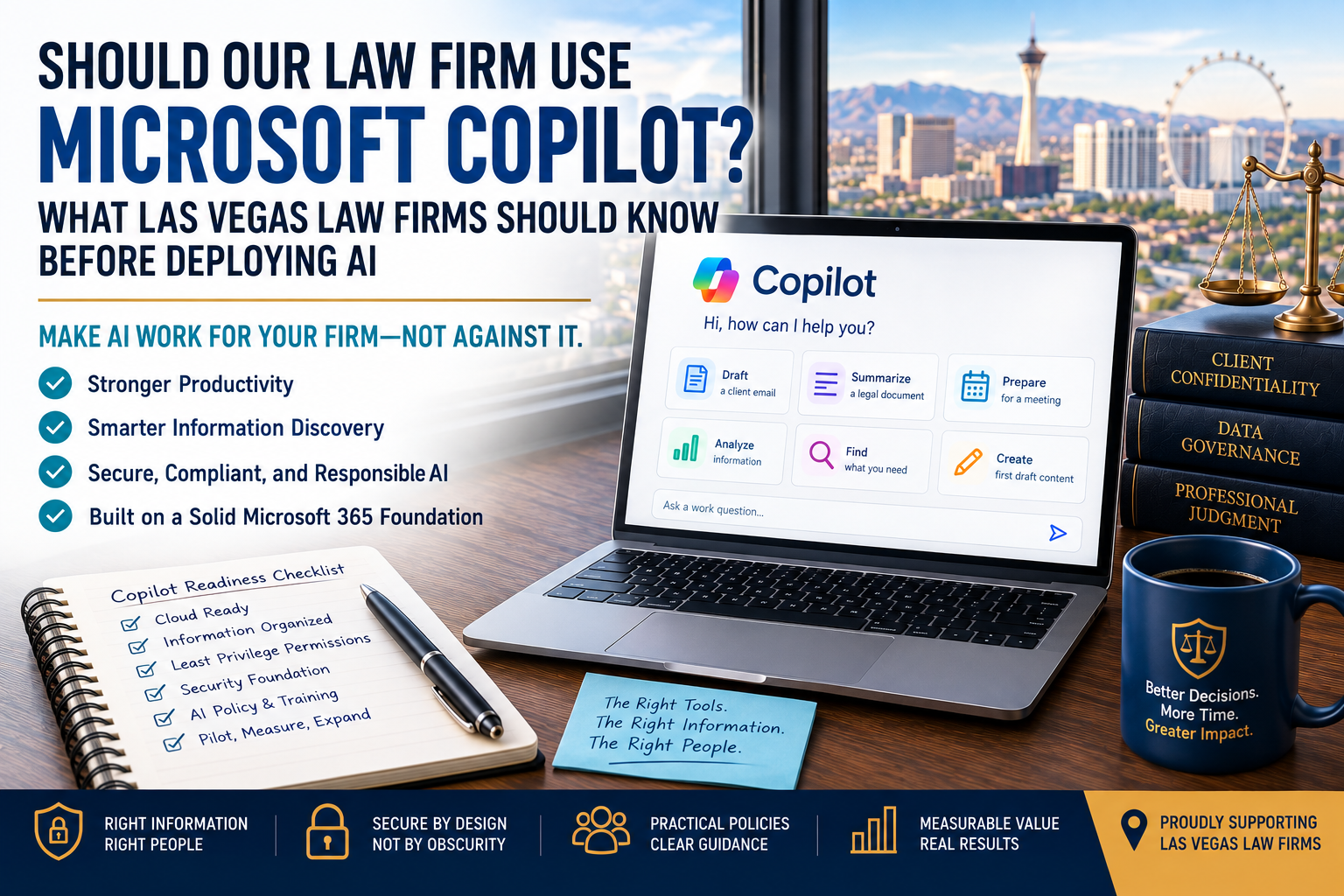
Artificial intelligence is quickly becoming part of the technology conversation for law firms.
Microsoft Copilot is particularly interesting because many firms already use Microsoft 365 for email, documents, collaboration, identity, and other daily work.
That creates an obvious question:
Should our law firm start using Microsoft Copilot?
For many firms, the answer may eventually be yes. But purchasing Copilot licenses shouldn't necessarily be Step 1.
Before deploying Microsoft Copilot broadly, a law firm should evaluate at least five things:
- Where the firm's information lives
- Who currently has access to that information
- How well Microsoft 365 is secured and managed
- What employees should and shouldn't use AI for
- Whether the firm has a practical plan to test, train, and measure adoption
A law firm that has already moved much of its work into Microsoft 365, maintains appropriate permissions, and manages its information well may be positioned to get considerably more value from Copilot.
A firm still relying heavily on traditional file servers, local storage, disconnected applications, and poorly organized information may find Copilot's value more limited.
And there's another issue that deserves attention before deployment:
AI can make information much easier to find.
If employees already have access to information they shouldn't, Copilot may make those existing permission problems much more visible.
The question, therefore, isn't simply:
"Should we buy Microsoft Copilot?"
It's:
"Is our law firm ready to get value from Microsoft Copilot while using it responsibly?"
Quick Answer: Is Microsoft Copilot a Good Fit for Law Firms?
Microsoft Copilot can be useful for law firms that already have a strong Microsoft 365 foundation and identify appropriate uses for generative AI.
Potential uses can include helping employees:
- Draft and revise documents
- Summarize information
- Prepare for meetings
- Work with email and calendars
- Analyze or organize information
- Find information they already have permission to access
- Create initial drafts and outlines
- Work more efficiently with Microsoft 365 applications
But Copilot isn't an automatic productivity button.
Its usefulness depends heavily on the firm's information, permissions, technology environment, employee training, and workflows.
Before making a broad deployment, we recommend thinking about Copilot readiness as a process:
Cloud Readiness → Information Readiness → Permission Readiness → Security Readiness → Policy Readiness → Pilot → Expand
Let's start with the foundation.
-
Evaluate Your Cloud Readiness
One of the first questions a law firm should ask before investing heavily in Microsoft Copilot is surprisingly simple:
Where does our information live?
Imagine two 25-person law firms.
Firm A
Most employees use Microsoft 365 extensively.
The firm has intentionally moved appropriate information and collaboration into services such as SharePoint, OneDrive, Teams, and Exchange Online.
Its Microsoft 365 environment is actively managed.
Firm B
Employees have Microsoft 365 licenses and use Outlook and Office applications, but much of the firm's business information still resides on traditional file servers, local drives, or applications that aren't integrated into the Microsoft 365 environment.
Both firms can purchase Microsoft Copilot.
But that doesn't mean both firms will necessarily receive the same value from it.
Copilot Can't Create Context It Doesn't Have
One of the powerful aspects of Microsoft 365 Copilot is its ability to work within Microsoft's ecosystem and, where appropriate, use organizational information the user is authorized to access.
But if much of the information employees need remains somewhere Copilot can't access, its ability to provide contextually useful assistance may be more limited.
That doesn't mean Copilot has no value.
An attorney might still find AI useful for certain drafting, summarization, brainstorming, or productivity tasks.
But there is an important difference between:
"We can use Copilot."
and:
"Copilot can work effectively with the information and workflows that matter to our firm."
That's why firms should evaluate their information environment before simply buying licenses for everyone.
Don't Move to the Cloud Just Because AI Exists
This doesn't mean a law firm should immediately move every document, application, and workload into Microsoft 365 simply to use Copilot.
Cloud migrations should have business reasons behind them.
There may be:
- Application limitations
- Security considerations
- Workflow requirements
- Client requirements
- Integration concerns
- Cost considerations
- Legacy systems
- Other operational reasons
The objective isn't "put everything in the cloud."
It's to understand where your information currently lives and whether that environment supports what you're hoping Copilot will accomplish.
A useful question to ask before purchasing licenses is:
Where does our firm's important information live today, and how much of it can Copilot actually work with?
If nobody can confidently answer that question, the firm may have some foundational work to do first.
AI Can Make the Value of a Cloud Strategy More Obvious
For years, organizations have discussed moving to cloud services in terms of remote access, collaboration, security, business continuity, and infrastructure modernization.
AI adds another consideration.
The better connected, organized, and appropriately accessible your information is, the more opportunity AI may have to help employees work with it.
Conversely, if information is fragmented across:
File servers + local computers + email + disconnected applications + miscellaneous cloud storage
An AI assistant may only have visibility into part of the picture.
AI doesn't eliminate the need for a technology strategy.
It can make the consequences of that strategy more visible.
-
Get Your Information House in Order
The next question is:
How well organized is the information we already have?
Technology professionals may use terms such as data governance or information governance.
Those terms can sound more complicated than the basic idea really is.
A law firm should understand:
- Where important information is stored
- Who is responsible for it
- Who should have access
- Who shouldn't have access
- How employees are expected to share it
- How long different information should be kept
- What happens when information is no longer needed
- Whether old information is sitting in places where it no longer belongs
In other words:
Know what you have, where it lives, and who should be able to use it.
That's good practice without AI.
It becomes even more important with AI.
Poorly Organized Information Can Produce Poor AI Experiences
Suppose a law firm has accumulated years of information across Microsoft 365.
There are abandoned Teams.
Duplicate SharePoint sites.
Old documents mixed with current documents.
Files with vague names.
Former employees still appear in groups.
Nobody is quite sure which version of a procedure is current.
Now the firm introduces AI.
Copilot may be able to help employees find and work with information more quickly, but it doesn't magically fix the underlying organization.
If three conflicting versions of a document exist, making them easier to discover doesn't determine which one the firm should trust.
If an obsolete procedure is still stored alongside the current one, AI doesn't eliminate the need for someone to manage that information lifecycle.
This is why AI readiness isn't only about buying AI technology.
Sometimes the most valuable preparation happens before the first AI license is assigned.
-
Review Permissions Before You Give Employees a Better Way to Search
This may be the single most important preparation step for a law firm considering Microsoft Copilot.
Ask:
Who can access what today?
In our Microsoft 365 best-practices guide, we discussed the principle of least privilege.
The idea is straightforward:
Employees should have the access they need to perform their jobs without automatically receiving access to information they don't need.
AI makes this principle more important.
AI Changes What "I Technically Have Access to It" Means
Historically, organizations could have bad permissions for years without realizing it.
Imagine a SharePoint environment containing 20,000 documents.
An employee may technically have permission to a folder containing sensitive information they shouldn't need.
But perhaps that folder is buried several levels deep.
The employee doesn't know it exists.
They've never opened it.
Nobody notices the permission mistake.
That can create a false sense of security.
The information feels protected because it's difficult to find.
But:
Difficult to find isn't the same thing as properly protected.
That's sometimes called security by obscurity.
AI can dramatically weaken that illusion.
LLMs Make Obscurity a Poor Security Strategy
Large language models are designed, in part, to help people work with large amounts of information more efficiently.
That's one of their strengths.
It also changes the consequences of overly broad permissions.
An employee may no longer need to know:
- The exact file name
- Which SharePoint site contains it
- Which folder it's in
- When it was created
- Who created it
Instead, AI may help an authorized employee discover relevant information through natural-language questions.
That means an organization shouldn't rely on:
"They technically have access, but they'll probably never find it."
as a security strategy.
With AI in the environment, assume information that a user is authorized to access may become substantially easier for that user to discover and understand.
The Problem Isn't Necessarily Copilot
This distinction is extremely important.
Suppose a legal assistant has permission to a SharePoint location containing sensitive partner compensation information.
The employee shouldn't need that information for their job.
But because of a permission mistake made years earlier, they technically have access.
Before AI, the employee never knew the files existed.
After introducing Copilot, information within the employee's existing access could potentially become easier to discover through ordinary questions and searches, depending on the Copilot experience and context involved.
It would be tempting to say:
"Copilot exposed confidential information."
But that description can miss the underlying problem.
If Copilot respected the employee's existing permissions, the real security failure happened earlier:
The employee had access they shouldn't have had.
AI simply made that permissions problem harder to hide.
Security by Obscurity vs. Least Privilege
Think about the difference this way:
Security by Obscurity
"The employee has access, but they probably don't know where the information is."
Least Privilege
"The employee doesn't have access because the information isn't required for their role."
The second approach is considerably stronger.
Before deploying Copilot broadly, firms should review areas such as:
- SharePoint permissions
- Teams memberships
- Microsoft 365 groups
- External guests
- Shared resources
- Broad "everyone" permissions
- Old sites
- Former employees
- Role changes
- Sensitive administrative information
You don't necessarily need perfect information organization before experimenting with AI.
But you should understand your major permission risks before making AI widely available.
A Simple Copilot Permission Test
Here's a practical exercise law-firm leadership can perform with its technology partner before deployment.
Pick several employees representing different roles, such as:
- Partner
- Associate attorney
- Legal assistant
- Office administrator
- Accounting employee
For each person, ask:
What Microsoft 365 information can this employee access today?
Then ask:
Is there anything in that access we would be uncomfortable making easier for them to find?
That's a much more useful AI-readiness question than simply asking whether your Microsoft tenant supports Copilot.
If the answer is:
"We're not really sure what everyone has access to."
don't panic.
But don't ignore the answer either.
You've identified something worth addressing before a broad AI rollout.
Copilot Readiness Starts Before Copilot
At this point, a pattern should be emerging.
Before discussing prompts, productivity gains, or which employees should receive licenses, we're asking three foundational questions:
CLOUD READINESS
Is enough of the information employees need available in an environment where Copilot can provide meaningful value?
INFORMATION READINESS
Do we know where important information lives, which information is current, and how it should be handled?
PERMISSION READINESS
Do employees have access to what they need without unnecessary access to information they don't?
Those aren't glamorous AI projects.
But they can determine whether Copilot becomes a useful business tool or simply another monthly subscription.
And they lead to the next question:
Even if our information and permissions are ready, is our Microsoft 365 environment secure enough for AI?
That's where we'll go next.
-
Make Sure Your Microsoft 365 Security Foundation Is Ready
Once you've reviewed where your information lives and who can access it, the next question is:
How well is the Microsoft 365 environment itself protected?
Copilot shouldn't be treated as a substitute for Microsoft 365 security.
In fact, introducing AI gives law firms another reason to make sure foundational controls are already in place.
That includes areas such as:
- Multi-Factor Authentication
- Conditional Access where appropriate
- Protected administrator accounts
- Email security
- Managed devices
- Employee onboarding and offboarding
- Security monitoring
- Appropriate Microsoft licensing
- Regular permission reviews
You don't need to achieve some mythical state of perfect cybersecurity before using AI.
But if the firm already knows it has significant Microsoft 365 security issues, adding Copilot shouldn't be the project that jumps ahead of fixing them.
Don't Let the AI Project Distract From the Fundamentals
AI is exciting.
MFA isn't.
That can create an interesting budgeting problem.
Leadership may be enthusiastic about approving a new AI initiative while postponing less glamorous work involving identity, permissions, security policies, or old Microsoft 365 configurations.
But those foundational controls protect the environment Copilot will operate within.
A sensible order looks more like this:
Secure the environment → Clean up access → Establish AI policies → Pilot Copilot → Measure results → Expand
rather than:
Buy Copilot for everyone → Figure everything else out later
The second approach may be faster.
It isn't necessarily better.
-
Establish Rules for How Employees Should Use AI
Technology alone doesn't answer one of the most important questions:
What is our law firm comfortable allowing employees to do with AI?
Employees need practical guidance.
Without it, you're effectively asking each attorney and staff member to develop their own AI policy.
One employee may be extremely cautious.
Another may paste sensitive information into whichever AI tool appears first in a search result.
A third may assume that because an AI application is available on their work computer, the firm has approved it.
That's not a good governance model.
A law firm should establish an acceptable-use policy for AI before broad adoption.
An AI Policy Should Be Understandable
The policy doesn't need to begin as a 40-page legal document.
Employees need answers to practical questions such as:
- Which AI tools are approved?
- Which AI tools are prohibited?
- What types of information can employees provide to an AI system?
- What information should never be entered?
- Can AI be used with client information?
- When is human review required?
- Can AI-generated content be sent directly to a client?
- How should employees verify AI-generated information?
- Who approves new AI applications?
- What should an employee do if they accidentally provide information to an unapproved AI service?
The answers will depend on the firm's practice areas, client requirements, ethical obligations, technology, and risk tolerance.
The important thing is to make the rules explicit.
"AI" Is Not One Product
This distinction is especially important.
Employees may hear:
"Our firm allows AI."
But that statement is far too broad.
There are significant differences between:
- Microsoft Copilot products
- Consumer AI services
- Business or enterprise AI services
- AI features built into legal applications
- AI meeting assistants
- Browser extensions
- Document tools
- Free online AI applications
They don't necessarily have the same contractual terms, security controls, data-handling practices, administrative capabilities, or integrations.
Approving one AI tool doesn't mean the firm has approved every AI tool.
Your policy should identify approved services and approved uses, rather than treating "AI" as one giant category.
Confidentiality Still Matters When AI Is Involved
Law firms already have responsibilities surrounding sensitive information.
AI doesn't eliminate them.
Before employees use AI with confidential, privileged, personal, or client-related information, the firm should understand how the specific service handles that information.
Questions may include:
- What information is transmitted to the service?
- Where is it processed?
- How is it stored?
- Is customer data used to train underlying models?
- What contractual protections apply?
- What administrative controls are available?
- What logs or audit capabilities exist?
- How can access be removed?
- Do client requirements restrict particular uses?
The answers can differ substantially among products and subscription types.
This is why a policy such as:
"Don't put anything confidential into AI."
may be understandable as a temporary rule, but it isn't a complete long-term AI strategy.
The firm needs to evaluate the specific tool, specific configuration, specific information, and specific use case.
Human Review Should Be Part of the Process
Generative AI can produce output that sounds confident and polished while still being:
- Incorrect
- Incomplete
- Outdated
- Misleading
- Based on a misunderstanding of the request
That matters enormously in legal work.
An AI-generated answer should not become trustworthy merely because it sounds professional.
For many law-firm use cases, a useful principle is:
AI can assist. A qualified person remains responsible for the work.
If an attorney uses Copilot to help summarize information, prepare a draft, organize notes, or generate ideas, the appropriate employee still needs to review the result before relying on it.
The amount of review should reflect the consequences of getting something wrong.
Use AI to Accelerate Judgment, Not Replace It
The strongest AI use cases often aren't:
"Do my job for me."
They're closer to:
"Help me get to the part where my judgment matters faster."
For example, AI may help an employee:
- Create a first draft
- Summarize a long discussion
- Organize scattered notes
- Identify themes
- Prepare an agenda
- Rewrite material for clarity
- Compare information
- Generate questions to investigate
- Turn existing information into a more useful format
The employee then applies professional judgment.
That distinction is particularly important in a law firm, where the quality of an answer can matter far more than how quickly it was generated.
-
Identify Real Copilot Use Cases Before Buying Licenses
A common technology-adoption mistake is to purchase a tool first and figure out what to do with it later.
Copilot shouldn't be exempt from that rule.
Before a broad rollout, identify 3 to 5 recurring tasks where AI could realistically save time or improve a workflow.
For example:
Meeting Preparation
An employee could use Copilot capabilities to help gather or summarize relevant information available to them before a meeting.
Email Management
Copilot may help summarize lengthy email conversations or assist with drafting responses.
Document Drafting
Employees may use AI to create an initial structure or first draft that is then reviewed and revised.
Meeting Follow-Up
Where the firm's policies and Microsoft configuration permit it, AI capabilities may help summarize meetings and identify follow-up items.
Internal Information Discovery
Employees may be able to find and synthesize information they already have permission to access across supported Microsoft 365 sources.
That last use case can be particularly valuable.
It's also exactly why the permissions discussion from Part 1 matters so much.
Don't Start With "What Can Copilot Do?"
That's a natural question, but there's a better one:
"What work are our employees doing repeatedly that takes too much time?"
Start there.
Suppose attorneys regularly spend 20 minutes preparing for a recurring internal meeting by searching through email, notes, documents, and previous conversations.
If Copilot can meaningfully reduce that preparation time while producing useful results, you have a measurable use case.
If nobody can identify what employees are supposed to accomplish with Copilot, buying licenses may simply create another software expense.
The goal isn't AI adoption.
The goal is a better business outcome.
A Simple Use-Case Test
Before approving a Copilot use case, ask five questions:
- TASK
What specific task are we trying to improve?
Avoid vague goals such as "use AI to become more productive."
- TIME
How much employee time does the task consume today?
You need a baseline if you want to know whether AI helped.
- INFORMATION
What information does Copilot need to make the use case valuable?
This connects directly to cloud and information readiness.
- RISK
What happens if the AI output is wrong?
Drafting an internal meeting agenda and preparing a client-facing legal document don't carry the same consequences.
- REVIEW
Who checks the output before it is relied upon?
The higher the consequence of an error, the more important this becomes.
That gives us another useful framework:
Task → Time → Information → Risk → Review
-
Start With a Pilot Instead of the Entire Firm
Once you've identified worthwhile use cases, resist the urge to immediately purchase licenses for everyone.
Start smaller.
For a 10 to 50-person law firm, an initial pilot might involve a representative group rather than the entire organization.
The exact number should depend on the firm's size, roles, workflows, licensing, and goals.
More important than the number is who participates.
A useful pilot could include people with different responsibilities, such as:
- A partner
- An associate attorney
- A legal assistant
- An administrator
- Another employee with a repeatable Microsoft 365-heavy workflow
That gives the firm a broader view of where Copilot creates value.
Give the Pilot a Beginning and an End
Don't create a pilot that runs indefinitely.
Establish a defined evaluation period, such as 30 to 60 days, and decide what you want to learn.
Before the pilot begins, document:
- Who is participating
- Which use cases are being tested
- What employees are allowed to do
- What training they'll receive
- What information they should not use
- How feedback will be collected
- How success will be measured
At the end, leadership should be able to make a more informed decision about whether to:
Expand → Adjust → Continue Testing → Stop
Any of those can be a successful outcome if the firm learned something useful.
Measure More Than "Do You Like Copilot?"
Employee satisfaction matters.
But:
"Do you like it?"
isn't a particularly strong business case for another recurring technology expense.
Try to measure outcomes.
For example:
Before Copilot:
Recurring meeting preparation takes approximately 20 minutes.
During the pilot:
Employees report that the same preparation process averages approximately 10 minutes with Copilot assistance.
Potential result:
Approximately 10 minutes saved per meeting.
That's an illustrative example, not a promise of what Copilot will achieve.
But it demonstrates the type of measurement firms should consider.
Other measures might include:
- Time spent drafting routine internal material
- Time spent finding information
- Time spent summarizing meetings
- Adoption rate
- Number of employees using the tool regularly
- Quality of output
- Employee-reported usefulness
- Tasks where Copilot consistently fails to add value
That last metric matters too.
It's Okay If Copilot Isn't Useful for Everyone
One of the possible outcomes of a pilot is discovering that some roles benefit much more than others.
That's useful information.
A partner who spends substantial time in Outlook, Teams, Word, meetings, and Microsoft 365 content may find meaningful opportunities.
Another employee whose work occurs almost entirely inside a specialized legal application may find considerably less value.
That doesn't mean the Copilot project failed.
It may mean you've discovered a better licensing strategy:
Buy AI where it creates measurable value instead of buying AI because everyone else is talking about it.
Copilot Readiness Is More Than a License
We can now expand our readiness framework.
Before a broad deployment, evaluate:
Cloud Readiness
Is enough useful information available to Copilot?
↓
Information Readiness
Is that information reasonably organized and managed?
↓
Permission Readiness
Do employees have appropriate access?
↓
Security Readiness
Is Microsoft 365 appropriately protected?
↓
Policy Readiness
Do employees know what's allowed?
↓
Pilot
Can Copilot improve specific workflows?
↓
Expand
Did the results justify broader deployment?
This process intentionally puts "Buy licenses" near the end rather than the beginning.
That's the point.
Microsoft Copilot should solve identifiable problems or create identifiable opportunities for your law firm.
The technology itself isn't the objective.
AI Adoption Should Be Intentional
There are two extremes law firms should avoid.
One is:
"AI is too risky. We're not touching it."
The other is:
"AI is the future. Buy it for everyone."
Neither approach requires much analysis.
A better approach is to understand the technology, establish reasonable boundaries, test useful applications, measure the results, and expand where the business case makes sense.
That's what responsible AI adoption looks like.
And once the firm reaches that point, another practical question appears:
What is Microsoft Copilot actually going to cost us, and which version do we need?
-
Understand Microsoft Copilot Licensing and Cost
Once a law firm has identified useful workflows and determined that its Microsoft 365 environment is ready, the next question is usually:
How much is this going to cost?
Unfortunately, the answer isn't quite as simple as:
Number of employees × one Copilot price.
Microsoft offers different Copilot experiences, and licensing changes over time.
As of August 2026, Microsoft offers Microsoft 365 Copilot Chat with eligible Microsoft 365 subscriptions at no additional charge. Microsoft also offers paid Copilot licenses that provide deeper integration with organizational information and Microsoft 365 applications. (Microsoft)
For smaller organizations, Microsoft also offers Microsoft 365 Copilot Business, designed for organizations with up to 300 users. Microsoft's published pricing and promotional offers can change, so firms should verify current pricing when making a purchasing decision. (Microsoft)
That's important because a law firm shouldn't begin its AI discussion by assuming:
"We need the most expensive Copilot license for every employee."
It may not.
Copilot Chat and Paid Copilot Are Not the Same Thing
This distinction is particularly useful for law-firm leadership.
Microsoft currently includes Copilot Chat with eligible Microsoft 365 subscriptions. Microsoft's documentation describes the baseline experience as primarily web-grounded, with more limited use of organizational content unless that content is explicitly provided. (Microsoft Learn)
Paid Microsoft Copilot licensing goes further by providing richer work-based capabilities and integration with applications such as Outlook, Word, Excel, PowerPoint, and Teams, depending on the applicable license and configuration. (Microsoft)
In practical terms, don't ask only:
"Do we have Copilot?"
Ask:
"Which Copilot experience do our employees have, and what are we expecting them to accomplish with it?"
Those are very different questions.
Calculate the Cost Against the Use Case
Suppose a 25-person law firm is evaluating paid Copilot.
The wrong starting point is:
"Should we buy 25 licenses?"
Start with:
"Which employees have a workflow where this could create enough value to justify a license?"
Perhaps a pilot identifies eight employees who regularly use Word, Outlook, Teams, meetings, and Microsoft 365 information in ways where Copilot saves meaningful time.
If another group spends most of its day in a specialized legal application and receives little measurable benefit from Copilot, those employees may not need the same licensing.
This is why the pilot from earlier matters.
Measure first. Expand second.
Don't Measure ROI Only in Minutes
Time savings are useful, but they aren't the only potential source of value.
A Copilot deployment might also help employees:
- Get through information faster
- Prepare more consistently for meetings
- Reduce time spent searching for information
- Create better first drafts
- Summarize lengthy conversations
- Turn meeting discussions into action items
- Spend more time on higher-value work
Some benefits can be measured precisely.
Others require judgment.
What matters is that leadership can explain why it is paying for the technology.
If the only business case is:
"AI is where everything is going,"
the firm probably hasn't finished its evaluation.
-
Train Employees to Use Copilot Effectively
Providing an AI license doesn't mean an employee automatically knows how to use it well.
The quality of an AI interaction often depends partly on the quality of the instructions and context provided.
Compare:
"Write an email."
with:
"Draft a concise email to a client confirming our meeting next Tuesday. Use a professional but approachable tone, summarize the three action items below, and ask the client to confirm who will attend."
The second request gives the AI considerably more direction.
Employees don't need to become "prompt engineers."
They do need to learn how to communicate clearly with the tool.
Teach a Simple Prompt Framework
We can make this practical.
When asking Copilot for assistance, employees can think about four things:
- GOAL
What do I want Copilot to accomplish?
Summarize, draft, compare, organize, explain, or identify?
- CONTEXT
What does Copilot need to know?
Who is the audience? What is happening? What information matters?
- FORMAT
What should the result look like?
An email? Five bullets? A table? A meeting agenda? A one-page summary?
- REVIEW
What needs to be verified before I use the result?
That's especially important in a law firm.
Goal → Context → Format → Review
That is enough structure to make many everyday AI interactions considerably more useful without turning attorneys into AI specialists.
Don't Train Employees Only on Prompts
Prompt training gets a lot of attention because it's easy to demonstrate.
But a law firm's AI training should go further.
Employees should also understand:
- Which AI tools are approved
- What information they may use
- What information requires additional care
- How to identify AI errors
- When output requires human review
- How to report a concern
- What to do when they aren't sure whether a use is appropriate
An employee who can write an excellent prompt but doesn't understand the firm's AI policy isn't well trained.
-
Keep Human Judgment in the Loop
One of the easiest mistakes to make with generative AI is confusing fluency with accuracy.
AI can produce an answer that is:
- Clear
- Detailed
- Well formatted
- Confident
- Completely wrong
The professional appearance of an answer doesn't establish its reliability.
For attorneys, this should be a familiar concept.
A polished document still needs to be substantively correct.
Use a Risk-Based Review Process
Not every AI-generated output requires the same level of scrutiny.
Consider three examples.
Lower-Consequence Use
"Turn these internal notes into an agenda for tomorrow's staff meeting."
An error may be inconvenient, but probably isn't catastrophic.
Moderate-Consequence Use
"Draft an email explaining this process to a client."
Now the employee should pay closer attention to factual accuracy, tone, and whether the message properly represents the firm.
Higher-Consequence Use
"Analyze these authorities and tell me what legal position we should take."
The consequences of an inaccurate or fabricated answer can be substantially greater.
The principle is straightforward:
The greater the consequence of an AI error, the greater the human review should be.
AI doesn't eliminate professional responsibility.
-
Review Your AI Environment as It Evolves
An AI rollout isn't finished when licenses are assigned.
Microsoft will continue changing Copilot.
Your firm will discover new use cases.
Employees will find ways of using AI that leadership didn't anticipate.
New AI products will appear inside applications the firm already uses.
Permissions will change.
Employees will join and leave.
Information will accumulate.
Policies that made sense today may need revision later.
That's why AI should become part of the firm's recurring technology review.
Questions might include:
- Who has paid Copilot licenses?
- Who is actually using them?
- Which workflows are creating value?
- Are some licenses going unused?
- Have new AI tools appeared in applications we already use?
- Are employees following the firm's AI policy?
- Have Microsoft 365 permissions changed?
- Are external users still appropriate?
- Are there new security or privacy considerations?
- Does training need to be updated?
AI governance doesn't need to become a bureaucratic exercise.
It does need an owner.
The ANAX Copilot Readiness Framework
Putting everything from this guide together gives us a seven-step process for evaluating Microsoft Copilot.
- CLOUD READINESS
Where does our information live?
Determine whether enough of the information employees need is available through systems Copilot can meaningfully work with.
- INFORMATION READINESS
Is our information reasonably organized?
Know what information matters, where it belongs, who owns it, and which versions employees should trust.
- PERMISSION READINESS
Can the right people access the right information?
Follow least privilege and correct unnecessary access before AI makes that access easier to exercise.
- SECURITY READINESS
Is our Microsoft 365 foundation appropriately protected?
Review identity, MFA, administrative access, devices, monitoring, and other foundational controls.
- POLICY READINESS
Do employees know the rules?
Define approved tools, appropriate uses, information-handling expectations, and human-review requirements.
- PILOT
Can we demonstrate useful results?
Test Copilot with selected employees and specific workflows.
- EXPAND
Did the results justify broader deployment?
Purchase additional licenses where the business case makes sense.
Cloud → Information → Permissions → Security → Policy → Pilot → Expand
Notice what's missing from the beginning of the framework:
"Buy Copilot."
That's intentional.
A 15-Question Copilot Readiness Checklist for Law Firms
Before deploying Microsoft Copilot broadly, ask:
- Where does most of our firm's important information live?
- How much of that information can Copilot actually work with?
- Is important organizational information appropriately stored in SharePoint, OneDrive, Teams, or other supported systems?
- Do we understand who has access to sensitive information?
- Have we reviewed broad or outdated Microsoft 365 permissions?
- Are former employees and unnecessary external users removed appropriately?
- Is our Microsoft 365 environment appropriately secured?
- Do we have an AI acceptable-use policy?
- Do employees know which AI tools are approved?
- Have we identified 3 to 5 specific Copilot use cases?
- Do we know how we'll measure whether those use cases create value?
- Have we identified which employees should participate in the initial pilot?
- Do employees understand that AI-generated information requires appropriate human review?
- Do we understand the licensing and recurring cost of the Copilot experience we're considering?
- Does someone own the ongoing management of AI within the firm?
If several answers are:
"We don't know."
that doesn't mean your firm should abandon AI.
It means you've identified what to work on before a broad deployment.
So, Should Your Law Firm Use Microsoft Copilot?
For some law firms, yes.
For others, not yet may be the better answer.
And for some employees within the same firm, Copilot may make considerably more sense than it does for others.
A firm that already operates extensively in Microsoft 365, manages its information well, follows least privilege, has good security fundamentals, and identifies repeatable AI-friendly workflows may be well positioned to benefit.
A firm that still keeps most of its important information on disconnected systems, doesn't understand its permissions, and has no AI policy may get middling value from Copilot while making existing information-management problems more visible.
That's not an argument against AI.
It's an argument for deploying AI in the right order.
AI Makes Good Technology Management More Important, Not Less
AI sometimes gets presented as a shortcut.
But when it comes to organizational information, Copilot can actually make the fundamentals more important.
If information is well organized, AI can make it easier to use.
If information is poorly organized, AI can make the mess easier to search.
If permissions are appropriate, AI can help employees work more efficiently with information they're supposed to have.
If permissions are overly broad, AI can make inappropriate access easier to exercise.
That's why one of the most important lessons for law firms is:
AI can destroy the illusion of security by obscurity.
A document isn't appropriately protected because nobody knows which folder it's buried in.
A user either should have access or they shouldn't.
That's the value of least privilege, and AI makes that principle more important than ever.
How ANAX Business Technology Helps Law Firms Prepare for AI
At ANAX Business Technology, we don't believe the first step in an AI project should automatically be purchasing licenses.
We start with the technology environment around the AI.
For a Microsoft Copilot initiative, that can mean helping a law firm evaluate questions such as:
- Is Microsoft 365 ready?
- Where does the firm's information live?
- Are SharePoint and Teams appropriately organized?
- Are permissions too broad?
- Are Microsoft 365 security controls appropriate?
- Which Copilot licenses actually make sense?
- Which employees are good candidates for a pilot?
- What workflows should the firm test?
- What should be addressed before broader deployment?
The objective isn't to help a firm have AI.
It's to help the firm determine where AI can create useful, responsible business value.
Ready to Evaluate Microsoft Copilot for Your Law Firm?
If your Las Vegas law firm is considering Microsoft Copilot but isn't sure whether your Microsoft 365 environment is ready, ANAX Business Technology can help you evaluate the foundation first.
We'll help you understand where your environment stands, what deserves attention, and whether a Copilot pilot makes sense for your firm.
Schedule a consultation with ANAX Business Technology.
Final Thoughts
Microsoft Copilot has the potential to become a valuable productivity tool for law firms.
But AI readiness isn't measured by whether you can purchase a license.
It's measured by whether the technology has something useful, appropriately protected, and well managed to work with.
Before deploying Copilot broadly:
Understand where your information lives.
Get your information house in order.
Fix inappropriate permissions.
Strengthen the Microsoft 365 foundation.
Establish clear AI rules.
Identify real use cases.
Run a controlled pilot.
Measure the results.
Expand where the value justifies it.
And remember the principle that runs through this entire guide:
AI makes information easier to use. Make sure it's the right information, in the right place, available to the right people first.
That's a much stronger foundation for an AI strategy than simply asking:
"How many Copilot licenses should we buy?"