When comparing managed IT providers, it's tempting to ask a simple question:
"What's included in the monthly price?"
That's an important question, but it isn't quite enough.
Two managed IT agreements can have similar monthly prices while providing very different services. One may include unlimited help desk support. Another may include proactive maintenance with a defined block of support hours. A third may separate proactive IT management from reactive support entirely.
None of these approaches is automatically right or wrong.
The better question is:
"Does this agreement give our law firm the right combination of proactive management, responsive support, cybersecurity, and control over our technology spending?"
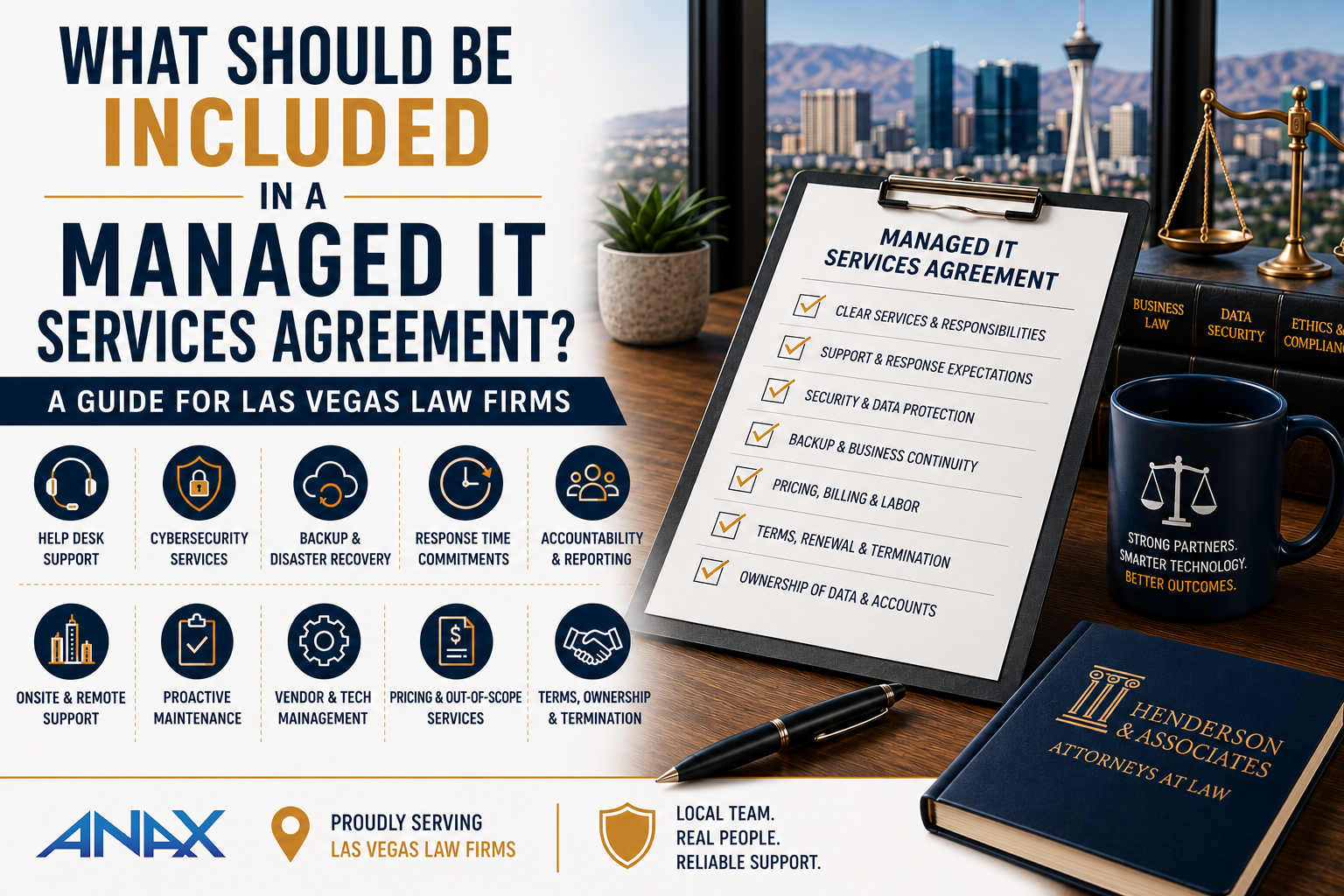
A good managed IT services agreement should clearly explain what your provider will manage, what support is included, what costs extra, how cybersecurity is handled, what response expectations apply, and what happens when your needs fall outside the agreement.
For Las Vegas law firms, understanding those details before signing can prevent surprises later and make it much easier to compare providers based on actual value instead of monthly price alone.
Quick Answer: What Should a Managed IT Agreement Include?
At minimum, a managed IT services agreement should clearly address these 10 areas:
- Proactive monitoring and maintenance
- Reactive help desk support
- Remote versus onsite support
- Response and escalation expectations
- After-hours and emergency support
- Cybersecurity responsibilities
- Backup and business continuity responsibilities
- Vendor and technology management
- Projects and services outside the agreement
- Contract terms, ownership, and termination
The important word is clearly.
Not every service needs to be bundled into one monthly price.
In fact, depending on how your law firm uses IT support, separating certain services may provide greater flexibility or better control over your technology spending.
What's important is knowing what you're buying before you sign.
First, Understand the Difference Between Proactive and Reactive IT Support
One of the easiest ways to understand a managed IT agreement is to divide IT support into two categories:
Proactive support and reactive support.
They solve different problems.
What Is Proactive IT Support?
Proactive IT support is the work happening behind the scenes to keep your technology environment healthy.
Depending on the agreement, this may include services such as:
- Monitoring computers and servers
- Installing operating system updates
- Managing patches
- Monitoring available disk space
- Identifying device health issues
- Monitoring critical systems
- Performing routine maintenance
- Responding to monitoring alerts
- Maintaining management and support tools
The objective is to identify and address routine technology issues before they create unnecessary disruption.
Your employees may never see much of this work happening.
That's the point.
If a monitoring system identifies that a server is running critically low on disk space and your IT provider remediates the issue before it causes an outage, no employee ever needs to open a help desk ticket.
That's proactive IT management working as intended.
What Is Reactive IT Support?
Reactive support begins when someone needs help.
For example:
- An attorney can't open an application.
- Outlook isn't behaving correctly.
- A printer isn't working.
- An employee needs help connecting remotely.
- Someone receives an error message.
- A user needs assistance with a new device.
- An application stops functioning as expected.
This is the traditional help desk side of managed IT.
Both proactive and reactive services are important.
But they don't necessarily need to be priced the same way.
And that's where managed IT agreements begin to differ.
Three Common Ways Managed IT Support Can Be Structured
When law firms compare managed service providers, they may encounter several different pricing models.
Understanding the differences can make proposals much easier to evaluate.
Model 1: Comprehensive Managed IT
This is the model many people associate with a traditional managed service provider, or MSP.
The client pays a recurring monthly fee that typically includes proactive technology management as well as defined reactive help desk services.
Depending on the agreement, this may include:
- Monitoring
- Maintenance
- Patching
- Help desk support
- Remote troubleshooting
- Certain onsite services
The primary advantage is predictability.
If employees generate more support requests during a particular month, the firm's recurring support cost generally doesn't change for services covered by the agreement.
That can make budgeting straightforward.
However, predictability isn't the only consideration.
A firm that maintains a stable technology environment and generates relatively few reactive support requests may prefer a model that gives it more control over how much support labor it purchases.
Model 2: Proactive Management Plus a Block of Support Hours
A second approach combines managed proactive services with a predetermined amount of reactive support labor.
The proactive portion of the agreement remains covered.
Your IT provider continues performing tasks such as monitoring, patching, maintenance, and remediation of covered monitoring alerts.
But instead of building unlimited reactive help desk labor into the recurring price, the agreement includes a defined block of labor hours.
Those hours can then be used when employees actually need assistance.
This creates a different value proposition:
You retain proactive IT management while gaining more control over your reactive support spend.
For the right organization, this can provide an attractive middle ground between fully bundled managed IT and traditional hourly support.
A Simple Example
Consider two 25-person law firms.
Both need:
- Proactive monitoring
- Regular updates
- Patch management
- Routine maintenance
- Professional IT oversight
But their help desk usage is very different.
Firm A generates a high volume of employee support requests every month.
Firm B has a relatively stable environment and requires much less reactive assistance.
An unlimited-support agreement may provide excellent value for Firm A because the firm places a high value on predictable support costs and consistently uses the help desk.
Firm B may look at the same pricing structure differently.
If its employees rarely need reactive support, leadership may prefer an agreement that maintains the proactive services it needs while giving the firm greater control over how much help desk labor it purchases.
Neither firm is making the wrong decision.
They simply consume IT services differently.
That's why evaluating managed IT based only on the monthly price can be misleading.
Model 3: Proactive Management With Reactive Support Billed Separately
A third approach separates proactive IT management from reactive help desk labor more completely.
The recurring agreement covers the proactive services required to maintain and monitor the environment.
When employees need reactive assistance, that labor is billed separately at the provider's applicable hourly rate.
This model may appeal to organizations that:
- Have relatively low help desk usage
- Want professional monitoring and maintenance
- Prefer to pay for reactive labor as it is consumed
- Are comfortable with more month-to-month variation in support costs
The tradeoff is straightforward.
The organization gains more control over recurring spending but assumes more variability when employees require assistance.
A month with little reactive support may cost less.
A month with several technology problems may cost more.
Again, the important issue isn't determining which model is universally "best."
It's determining which model best matches your law firm's support needs, budgeting preferences, and technology environment.
"Unlimited IT Support" Doesn't Mean Everything Is Unlimited
This is one of the most important details to understand when reviewing an MSP agreement.
The word "unlimited" can sound straightforward.
In practice, every managed IT agreement has boundaries.
An agreement advertising unlimited support may still exclude services such as:
- Major technology projects
- Office relocations
- New server deployments
- Cloud migrations
- Large application implementations
- Cabling
- Hardware purchases
- Certain after-hours work
- Support for unsupported or unapproved technology
That's not necessarily a problem.
A managed IT provider needs to define the services covered by the recurring agreement.
The problem occurs when the client assumes something is included and discovers later that it isn't.
Before signing an agreement, ask:
"When you say unlimited support, exactly what is unlimited?"
And then ask:
"What isn't?"
A good provider should be able to answer both questions clearly.
Don't Assume Cybersecurity Is Included in the IT Agreement
This distinction has become increasingly important.
Managed IT and cybersecurity are closely related, but they're not identical services.
Your managed IT agreement may cover operational services such as:
- Monitoring
- Maintenance
- Updates
- Help desk
- Technology administration
Cybersecurity may involve additional technologies and services such as:
- Endpoint Detection and Response
- Advanced email security
- Security awareness training
- Vulnerability management
- Identity security
- Additional Microsoft 365 protections
- Security monitoring
Some MSPs bundle these services together.
Others provide cybersecurity through a separate package.
Either approach can work.
What matters is understanding exactly which security services your law firm is receiving.
Don't assume that because a proposal says "managed IT" or "cybersecurity" somewhere on the page, every security service you expect is included.
Ask for specifics.
How ANAX Structures Managed IT Differently
At ANAX Business Technology, we don't believe every client should be forced into the same support model.
Different businesses use technology support differently, so we offer multiple ways to structure the relationship.
Our three primary managed service agreements are:
Comprehensive Support Agreement (CSA)
Our CSA is the closest to the traditional comprehensive MSP model.
It includes proactive technology management along with covered reactive help desk support, providing clients with a predictable approach to ongoing IT service.
Block Labor & Services Agreement (BSA)
Our BSA is our most popular agreement.
It includes covered proactive services such as updates, monitoring, routine maintenance, and remediation of covered monitoring issues, along with a block of labor hours that can be used for reactive support.
The philosophy behind the BSA is simple:
You get to have more control over your IT spend.
Rather than automatically building unlimited reactive labor into the recurring cost, clients have a defined amount of support labor available and greater visibility into how that labor is being consumed.
For many organizations, that balance works extremely well.
Essential Services Agreement (ESA)
Our ESA focuses on proactive technology management.
Covered monitoring, maintenance, and related proactive services remain part of the agreement, while reactive help desk support is billed separately at the applicable hourly rate.
This can be appropriate for organizations that want professional proactive management but prefer to purchase reactive support as needed.
The Right Agreement Should Fit the Client
One of the most important questions to ask an MSP is:
"Why are you recommending this particular agreement for our firm?"
The answer shouldn't simply be:
"Because that's the plan we sell."
A technology partner should understand how your organization operates.
How many employees do you have?
How frequently do employees need support?
How important is monthly cost predictability?
How mature is the existing technology environment?
How much control does leadership want over technology spending?
What cybersecurity services does the organization require?
The answers help determine which agreement structure makes sense.
The objective isn't to purchase the agreement with the longest list of included services.
It's to purchase the agreement that provides the right services, the right support model, and the right level of financial predictability for your organization.
Look Beyond the Monthly Price
Once you understand the basic support model, the next step is figuring out exactly what the agreement covers.
This is where two proposals that initially look similar can become very different.
Imagine two MSPs each quote your law firm $5,000 per month.
Provider A includes most onsite support but bills separately for projects.
Provider B includes unlimited remote help desk but charges separately whenever a technician visits your office.
One includes after-hours emergencies.
The other charges a premium hourly rate.
One manages your third-party technology vendors.
The other expects your office administrator to handle them.
The monthly prices may be identical.
The actual value isn't.
When comparing managed IT agreements, don't simply compare the number at the bottom of the proposal.
Compare the responsibilities, boundaries, and potential additional costs behind that number.
Is Onsite Support Included?
Remote support has transformed the way IT services are delivered.
Many technology problems can now be diagnosed and resolved without a technician ever entering your office.
But sometimes you need someone onsite.
A network device fails.
A conference room isn't working correctly.
A new employee needs equipment installed.
A problem simply can't be resolved remotely.
Your agreement should explain how onsite support is handled.
Ask:
- Is onsite labor included?
- Does onsite work consume block hours?
- Is there a separate hourly rate?
- Is there a minimum charge?
- Is travel time billable?
- Are there geographic restrictions?
- How quickly can someone reasonably be onsite?
For a Las Vegas law firm, this is also where the provider's location matters.
A provider may technically offer onsite support while relying primarily on employees or contractors located elsewhere.
If local service matters to your firm, ask who will actually show up when you need hands-on assistance.
At ANAX Business Technology, our entire team is U.S.-based, with most of us living and working right here in the Las Vegas valley.
Local support isn't simply a line item in an agreement.
It can affect how the relationship works when remote troubleshooting isn't enough.
Understand Response Times Before You Need Them
"We provide fast support" isn't a service commitment.
It's marketing language.
A managed IT agreement should explain how support requests are prioritized and what clients can reasonably expect after requesting assistance.
Pay particular attention to the difference between:
- Response time
- Resolution time
They're not the same thing.
A response-time commitment generally describes how quickly the provider will acknowledge or begin addressing an issue.
Resolution time is how long it takes to actually fix the problem.
No responsible IT provider can guarantee that every technology problem will be resolved within the same fixed period.
Some problems take five minutes.
Others require troubleshooting with software vendors, replacement hardware, or investigation of a much larger issue.
A useful support process should instead establish priorities.
For example:
Critical: A significant outage affecting the firm or a critical business function.
High: A serious issue substantially affecting an employee or group of employees.
Normal: A routine support problem where the employee can continue working.
Low: A request, change, or non-urgent issue that can be scheduled.
The exact terminology and response targets vary between providers.
What matters is understanding how your provider defines urgency before you're dealing with an urgent problem.
What Happens After Hours?
Law firms don't always operate from 8:00 AM to 5:00 PM.
Attorneys may work evenings.
Employees may prepare for deadlines over the weekend.
Someone may discover a significant problem outside normal business hours.
Your agreement should clearly explain how after-hours support works.
Ask:
- Is after-hours support available?
- What qualifies as an emergency?
- Is after-hours labor included?
- Does it consume block hours differently?
- Is there a premium hourly rate?
- How does an employee request emergency assistance?
You don't necessarily need unlimited 24/7 help desk support.
You do need to know what happens if you need help at 9:00 PM on a Saturday.
What Counts as Help Desk Support, and What Counts as a Project?
This is one of the most important boundaries in a managed IT agreement.
Routine support and technology projects aren't the same thing.
Help desk support generally addresses existing technology.
Projects typically involve significant changes to the environment.
Examples might include:
Routine Support
- Troubleshooting Outlook
- Resolving a printer problem
- Assisting with an existing application
- Troubleshooting a workstation
- Helping an employee access an existing resource
Project Work
- Moving the firm to a new office
- Migrating to a new cloud platform
- Replacing a server
- Redesigning the network
- Implementing a new practice management system
- Performing a major Microsoft 365 migration
The exact dividing line will differ between providers.
That's okay.
What's not okay is discovering the dividing line only after receiving an unexpected invoice.
Ask the MSP:
"Can you give us examples of work that would be considered a project rather than normal support?"
Concrete examples are much more useful than vague contract language.
If You Have Block Hours, Understand What Consumes Them
For a block-labor agreement, this is particularly important.
A block of labor provides greater visibility and control only when you understand how those hours are used.
Ask questions such as:
- Does remote help desk support consume hours?
- Does onsite support consume hours?
- Does travel consume hours?
- Do scheduled meetings consume hours?
- Does vendor troubleshooting consume hours?
- Do project services consume the same block?
- What happens when the block is exhausted?
- Can unused hours carry forward?
- How can we see how many hours remain?
A good block-labor model shouldn't feel like watching a taxi meter.
The objective is transparency.
Leadership should be able to understand how support resources are being consumed and make informed decisions about technology spending.
That visibility can also reveal useful patterns.
If the same application generates support requests every month, the answer may not be to continually consume more support hours.
The better answer may be to fix the underlying problem.
What Happens When the Included Labor Is Used?
If your agreement includes a block of reactive labor, make sure you understand what happens when that block reaches zero.
Possible approaches include:
- Purchasing additional hours
- Billing additional labor at an established rate
- Replenishing the block
- Waiting until the next service period for non-urgent work
The agreement should make this clear.
This is another area where control over spend matters.
A law firm should be able to see that it's approaching its included labor allocation rather than discovering it after receiving an invoice.
Is Vendor Management Included?
Your IT provider may not own every piece of technology your law firm uses.
You may rely on vendors for:
- Practice management software
- Document management
- Copiers and printers
- Internet service
- Phone systems
- Cloud applications
- Accounting software
- Legal applications
When something stops working, determining whose problem it is can become frustrating.
Imagine your practice management application stops connecting.
The software vendor says it's a network issue.
The internet provider says the connection is working.
Employees simply want the application fixed.
A good technology partner can help coordinate troubleshooting across vendors instead of leaving your office administrator stuck in the middle.
Ask whether vendor coordination is:
- Included in the agreement
- Covered by block labor
- Billed separately
- Limited to certain supported vendors
Again, none of those answers is automatically wrong.
You simply want to know the answer beforehand.
How Are Hardware and Software Purchases Handled?
Managed IT agreements don't usually include the actual cost of every computer, monitor, Microsoft license, or network device your organization needs.
But your MSP may help you select and procure them.
Ask:
- Does the provider procure hardware?
- Are products marked up?
- Are procurement fees charged?
- Can we purchase equipment ourselves?
- Who handles warranty claims?
- Who maintains licensing information?
- Who tracks hardware lifecycle and warranty expiration?
- Will the provider recommend business-class equipment?
Price matters, but procurement has value beyond finding the lowest online price.
A technology partner should help ensure that the equipment being purchased is appropriate, supportable, secure, and compatible with the rest of your environment.
Who Is Responsible for Backups?
"Backups are included" is another phrase that deserves follow-up questions.
Ask:
- What exactly is being backed up?
- Are servers included?
- Is Microsoft 365 data included?
- How frequently do backups occur?
- How long is data retained?
- Who monitors backup failures?
- Are recovery tests performed?
- Is the backup service included in the agreement or separately priced?
A provider may manage your backups while the actual backup platform is a separately billed service.
That's perfectly reasonable if it's clearly communicated.
The important thing is avoiding assumptions.
You don't want to discover during a recovery event that a system everyone assumed was protected wasn't actually part of the backup strategy.
Cybersecurity Deserves Its Own Conversation
The same principle applies to cybersecurity.
A managed IT agreement may include basic operational security responsibilities while more advanced cybersecurity services are provided separately.
For example, an organization may need additional services for:
- Endpoint Detection and Response
- Advanced email protection
- Security awareness training
- Vulnerability management
- Identity protection
- Microsoft 365 security
- Additional monitoring
At ANAX Business Technology, cybersecurity is available as an add-on bundle rather than being automatically built into every managed services agreement.
That allows us to separate the client's IT support model from the cybersecurity services appropriate for its environment.
The important lesson for buyers is broader than how ANAX structures its services:
Never assume cybersecurity coverage based solely on the words "managed IT."
Ask the provider to show you exactly what protections are included, which are optional, and what each service is designed to accomplish.
Don't Compare Proposals by Checkbox Count
One MSP proposal includes 25 line items.
Another includes 40.
Does the second provider offer more value?
Not necessarily.
Providers use different terminology.
One provider may list monitoring, patch management, alert remediation, and reporting as four services.
Another may group all four under "proactive management."
Likewise, a proposal can contain an impressive list of security products without explaining who monitors them or what happens when one generates an alert.
Instead of counting checkboxes, compare proposals using four questions:
- What does the provider proactively manage?
What happens behind the scenes whether or not your employees request help?
- How is reactive support handled?
Is it included, provided through block hours, or billed separately?
- What services cost extra?
Understand projects, after-hours work, onsite service, cybersecurity, backups, and other exclusions.
- Who is responsible when something goes wrong?
Monitoring without response isn't particularly valuable.
A good agreement should make responsibility clear.
If you can answer those four questions for every proposal you're considering, comparing MSPs becomes much easier.
Understand the Contract Before You Sign It
So far, we've focused primarily on the services you'll receive.
But a managed IT services agreement is still a contract.
Before signing, your law firm should understand:
- How long the agreement lasts
- Whether it automatically renews
- How pricing can change
- How either party can terminate the agreement
- What happens to your technology when the relationship ends
- Who controls your accounts, credentials, documentation, and data
These details may seem less important when you're excited about starting with a new technology partner.
They become extremely important if the relationship changes several years later.
How Long Is the Agreement?
Managed IT agreements may be structured around different contract lengths.
You may encounter:
- Month-to-month agreements
- One-year agreements
- Multi-year agreements
- Agreements with automatic renewal provisions
Longer agreements aren't inherently bad.
They can allow both organizations to make longer-term investments in the relationship and may provide greater pricing predictability.
But leadership should understand exactly what it's agreeing to.
Before signing, ask:
- What is the initial term?
- When does the agreement renew?
- Does it renew automatically?
- How much notice is required to prevent renewal?
- Can pricing change during the agreement?
- What happens if our firm grows or shrinks significantly?
You shouldn't need to rediscover these terms when the renewal date arrives.
Understand How Cancellation Works
Nobody begins an MSP relationship expecting it to fail.
But your firm should still understand the exit process.
Ask:
- Can either party terminate the agreement?
- Is termination allowed without cause?
- How much notice is required?
- Are there early termination fees?
- What outstanding charges become due?
- Is transition assistance included or separately billed?
- How long will the outgoing provider assist with the transition?
These aren't hostile questions.
They're normal business questions.
In fact, understanding the exit process before signing can help establish expectations for both sides.
Your Law Firm Should Maintain Control of Its Business Data
This deserves particular attention.
Your MSP may administer your technology, but your firm's business data should remain your firm's data.
Before entering a relationship, understand how important systems and accounts are structured.
These may include:
- Microsoft 365
- Domain registration
- DNS
- Cloud applications
- Backup systems
- Internet services
- Practice management platforms
- Other business-critical accounts
Your provider may administer many of these systems on your behalf.
That doesn't mean your firm should become unnecessarily dependent on the provider to retain access to its own business.
Ask:
"If we ever change IT providers, what information and access will be transferred to us or our new provider?"
The answer should be clear.
Who Controls Administrative Credentials?
Administrative credentials are another important part of technology ownership.
Your IT provider may need elevated access to:
- Microsoft 365
- Firewalls
- Network equipment
- Servers
- Computers
- Cloud platforms
- Backup systems
- Other administrative portals
For security reasons, those credentials shouldn't necessarily be distributed casually or used for everyday activity.
But there should be a documented process governing them.
Your law firm should understand:
- Which administrative accounts exist
- Who controls them
- How they're protected
- Whether Multi-Factor Authentication is enabled where appropriate
- How administrative access will be transferred during a provider transition
A well-managed environment shouldn't depend on one technician remembering a password.
Who Owns the Documentation?
Good IT providers document the environments they manage.
That documentation may include:
- Hardware inventories
- Network information
- Vendor information
- Licensing details
- Device configurations
- System information
- Technology diagrams
- Support procedures
- Administrative account information
Some documentation may contain the MSP's proprietary processes or internal intellectual property.
Other documentation describes your firm's technology environment.
Your agreement should make it reasonably clear what information will be available if the relationship ends.
This is one of those details that may seem insignificant until your next provider needs to understand the environment.
Good documentation can make that transition dramatically easier.
What Happens to Software and Licenses?
Managed IT providers frequently resell or manage third-party services.
That may include:
- Microsoft licensing
- Backup platforms
- Security products
- Remote management tools
- Email security
- Other cloud services
Some services can be transferred to another provider.
Others may need to be canceled and replaced.
Some tools belong to the MSP and are removed when service ends.
Your firm should understand the distinction.
Ask:
- Which subscriptions belong directly to our firm?
- Which are provided through the MSP?
- Which licenses can transfer?
- Which services will stop when the agreement ends?
- How much notice is required to cancel third-party subscriptions?
- Will replacement services need to be arranged before termination?
These questions help prevent unnecessary surprises during a future transition.
A Good MSP Should Make It Possible to Leave
This may sound counterintuitive.
Why would a technology provider make it easier for a client to leave?
Because professional relationships should be built around delivering ongoing value, not creating unnecessary technical dependence.
Changing IT providers will always require coordination.
Credentials need to be transferred.
Tools need to be removed and replaced.
Documentation needs to be exchanged.
Responsibilities need to shift from one organization to another.
But your technology shouldn't be intentionally structured to make changing providers unnecessarily difficult.
We've written a separate guide explaining this process in more detail:
How Do You Switch Managed IT Providers Without Downtime? A Guide for Las Vegas Law Firms
If you're evaluating an MSP agreement today, it's worth understanding how that relationship would eventually end, even if you expect to remain with the provider for many years.
A 15-Point Managed IT Agreement Checklist
Before signing a managed IT services agreement, make sure you can answer these 15 questions:
Services
- What proactive services are included?
Monitoring, maintenance, patching, and remediation responsibilities should be clearly defined.
- How is reactive help desk support handled?
Is it included, provided through a block of labor, or billed separately?
- How is onsite support handled?
Understand rates, block-hour usage, travel policies, and geographic coverage.
- What happens after normal business hours?
Know how emergency and after-hours support works.
- What qualifies as a project?
Understand where normal support ends and separately scoped project work begins.
Security and Resilience
- What cybersecurity services are included?
Don't assume "managed IT" automatically includes every security service.
- How are backups handled?
Know what is protected, who monitors it, and how recovery works.
- Who is responsible for responding to monitoring and security alerts?
Tools alone aren't enough. Someone needs responsibility for acting on meaningful alerts.
Cost
- What can generate additional charges?
Identify exclusions before they appear on an invoice.
- If labor hours are included, what consumes them?
Understand how usage is measured and what happens when the allocation is exhausted.
- How are projects, hardware, software, and third-party services priced?
These costs may exist outside the recurring agreement.
Contract
- What is the contract term and renewal process?
Know the dates and notice requirements.
- How can either party terminate the agreement?
Understand notice periods, transition requirements, and any applicable fees.
Ownership and Transition
- Who controls our accounts, credentials, licenses, documentation, and data?
Make sure ownership and administrative responsibilities are understood.
- What happens if we change providers?
Know what gets transferred, what gets removed, and who assists with the transition.
If you can answer all 15 questions confidently, you probably have a much better understanding of the agreement than someone who simply compared monthly prices.
Which Managed IT Agreement Is Right for Your Law Firm?
After reviewing all of these details, you may still be wondering which support model is best.
There isn't one answer for every law firm.
A useful way to think about the decision is:
Choose a Comprehensive Model When...
You place a high priority on predictable recurring support costs and want covered proactive and reactive support combined into a comprehensive agreement.
Consider a Block-Labor Model When...
You want proactive management but also want greater visibility and control over how much reactive support labor you're purchasing.
Consider a Proactive-Only Model When...
Your organization wants ongoing monitoring and maintenance but prefers to purchase reactive support separately as needed.
The right choice depends on how your firm uses technology support and how leadership prefers to manage IT spending.
How ANAX Business Technology Approaches Managed IT Agreements
At ANAX Business Technology, we've intentionally built our service options around that flexibility.
Our Comprehensive Support Agreement (CSA) provides a more traditional managed IT relationship with covered proactive and reactive help desk support.
Our Block Labor & Services Agreement (BSA) combines covered proactive management with a block of labor for reactive support. It's our most popular managed services agreement because many clients appreciate having more control and visibility over their IT spend.
Our Essential Services Agreement (ESA) provides the proactive monitoring and maintenance foundation while reactive help desk assistance is billed separately at the applicable rate.
Cybersecurity can then be added separately based on the organization's needs.
This structure allows us to have a different conversation with prospective clients.
Instead of asking:
"How do we fit you into our IT plan?"
We can ask:
"Which support model makes the most sense for the way your organization operates?"
That's an important distinction.
Comparing Managed IT Agreements for Your Las Vegas Law Firm?
Don't compare proposals based solely on monthly price or the number of checkboxes on a service sheet.
Compare what you're actually receiving.
If you're evaluating managed IT providers or wondering whether your current agreement still makes sense for your organization, ANAX Business Technology can help you understand your options.
We'll discuss your support needs, technology environment, cybersecurity requirements, and budgeting preferences, then help determine which service model makes sense for your organization.
Schedule a consultation with ANAX Business Technology.
Related Resources
If you're actively evaluating managed IT services, these guides can help with the next questions in your decision process.
How Much Do Managed IT Services Cost for Law Firms in Las Vegas?
See what affects managed IT pricing and how to evaluate the value behind the monthly number.
How Do You Switch Managed IT Providers Without Downtime?
Learn what should happen to credentials, documentation, systems, and support responsibilities during an MSP transition.
Final Thoughts
A good managed IT services agreement doesn't need to include everything.
It needs to make everything clear.
Before signing, make sure you understand:
- What's proactively managed
- How reactive support is charged
- What's outside the agreement
- How cybersecurity and backups are handled
- What happens when the relationship eventually ends
Then choose the support model that aligns with how your law firm actually operates.
For some organizations, that means a comprehensive agreement with predictable support costs.
For others, it means combining proactive management with a defined block of labor so leadership has more control over its IT spend.
And for organizations with limited reactive support needs, proactive management with separately billed help desk assistance may make the most sense.
The goal isn't to find the managed IT agreement with the most services stuffed into a monthly fee.
It's to find a technology partner that clearly explains what you're buying, why you need it, what it costs, and who's responsible for delivering it.